

Quick to create Data Matrix using C#
 Top
Top
Using C# Barcode Library, you can easily generate 2d Data Matrix barcode images in your various C#.NET projects, such as ASP.NET Core, MVC web and WPF, WinForms desktop apps.
The C# codes below show how to quickly generate a Data Matrix barcode, and save it into a PNG image file, store it in a Stream object in memory, and store data on byte array.

The C# codes below show how to quickly generate a Data Matrix barcode, and save it into a PNG image file, store it in a Stream object in memory, and store data on byte array.
using OnBarcode.Barcode;

DataMatrix barcode = new DataMatrix();
barcode.Data = "Data Matrix";

// create data matrix barcode on a png image file
barcode.drawBarcode("C://Output//data-matrix-sample.png");

// store barcode on a Stream object
Stream barcodeInStream = new MemoryStream();
barcode.drawBarcode(barcodeInStream);

// get barcode in byte array
byte[] barcodeInBytes = barcode.drawBarcodeAsBytes();
Data Matrix Barcode Data Characters Encoding using C#
TopData Matrix Valid Encoding Character Set
Data Matrix barcode supports encoding full ASCII characters and extended ASCII characters.
- Full ASCII (all 128 characters)
- Extended ASCII (ISO 8859-1 values 128-255)
- Other character sets (e.g. Arabic, Cyrillic, Greek, Hebrew) may be supported when using the Extended Channel Interpretation (ECI) protocol
Data Matrix Barcode Maximum Data Length Size
Depends on your Data Matrix encoding data mode, Data Matrix supports maximum length from 1,555 to 3,116 characters.
- Alphanumeric data: up to 2,335 characters
- Byte data (8-bit): 1,555 characters
- Numeric data: 3,116 digits
Data matrix Encoding Data Mode
Data Matrix will encode the data using any combination of six encoding modes (schemes).
OnBarcode C# Barcode Generator library will automatically choose the right data modes for you using the following C# codes.
OnBarcode C# Barcode Generator library will automatically choose the right data modes for you using the following C# codes.
DataMatrix barcode = new DataMatrix();
barcode.Data = "Data Matrix";
barcode.DataMode = DataMatrixDataMode.Auto;
| Encodation Scheme | Characters | C# Setting Code |
| ASCII | double digit numerics | DataMatrixDataMode.ASCII |
| ASCII values 0 - 127 | ||
| Extended ASCII values 128 - 255 | ||
| C40 | Upper-case alphanumeric | DataMatrixDataMode.C40 |
| Lower case and special characters | ||
| Text | Lower-case alphanumeric | DataMatrixDataMode.Text |
| Upper case and special characters | ||
| X12 | ANSI X12 EDI data set | DataMatrixDataMode.X12 |
| EDIFACT | ASCII values 32 - 94 | DataMatrixDataMode.Edifact |
| Base 256 | All byte values 0 - 255 | DataMatrixDataMode.Base256 |
Advanced data encoding in Data Matrix using C#
Here we will show more complex data encoding in Data Matrix generation using C#. It will instruct how to encode non-printable characters, Unicode text, binary data, GS1 data elements in Data Matrix in C#.
Encode ASCII control (non-printable) chars in Data Matrix
Some ASCII characters are non printable ones, and you cannot express keyboard to input those chars directly in your C# program.
Here we will show you how to encode these non-printable chars (char 'carrage return' in the example) in Data Matrix in your C# code.

When you scan and read Data Matrix image with non-printable ASCII chars encoded, you need process scanned chars also. View details here:
How to scan, read barcode with non-printable chars using C#?
Here we will show you how to encode these non-printable chars (char 'carrage return' in the example) in Data Matrix in your C# code.
- All non-printable ASCII chars will be replaced with '~' plus its ASCII value in three digits. For example, char 'carrage return' will be replaced using '~013'.
- Set ProcessTilde to true
- Set DataMode to DataMatrixDataMode.Base256
DataMatrix barcode = new DataMatrix();
// encode non printable char '[CR]', between 'Data' and 'Matrix'
barcode.Data = "Data~013Matrix";
barcode.ProcessTilde = true;
barcode.DataMode = DataMatrixDataMode.Base256;
barcode.drawBarcode("C://Output//csharp-datamatrix-none-printable-chars.png");
When you scan and read Data Matrix image with non-printable ASCII chars encoded, you need process scanned chars also. View details here:
How to scan, read barcode with non-printable chars using C#?
Encode Unicode text in Data Matrix
Using OnBarcode C# Barcode Generator library, you can easily create Data Matrix 2d barcode with Unicode text encoded in C# ASP.NET, Windows application.
- Initialize a new DataMatrix object
- Set Data property with the unicode text to encode
- Enable EncodeUnicodeText to true. Once this property is on, the barcode library will create Data Matrix with the Unicode text from property "Data"
- Call drawBarcode() to print Data Matrix to an image filepath or draw Data Matrix to a Stream object in memory
DataMatrix barcode = new DataMatrix();
barcode.Data = "Unicode text here";
barcode.EncodeUnicodeText = true;
barcode.drawBarcode("C://Output//csharp-datamatrix-unicode-text.png");
More Data Formats to encode in Data Matrix 2d barcode
2D Data Matrix barcode support other data format encode, such as binary data, GS1 business message, Structured Append mode. You can view the step by step
C# source code demos here :
Data Matrix Barcode Dimension Size in C#
Quick to create data matrix with specified width in C#
- Create a new DataMatrix object with data encoding
- Set property BarcodeWidth to 900 pixels. You will get a data matrix image with 900 pixels in width and 900 pixels in height.s
DataMatrix barcode = new DataMatrix();
barcode.Data = "Data Matrix";
barcode.BarcodeWidth = 900; // 900 pixels or points
barcode.drawBarcode("C://Output//csharp-datamatrix-size.png");

Generate rectangular Data Matrix with specified width and height using C#
Data Matrix (ECC200) has specified 6 rectangular symbols. Using C# barcode library, you can create these barcodes through property FormatMode

- 8 rows x 18 columns
- 8 rows x 32 columns
- 12 rows x 26 columns
- 12 rows x 36 columns
- 16 rows x 36 columns
- 16 rows x 48 columns
- Initialize a DataMatrix object in C# class
- Set the encode data in "Data" property
- Specify the rectangular format mode. Here we will create a rectangular Data Matrix in 16 rows and 48 columsn.
- Set the specified image width and height
- Call drawBarcode() to generate and print rectangular Data Matrix to an image file
DataMatrix barcode = new DataMatrix();
barcode.Data = "Data Matrix";
barcode.FormatMode = DataMatrixFormatMode.Format_16X48;
barcode.BarcodeWidth = 900;
barcode.BarcodeHeight = 300;
barcode.drawBarcode("C://Output//csharp-datamatrix-size-rectangular.png");
Rotated rectangle Data Matrix barcode in C#
Use property

Rotate to rotate a Data Matrix 2d barcode in C# program.
barcode.Rotate = Rotate.Rotate90;
Advanced Data Matrix dimension width & height settings in C#
The width of a Data Matrix barcode, including quiet zones, can be calculated from the following expression:
W = Row * X + 2Q
where
W = Row * X + 2Q
where
- W: is the barcode width
- Row: is the modules per row (Symbol Size). Check the Data Matrix Symbol Size data table
- X: is the width of the module
- Q: is the width of the quiet zone
Note: if the Data Matrix is a square, the width and height are the same value.
In C# data matrix barcode generator, you can use the following barcode dimension size settings:
- UOM: Unit of measure. You can choose PIXEL, CM or INCH.
- X: Width of the bar module. The mimumum bar width is defined by the application specification
- FormatMode: Data Matrix symbol size format mode.
- LeftMargin, RightMargin, TopMargin, BottomMargin: Quiet zone. the minimum width of quiet zone is X.
More details about How to calculate Data Matrix Barcode size.
C# source code to set Data Matrix barcode image size.
DataMatrix barcode = new DataMatrix();
barcode.Data = "Data Matrix";

//  Select symbol size format mode
barcode.FormatMode = DataMatrixFormatMode.Format_20X20;

// Barcode Size Related Settings
barcode.AutoResize = false;
barcode.UOM = UnitOfMeasure.PIXEL;
barcode.X = 5;
barcode.LeftMargin = 5;
barcode.RightMargin = 5;
barcode.TopMargin = 5;
barcode.BottomMargin = 5;
barcode.Resolution = 96;

barcode.drawBarcode("C://Output//csharp-data-matrix-symbol-size.png");

Each symbol size format mode has its' maxium data capacity.
If your encoding data exceeds its maximum data capacity, the barcode
generator library will choose the best data format mode for you.
Data Matrix Color and Image Option Settings using C#
Colors in Data Matrix
By default the Data Matrix modules color should be dark and the background color should be light. Sometimes the Data Matrix symbols will
also be printed to appear as light on dark.
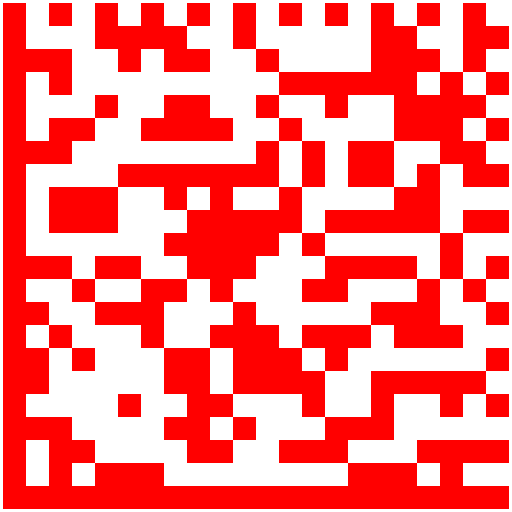
The left image below is a standard Data Matrix with dark on light. And the right one is also a valid Data Matrix with light on dark.
The following C# source code will generate 3 Data Matrix images with the same encoding data, and different bar, space colors.
You can also find more about color settings in barcode, such as transparent background barcodes here: How to customize barcode colors using C# barcode library?
The left image below is a standard Data Matrix with dark on light. And the right one is also a valid Data Matrix with light on dark.
The following C# source code will generate 3 Data Matrix images with the same encoding data, and different bar, space colors.
- A standard Data Matrix: bar color is black, and space color is white.
- A standard Data Matrix also: bar color is white, and space color is black.
- A Data Matrix: bar color is red, and space color is white. It is not a standard Data Matrix, you need make sure the barcode scanners support it.
{
    DataMatrix barcode = new DataMatrix();
    barcode.Data = "A1B2C3D4E5F6G7H8I9J0K1L2";
    barcode.drawBarcode("C://Output//csharp-datamatrix-dark-on-light.png");
}

{
    DataMatrix barcode = new DataMatrix();
    barcode.Data = "A1B2C3D4E5F6G7H8I9J0K1L2";
    barcode.ForeColor = Color.White;
    barcode.BackColor = Color.Black;
    barcode.drawBarcode("C://Output//csharp-datamatrix-light-on-dkar.png");
}

{
    DataMatrix barcode = new DataMatrix();
    barcode.Data = "A1B2C3D4E5F6G7H8I9J0K1L2";
    barcode.ForeColor = Color.Red;
    barcode.drawBarcode("C://Output//csharp-datamatrix-colors.png");
}
 |
 |
 |
You can also find more about color settings in barcode, such as transparent background barcodes here: How to customize barcode colors using C# barcode library?
Image Settings in Data Matrix
To create Data Matrix in raster image format, you can specify the image format through property System.Drawing.Imaging.ImageFormat.
And you can also directly output Data Matrix barcode into vector image format (SVG and EPS) through drawing method
drawBarcode2SVG() and drawBarcode2EPS().
You can also get more image settings such as high resolution barcodes here: How to customize barcode images using C# barcode generator library?
{
    DataMatrix barcode = new DataMatrix();
    barcode.Data = "A1B2C3D4E5F6G7H8I9J0K1L2";
    barcode.ImageFormat = ImageFormat.Jpeg;
    barcode.drawBarcode("C://Output//csharp-datamatrix-image-jpeg.jpg");
}

{
    DataMatrix barcode = new DataMatrix();
    barcode.Data = "A1B2C3D4E5F6G7H8I9J0K1L2";
    barcode.drawBarcode2SVG("C://Output//csharp-datamatrix-image-svg.svg");
}

{
    DataMatrix barcode = new DataMatrix();
    barcode.Data = "A1B2C3D4E5F6G7H8I9J0K1L2";
    barcode.drawBarcode2EPS("C://Output//csharp-datamatrix-image-eps.eps");
}
You can also get more image settings such as high resolution barcodes here: How to customize barcode images using C# barcode generator library?
Create Data Matrix with advanced options using C#
Data Matrix Format Mode in C#
Data Matrix ISO standard specifies 24 square symbols and 6 rectangular symbols available in ECC 200.
Each symbol size includes different rows and columns with different data storage capacity. You can view the details here:
Data Matrix ECC 200 symbol attributes
Using C# Data Matrix Barcode library, you can create and customize Data Matrix barcode with specified size format in C# code.

Using C# Data Matrix Barcode library, you can create and customize Data Matrix barcode with specified size format in C# code.
- Set property
FormatModeto specify the generated Data Matrix size format mode.
DataMatrix barcode = new DataMatrix();
barcode.FormatMode = DataMatrixFormatMode.Format_48X48;
Data Matrix Structured Append mode in C#
Data Matrix barcode standard provides a mechanism for the data in a file to be split into blocks and be represented in more than one Data Matrix barcode symbol.
The following C# codes explain how to store one message into 3 three Data Matrix barcode images using C# Barcode Generator library.
The following C# codes explain how to store one message into 3 three Data Matrix barcode images using C# Barcode Generator library.
- Set property
StructuredAppendto true to enable Data Matrix Structured Append mode - Set property
SymbolCountto specify the total number of Data Matrix barcodes to store the same data message - Set property
SymbolIndexto specify the order of the current data matrix. The first symbol index should be starting with0 - Set property
FileIdwith a random unique integer. All data matrix barcodes to store the same data message should have the sameFileIdvalue.
DataMatrix barcode = new DataMatrix();
barcode.Data = "Data Matrix";
barcode.StructuredAppend = true;
// The whole data message will be stored in three Data Matrix barcodes
barcode.SymbolCount = 3;
// This Data Matrix is the first one
barcode.SymbolIndex = 0;
barcode.FileId = 999;
barcode.drawBarcode("C://Output//csharp-datamatrix-structured-append-demo.png");
Data Matrix FNC1 in the first position in C#
When FNC1 appears in the first Data Matrix symbol character position, it shall signal that the Data Matrix encoding data conforms to the GS1 Application Identifier standard format.
To enable this mode using C# Data Matrix barcode generator library, you need apply the following property in the C# source code.
To enable this mode using C# Data Matrix barcode generator library, you need apply the following property in the C# source code.
- Set property
FNC1with valueFNC1.FNC1_1ST_POS
DataMatrix barcode = new DataMatrix();
barcode.FNC1 = FNC1.FNC1_1ST_POS;
Data Matrix Macro (05, 06) characters encoding
Data Matrix macro characters (05 Macro and 06 Macro) are designated special codewords (236 and 237).
They are used to abbreviate industry-specific header and trailer in one Data Matrix symbol character.
A Macro (05 Macro or 06 Macro character must be in the first character position of a Data Matrix symbol.
To enable macro character in Data Matrix using C# Data Matrix barcode generator library, you need apply the following property in the C# source code.
To enable macro character in Data Matrix using C# Data Matrix barcode generator library, you need apply the following property in the C# source code.
- Enable to
ProcessTildeto true. - In property
Data, insert the string~m5for 05 Macro, or~m6for 06 Macro in the beginning of the encoding data
DataMatrix barcode = new DataMatrix();
barcode.ProcessTilde = true;
barcode.Data = "~m5DataMatrix";
barcode.drawBarcode("C://Output//csharp-datamatrix-macro-05.png");
Encode Data Matrix with a Reader Programming character (FNC3)
A Data Matrix Reader Programming (also named as FNC3, Function 3) character is used to program or initialize a barcode reader rather than transmit data to a system.
The Reader Programming (FNC3) character shall appear as the first codeword of the symbol.
You can use the following C# codes to insert a "FUNCTION 3" character in the Dtamatrix barcode in order to re-program the barcode scanner.

You can use the following C# codes to insert a "FUNCTION 3" character in the Dtamatrix barcode in order to re-program the barcode scanner.
- Enable to
ProcessTildeto true. - In property
Data, insert the string~rpin the beginning of the encoding data
DataMatrix barcode = new DataMatrix();
barcode.ProcessTilde = true;
barcode.Data = "~rpDataMatrix";
barcode.drawBarcode("C://Output//csharp-datamatrix-reader-programming.png");
Data Matrix barcode property settings in C#
.NET Barcode Generator library has provided 20+ property settings to customize the generated Data Matrix barcode images.
You view the complete list of Data Matrix barcode property settings here.
Common Asked Questions
What is a data matrix code?

A data matrix code is a 2-dimensional code that is made of black and white cells that are usually arranged in a square pattern.
Using C# barcode generator library, you can easily generate, customize and print Data Matrix barcodes in
OnBarcode.Barcode.DataMatrix class in C# codes.
What is the ISO standard for Data Matrix?
Data Matrix ISO specification is ISO/IEC 16022, and the latest standard version is ISO/IEC 16022:2024.
C# Barcode Generator library fully support ISO compatible Data Matrix generations in C# applications.
What are the different types of Data Matrix?
According to Data Matrix latest ISO specification, there are two versions of Data Matrix
- ECC 000-140
- ECC 200. OnBarcode C# barcode library fully support Data Matrix ECC200, which uses the Reed-Solomon error correction.
How much data can a Data Matrix store?
It depends on the Data Matrix encoding data formats.
- Alphanumeric data: up to 2,335 characters
- Byte data (8-bit): 1,555 characters
- Numeric data: 3,116 digits
What is the minimum and maximum size of Data Matrix barcode?
The minimum size of Data Matrix is 10 x 10 modules. And the maximum size of Data Matrix is 144 x 144 modules.
OnBarcode C# Barcode library supports all formats defined in Data Matrix ISO standard. You can customize the Data Matrix format through
DataMatrixFormatMode using C#.
Can a phone scan a Data Matrix?
Yes. You can scan a Data Matrix using your iPhone with your 3rd party app installed.
Is a Data Matrix the same as a QR Code?
No. They are not the same barcode symbologies. Data Matrix and QR Code have lot of same features. They are both 2d barcodes, and enable to encode ASCII text, Unicode text, binary data.
Both of them are encoding GS1 business data messages.
C# Barcode Generator SDK fully supports both Data Matrix and QR Code generations in C# ASP.NET, MVC, Windows Forms, WPF, C# console applications.
Summary
OnBarcode C# Barcode Generator makes it easy to generate, create Data Matrix and other linear & 2d barcodes in Microsoft Word.
OnBarcode provides several Data Matrix Generator components and software, including Data Matrix VB.NET, Data Matrix ASP.NET, Data Matrix Java, Data Matrix for BIRT reports, Data Matrix for Excel, Data Matrix Generator.
This document is providing a detailed C# source code about generating Data Matrix barcodes in C# class using C# Barcode generation component.
OnBarcode provides several Data Matrix Generator components and software, including Data Matrix VB.NET, Data Matrix ASP.NET, Data Matrix Java, Data Matrix for BIRT reports, Data Matrix for Excel, Data Matrix Generator.
This document is providing a detailed C# source code about generating Data Matrix barcodes in C# class using C# Barcode generation component.