Showing posts with label tutorials. Show all posts

Wednesday, March 16, 2011

Water Splashing Pictures with the Nikon D90!

So many people are amazed at what are really simple pictures... For this update on the D90, I will attempt to show you how to take water splash pictures such as the one below.

Now to take pictures like this, it is really quite simple... There are just a few preparatory setup things, but then after that, it's just take a bunch of pictures! The directions are as follows:

1) Take a shallow basin or bowl of some sort... You want it to be as monochrome as possible.
White works the best, but black will do in a pinch. (You'll want to place this underneath something you can hang a string from...)
2) Fill it all the way too the top with water. I personally put a towel underneath mine. This helped keep the mess clean.
3) Take a plastic Ziplock bag, and fill it with water. Then, punch a paper clip through the top. Then attach this paper clip to a string. From this, you can suspend it from anything above the
basin. (I personally used a fan, and attached the string to the pull-chain.)
4) Poke a very small hole in the bottom of the bag. The goal is to achieve a very slow drip. Ideal times are about 3-5 seconds between each drip.
5) Lean a piece of plain, white paper behind the basin. This is for the reflective benefits, and to provide a uniform background.
6) Place lights around the basin, out of camera view... What works best is lighting from the side, and bouncing it off the card behind the basin. If you have Nikon lighting, all the better. You'll want to use it. Otherwise, a flashlight works really well, because it has focused light.
7) Place your camera on a tripod, and set the focus. If you place a pen or something right where the water is dropping, you can manually set the focus. Make sure you turn it onto manual! You can do this by switching your lens to 'M', and switching the little toggle on the lower left on the front of your D90. (You also want to check to make sure you are photographing the full water
splash...)
8) Take pictures! Here's where you can have fun. You'll have to adjust your camera for the first few pictures, but then after that, take as many pictures as you can. I'd recommend placing your camera on 'M' mode, so that you can control all the settings.

As far as what settings to use, here are some of the settings I used on my D90, and how to access them.

Shutter: somewhere between 1/250-1/1000. - This can be changed by spinning the back scroll-wheel.
Aperture: Set this as low as possible. - You can change this by spinning the front scroll-wheel
ISO: You'll want this as low as possible, due to your uniform background, and the high risk of grainy images. This will depend on your lighting available, but it will most likely be around 1000-1600. - This can be changed by pressing the minus button the back of your camera and then spinning the back scroll-wheel.


To gain the different colors, you will want to change your white balance. To do this, you have to go into your menu... On your D90, do the following:
Press the menu button -> go to the Shooting Menu, the second tab from the top -> Go down to the fifth option, White Balance -> Hit OK -> Press the right arrow key to enter the Auto fine-tuning -> This will bring up a grid with colors on it. Move the little black box around, and experiment to determine which colors you like the most. It works the best to move your preset to the extremes of the grid. (i.e. upper right-hand corner)

So now you know how to take the amazingly awesome water splashing pictures! You can easily spend hours doing this, by experimenting with lighting, white balance, shutter speeds, filters, multiple splashes, dropping a cup at once, and possibly even trying a steady stream of water effect.
Have fun, and remember, the more pictures you take, the higher the odds of just one turning out. I took about 200, and of those, I uploaded/shared about 10-12.

Saturday, July 31, 2010

4th of July Fireworks with the Nikon D90!


This last 4th of July I had a chance to watch the fireworks in a small town way up in the Cascade Mountains. The town’s fireworks are fired off right next to the river which was a great opportunity for me to capture the reflections of the fireworks on the water. A rushing river isn’t as good as a perfectly flat and calm lake for this type of shot but it will work ok. So I found the only advantage spot the shot would work and planned to get there early to set up. These are two of my favorites from a lot of shots taken and here’s the D90 Settings I used and how I did it.

First you’re going to need a Tripod and a Remote. I used my Tamron 17-50mm 2.8 lens for these shots at 17mm. First set your camera to remote and in settings :C5 set your Remote on Duration to 10 or 15 minutes if it’s not already set. ISO should be set to 200 to reduce noise. Next set you camera to Manual Exposure and rotate the rear Shutter Speed dial to the left until you get to the word BULB. Bulb setting lets you determine with the remote how long you want to leave the shutter open, 1st click the shutter opens 2nd click the shutter closes. This is how you get long exposures. The next D90 setting is your aperture. Rotate the Aperture dial on the front of your D90 to set this setting. These photos were taken with the aperture set at F/8 but you can play with this setting. I’ve taken fireworks pictures with the aperture set up to as far as f/18. The last camera set up is to set the D90 to manual focus and focus out to infinity. To focus to Infinity means to turn your focus ring all the way to the left or right where everything in the distance is in focus. I think their is a infinity symbol also on your lens. After the fireworks start you can play with the manual focus but infinity seems best. That’s it for the D90 setup.

Now it’s time to fire off some test shots of the beginning fireworks to get the framing you like. Now for the timing, as soon as you hear the fireworks shoot off into the sky click the remote one time (opening the shutter). Wait until the big explosion in the sky happens and click again (closing the shutter) Check you framing and adjust. Now you’re set to capture away….play with different exposure times and see what you get. That’s it, and that’s how I got my shots. My exposure times for these two shots were 5.1 and 7.6 seconds.

Quick Recap:
Tripod - Camera set to Remote – Remote on Duration set to 10min. – ISO 200 - Manual Exposure Set – Rotate Shutter Dial to BULB – Rotate Aperture Dial to F/8 – Set Focus to Manual – Focus out to Infinity.

Have Fun!

Tuesday, February 23, 2010

Smoke Photography with the Nikon D90!


Stuck in the house on a rainy day? Try some smoke photography for some indoors fun! Do you see in the image a profile of an old sea mariner with his hat and long beard, lol

So i decided to give this smoke photography a go and it turned out not so bad. Here's how i shot these photos with my D90 and what you'll need.

First I stopped by the fabric store and bought a yard and a half of black fabric for the background. Then I stopped at a smoke shop and got some incense sticks to use for the smoke. When i got home i waited until it was dark outside and went to work. I set the black fabric material up behind the table I was using, (make sure you set the background back pretty far because you don't want any light to hit it) next I stuck the incense stick in some wax and put it on a plate on the table.

Now for the flash and light. I used my SB600 flash off camera in commander mode and dialed down the power to -3.0. Next was the tricky part, I made a cone with a black piece of 8x10 craft paper and slid it on the flash and aimed the cone at were the smoke would be. Again the reason for this was to try and keep the light from the flash off the background. Next i got out my little head lamp and aimed it also at the spot (opposite side from the flash) the smoke would be. This was so I could manual focus on the smoke I was shooting in the dark. (you can leave this light on the whole time your snapping pictures so you can focus.

Now that i got everything set up I was ready to set up the D90. I put on my Tamron 17-50 lens and set the camera to aperture priority and went with f/8 and F/11. Since I was shooting flash the shutter speed was auto at 200. I did not use a tripod which made things a lot easier.

I fired up the incense and started snapping away at the smoke and that was it basically. When I was done I deleted the bad ones and uploaded the good ones to Photoshop elements 6 and started working with them.

Use your invert button to get a white background and back to get the black background. To add color I used the hue and saturation slider and played with that. To add color to specific areas I used the selection command and while selected I used the hue and saturation which works great! Anyway that's it...I hope you give it a try I'm sure I'll be doing some more soon.


Here's a good site that explains more.

Sunday, December 20, 2009

Nikon D90 Mirror Lock -Up?


Mirror Lock up (MLU) what is it and does the D90 have it?

What: Mirror lock-up (often abbreviated to MLU) is a feature employed in many Single Lens Reflex (SLR) cameras. It allows the operator to reduce vibration-induced motion blur during exposure. From Wikipedia, the free encyclopedia

Does the Nikon D90 have it? Unfortunately no but it does have a pretty darn good alternative. This is called Exposure Delay Mode, Page 183 of your manual. It's says, "In situations where the slightest camera movement can blur pictures, Exposure Delay Mode On can be selected to delay shutter release until about 1 second after the shutter release button is pressed and the mirror is raised".

D90 setting for Exposure Delay Mode: Custom Settings (Pencil) OK: d Shooting/display OK: d10 Exposure Delay Mode OK: On OK

I definitely see myself trying this mode next time i'm using my tripod for a landscape shot or something! Seems like a no brainier to me if I might get an even sharper photo. I've read mostly good things about how this isn't "True MLU" like some camera's have but those who have tried both say the D90's Exposure Delay Mode is a pretty good alternative to the "True MLU". What do you Think?

Illustration Courtesy Photozone

Friday, October 2, 2009

Nikon D90 and Photographing Hummingbirds!


See Larger Photo Here

I got a few questions from people asking how i got this photo, so i thought I'd explain my set up!

I picked up a hummingbird feeder at the store and set it up in a tree in my backyard so it was hanging just off my deck behind our BBQ. I used the big BBQ as a kind of blind I could sit behind.

I set up the tripod and placed the d90 on it and focused on the hummimgbird feeder so I would be close to focus when the hummer arrived to feed. I set my camera to shutter speed and dialed in 1/2500 exposure. Aperture was set on F5.6. Focal length with the nikon 70-300mm vr lens was 250mm with VR off.

I set my metering to center-weighted average and auto-focus to Dynamic Area. ISO was at 800 so I could get the faster shutter speed without the picture being to dark. Even at ISO 800 I still had to bump up the exposure compensation to +2 to get more light. That seemed to work best.

My white balance was set manual to sunny but I'm sure auto would have worked fine.
For over 3 days I played with different setting and my speedflash (SB600) trying to find what worked best for me and these setting I used for this photo seemed to be the best.

It was fun capturing these little guys coming into feed i hope you give it a try and post your best shot so we can all see.

Thursday, August 20, 2009

Nikon D90 Iphone Application Guide!


Wow, Check this out! Big Ken Rockwell has developed an IPhone app. for the D90! I do love my Iphone so i might have to get this just for fun.......

Nikon D90 Guide

Learn how to use your Nikon D90 camera from the world's most respected instructor: Ken Rockwell, who is world-renowned for his online, plain English guides to using popular cameras and photographic gear.Ken takes you through a practical, hands-on explanations of the camera's many features, functions and settings. As you're reading through the guide, you can touch unfamiliar terms to call up glossary entries for more detailed information, and the interactive, iPhone interface makes it easy to visually identify the camera's controls and to learn what they do and how best to use them. Ken also identifies useful lenses and other accessories and tells you where to look online for the best deals.Read through the entire guide to get to know your camera, then use this app as a handy pocket reference when you have a question about an unfamiliar feature or need some help trying to get a tricky shot. Whether you're an experienced photographer or just starting out, Ken Rockwell's Guide to the Nikon D90 will help you get the most out of your camera.

Check out here at appleshopper

Monday, August 3, 2009

Full Moon Photography with the Nikon D90!


We have a full moon coming in a few days and i thought I'd go over how i set up my D90 to photograph it!
The photo above was taken from my back porch last full moon. First you probably want to wait until the moon is high in the sky and really dark outside for the best results. You'll want at least a 300mm lens but a 200mm lens will also work. If your using a lens with VR don't forget to turn it off while your D90 is on the tripod. Get your Tripod set up with your D90 and set you camera to Manual (M) on the dial. Set your metering to, Center-weighted Metering (not that important but i like to do this) and Manual focus.
Next set your aperture to F/11 and shutter speed to 1/400 for starters. Get out your remote release (ML-L3) to fire off your shots... Adjust your exposure as you shoot to get it just right.
The exposure settings I have given are just a good starting point for you and is what I used on the photo above. That's it, Have Fun! If you have any other suggestions for shooting a full moon please let us know. Always learning.....

Thursday, July 2, 2009

How to Photograph Fireworks with your D90!


2010 Updated D90 Setting Click Here

With the 2009 4th of July just days from now this is my first opportunity to use my D90 to shot the fireworks so i was looking around for the best advice to get some great shots and i found this info. Thanks to the guys at Digital Photography School for this great info: How to Photograph Fireworks Displays

Image above from Stuckincustoms One of my all time favorite 4th of July pictures.

If you have any more suggestions for fireworks with the D90 please let us know. Remember lot's of towns do fireworks on the 3rd also so I'm going to count that as a free practice day!

Happy 4th of July...........Hope you get some awesome pictures!

Tuesday, April 7, 2009

Auto-FP High Speed Flash Tutorial Video - D90!


This video discusses into depth about Auto-FP High Speed x-sync for Nikon SB- speedlights. This feature allows you to override the x-sync limitation of 1/250s (some models are limited to 1/200s, 1/320s, 1/500s) to use faster shutter speeds and/or to use higher apertures.

SUPPORTED camera and flash models: • NIkon SB-900 • Nikon SB-800 • Nikon SB-600 • Nikon SB-R200 • Nikon D80 (#25: Auto-FP: On / Off) • Nikon D90 (e5 in CSM) • Nikon D200 (e1 in CSM) • Nikon D300 (e1 in CSM)
I tried this last night with my D90 and Sb600 and it worked great. Really all you have to do is turn the FP to on! e5 in the menu

Here's the link to the video on YouTube: Click Here!

Thanks to Lilkiwiguy87 for posting this!

Friday, April 3, 2009

Nikon D90 and HDR Photos!


See Larger View


I'm a big HDR fan and love doing it as much as possible. I'm sure you have seen tons of HDR (high dynamic range) photos all over the place lately. If your interested in trying it yourself i can suggest a couple of programs you will need. I personally use Dynamic Photo HDR by Media Chance but most people use Photomatix by HDR soft. Both work great in my opinion but Dynamic Photo HDR is cheaper to buy.

The photo i did above of the water fall was done using my D90 and Dynamic Photo HDR software.

For more on how to do HDR images here's a couple of good links for you!
PhotoCamel Video Tutorial - This is were i learned
PopPhoto

Thursday, March 19, 2009

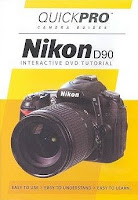
Nikon D90 QuickPro Camera Guide! -DVD


Yet another D90 tutorial dvd just released by Quickpro. If anyone has tried this one please let us know how it is!

Tutorial DVD. Play on any DVD player worldwide (recommended) or CD-ROM drive. Get ready to take the best pictures of your life! With QuickPro Camera Guides you will quickly understand the fundamentals of photography and the settings on your camera. With these new tools you will be able to take pictures with confidence. VIDEO Step by Step instruction, from basic functions to explaining the advanced features of your camera. INTERACTIVE Camera Body Tour, Viewfinder Tour, and the Control Panel Tour will help you become more knowledgable about your camera and it's features. With easy to use menus, just a touch of a button can open your mind to creative and new photographic ideas.

Wednesday, March 11, 2009

Photographing Waterfalls with the Nikon D90!

Waterfall photography is one of the things i like to do any chance i get!
This last weekend i woke up to a nasty rainy day and did not want to spend my day off setting around the house. I googled waterfalls in my area and found this place only 30 minutes away from my house were it said these falls only happen after a good rain.
So i grabbed the family and all my gear and out the door we went. Timing is everything when shooting waterfalls, and a overcast day is best in my opinion since sunny days can cause bad highlights in waterfalls because of the shutter speed you need to use. The key to getting that silky smooth moving water effect requires a longer shutter speed of 1 - 2 seconds or what i used in this shot of 1/3 of a second.
So here's the basic set-up i used with my D90 to get this shot. I put on my Tamron 17-50mm 2.8 lens and a Hoya Polarizer filter and mounted the D90 on my tripod. I then found a good vantage spot in the water were i didn't get to wet (thanks to gore-tex boots) and set the camera to manual exposure. I set my aperture to F/10 and the shutter speed to 1/3 of a second to get that silky smooth moving water effect i was looking for and started shooting away with my remote release and that was basically it! Everything else on the D90 was standard.
I hope you get a chance to photography some waterfalls this way because it's pretty darn fun and easy! For more advanced techniques on shooting waterfalls here's a good web site you might like.
http://digital-photography-school.com/waterfall-digital-photography

Tuesday, February 3, 2009

Nikon D90 Flash - Speedlights!


Advanced, high-performance Speedlights for Nikon digital SLR cameras!

Eventually you may want to get a speedlight for your new D90 and that's a great idea! I just got the SB600 and i love it. I'm still learning the best way to use it, When i get it right my photos have come out great. I use it off camera with the commander mode and boy is that fun. Here's a few links about these speedlights. You may notice i use Amazon.com a lot to show you stuff and that really is just because they have so much information and user reviews on these products it's just a great place to get it all.

SB400

SB600

SB700 New

SB800

SB900 New

SB910 New

Here's a little micro site tutorial from Nikon called "The world of Nikon speedlights"

Wednesday, January 7, 2009

Introduction to the Nikon D90 Vol.1 Basic Controls DVD


Take great pictures with your Nikon D90!

All you need is this training DVD and about an hour, and you will have the knowledge and the confidence to create the images you want. The topics are arranged in chapters, so you can move at your own pace, and return later to individual subjects.

Check it out Here

D90 Practice - Virtual Camera By Craig Hickman

From Craig Hickman"I'm testing a new Flash movie designed to teach exposure concepts as they relate to digital cameras. Anyone can use it but it was originally designed for my students at the University of Oregon in the Digital Arts, Digital Imaging class. It still has a few rough edges and bugs, but you can try it out"
This is very cool to play with!
Camera

Tuesday, November 18, 2008

Nikon D90 Made Easy Videos!


This is a great little series on the D90 put together by the people at EliteVideo.com Thanks Guy's

#1 Camera Walkaround -The buttons and controls on the D90


#2 D90 Filming Video


#3 Nikon D90 Two Buttons - all about the Two Button Function


#4 Nikon D90 Bracketing - all about Bracketing on your Nikon D90

Thursday, October 2, 2008

Camera Labs Nikon D90 Review!


Gordon Laing at Camera Labs has put together a huge review on the new Nikon D90 and also added a video tour of the D90!

Check it out Here.

Wednesday, September 17, 2008

New Nikon D90 Digitutor - Tutorial


Nikon D90 Tutorial's. Watch and learn Digitutor all about your D90. This is a great place to start if you own or are planing on getting the new Nikon D90.

See it Here

Monday, September 15, 2008

Nikon D90 Micro Site, Very Cool


Check out the Nikon D90 micro site for everything you want to know about the new Nikon D90!

Nikon D90 Microsite