Showing posts with label plugin. Show all posts

Monday, November 11, 2013

Snipmate

If you like Textmate Snippits, consider installing Snipmate. From the Github page.

SnipMate aims to provide support for textual snippets, similar to TextMate or other Vim plugins like UltiSnips. For example, in C, typing for<tab> could be expanded to:
for (i = 0; i < count; i++) {
    /* code */
}
The project linked above appears to be a fork of the original plugin, but it's up to date, and it works!

Friday, November 8, 2013

Supertab

If you like Bash auto-completion, you'll love Supertab. Installation and configuration details are available via its Github Page.

Wednesday, November 6, 2013

Vim Gitgutter

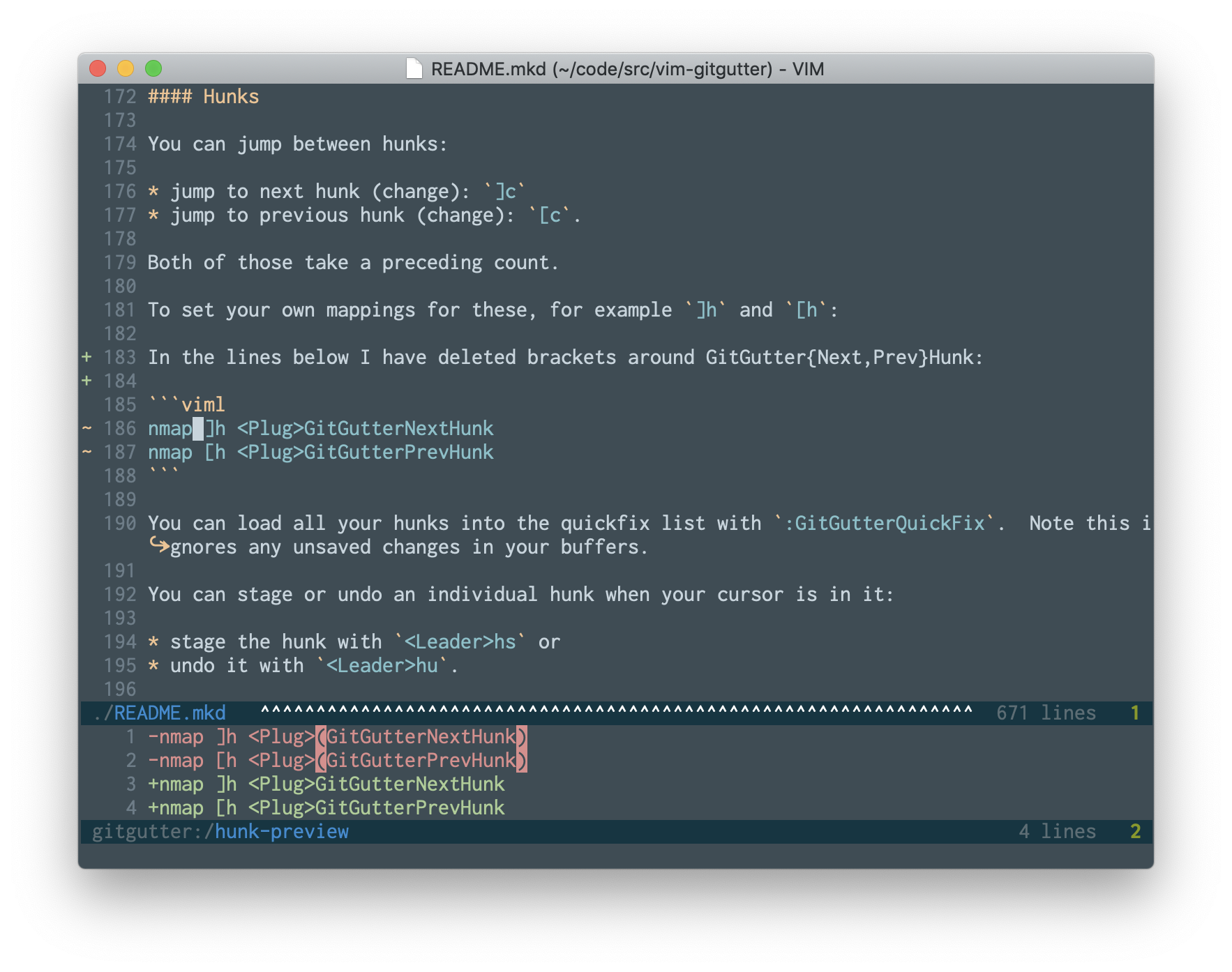
Vim Gitgutter Vim Gitgutter shows a diff in the sign (left-hand) column of your editing window. This is a really cool way to see what portions of a file have changed without resorting to git diff.


Edit:
Droggl asked how to disable vim-gutter when viewing log files because of slowness. I've come up with the following solution which seems like it should work.

Assuming your log files end in *.log, add the following to your ~/.vimrc.
autocmd BufNewFile,BufReadPost *.log setlocal filetype=log
filetype plugin on
Then make an entry like so in ~/.vim/ftplugin/log.vim
:GitGutterDisable
Hope that helps!

Monday, October 28, 2013

Pathogen Makes Plugin Management Easy

I have been using Pathogen for installing new plugins whenever possible for quite a while now. In my opinion, Pathogen is the simplest path to extending your existing Vim runtime with additional functionality.

You can install Pathogen with the following command (assuming you're using a Linux operating system).

mkdir -p ~/.vim/autoload ~/.vim/bundle; \
curl -Sso ~/.vim/autoload/pathogen.vim \
https://raw.github.com/tpope/vim-pathogen/master/autoload/pathogen.vim
Once Pathogen is installed, enable it by adding the following to your .vimrc.
execute pathogen#infect()
Once Pathogen is enabled, you can install a wealth of plugins by simply cloning them to your ~/.vim/bundle directory. As an example, you can install the vim-sensible plugin as follows.
cd ~/.vim/bundle
git clone git://github.com/tpope/vim-sensible.git

Wednesday, October 1, 2008

Vimperator

There's a plugin for firefox which allows firefox to behave more like Vim. Some of the features include:

* Vim-like keybindings (h,j,k,l,gg,G,0,$,ZZ,,etc.)
* Ex commands (:quit, :open www.foo.com, ...)
* Hit-a-hint like navigation of links (start with 'f' to follow a link)
* Vim-like statusline with a wget-like progress bar
* Macros to replay key strokes

etc...

The author really threw in the kitchen sink. I've seen my co-worker using this, and it's SUPER cool.

Vimperator Plugin