<?xml version="1.0" encoding="utf-8"?><feed xmlns="http://www.w3.org/2005/Atom" ><generator uri="https://jekyllrb.com/" version="3.10.0">Jekyll</generator><link href="http://bookmark.programnotes.cn/feed.xml" rel="self" type="application/atom+xml" /><link href="http://bookmark.programnotes.cn/" rel="alternate" type="text/html" /><updated>2025-08-21T10:07:14+00:00</updated><id>http://bookmark.programnotes.cn/feed.xml</id><title type="html">Bookmark Collection</title><subtitle>A collection of interesting bookmarks and articles</subtitle><entry><title type="html">Claude Code Best Practices</title><link href="http://bookmark.programnotes.cn/2025/08/21/claude-code-best-practices.html" rel="alternate" type="text/html" title="Claude Code Best Practices" /><published>2025-08-21T00:00:00+00:00</published><updated>2025-08-21T00:00:00+00:00</updated><id>http://bookmark.programnotes.cn/2025/08/21/claude-code-best-practices</id><content type="html" xml:base="http://bookmark.programnotes.cn/2025/08/21/claude-code-best-practices.html"><![CDATA[<h1 id="claude-code-best-practices">Claude Code Best Practices</h1>
<ul>
  <li>URL: <a href="https://www.anthropic.com/engineering/claude-code-best-practices">原文</a></li>
  <li>Added At: 2025-08-21 08:31:24</li>
  <li><a href="_posts/2025-08-21-claude-code-best-practices_raw.md">Link To Text</a></li>
</ul>

<h2 id="tldr">TL;DR</h2>
<p>Claude Code是Anthropic开发的命令行工具，旨在将Claude模型集成到编码工作流程中。通过定制设置、扩展工具、利用常用工作流程，并结合优化技巧，用户可以更高效地利用Claude Code进行代码探索、规划、编写、测试、提交，甚至进行代码库问答和Git/GitHub交互。无头模式和多Claude工作流程进一步提升了自动化和并行处理能力，建议用户根据自身需求进行实验和调整，以实现最佳效果。</p>

<h2 id="summary">Summary</h2>
<p>好的，这是对你提供的 Claude Code 最佳实践文章的 Markdown 列表式详细总结：</p>

<ol>
  <li>
    <p><strong>Claude Code 简介</strong>: Claude Code 是 Anthropic 开发的命令行工具，用于 agentic coding，方便工程师和研究人员将 Claude 集成到他们的编码工作流程中。</p>
  </li>
  <li>
    <p><strong>设计理念</strong>: Claude Code 保持低级别和非主观性，提供接近原始模型的访问，不强制特定工作流程，从而实现灵活、可定制、可脚本化和安全。</p>
  </li>
  <li>
    <p><strong>最佳实践</strong>: 文章概述了 Anthropic 内部团队和外部工程师在使用 Claude Code 过程中发现的有效模式，强调实验和个性化。</p>
  </li>
  <li>
    <p><strong>定制设置</strong>:</p>

    <ul>
      <li><strong><code class="language-plaintext highlighter-rouge">CLAUDE.md</code> 文件</strong>:
        <ul>
          <li><strong>作用</strong>: Claude Code 启动会话时自动加载的特殊文件，用于记录常用 bash 命令、核心文件、代码风格指南、测试说明、仓库规范、开发环境设置等信息。</li>
          <li><strong>位置</strong>: 可以放置在仓库根目录、父目录、子目录或用户主目录下。</li>
          <li><strong>用途</strong>: 通过 <code class="language-plaintext highlighter-rouge">/init</code> 命令自动生成，通过 <code class="language-plaintext highlighter-rouge">#</code> 键添加指令，并定期优化其内容。</li>
        </ul>
      </li>
      <li><strong>允许的工具列表</strong>:
        <ul>
          <li><strong>目的</strong>: 用于控制 Claude Code 可以执行的操作，默认采用保守策略以保证安全。</li>
          <li><strong>管理方式</strong>: 通过对话提示选择“始终允许”、使用 <code class="language-plaintext highlighter-rouge">/permissions</code> 命令、手动编辑 <code class="language-plaintext highlighter-rouge">.claude/settings.json</code> 或使用 <code class="language-plaintext highlighter-rouge">--allowedTools</code> 命令行参数。</li>
        </ul>
      </li>
      <li><strong>GitHub CLI</strong>: 如果使用 GitHub，建议安装 <code class="language-plaintext highlighter-rouge">gh</code> CLI，以便 Claude 可以更方便地与 GitHub 交互。</li>
    </ul>
  </li>
  <li>
    <p><strong>扩展工具</strong>:</p>

    <ul>
      <li>
        <p><strong>Bash 工具</strong>: Claude Code 继承 bash 环境，可以通过提供工具名称和用法示例、运行 <code class="language-plaintext highlighter-rouge">--help</code> 命令以及在 <code class="language-plaintext highlighter-rouge">CLAUDE.md</code> 中记录来让 Claude 使用自定义 bash 工具。</p>
      </li>
      <li><strong>MCP</strong>: Claude Code 既是 MCP 服务器又是客户端，可以通过项目配置、全局配置或 <code class="language-plaintext highlighter-rouge">.mcp.json</code> 文件访问 MCP 服务器上的工具。
        <ul>
          <li><strong>调试</strong>: 使用 <code class="language-plaintext highlighter-rouge">--mcp-debug</code> 标志有助于识别 MCP 配置问题。</li>
        </ul>
      </li>
      <li><strong>自定义斜杠命令</strong>: 将常用的 prompt 模板存储在 <code class="language-plaintext highlighter-rouge">.claude/commands</code> 文件夹中，通过 <code class="language-plaintext highlighter-rouge">/</code> 命令菜单访问，支持使用 <code class="language-plaintext highlighter-rouge">$ARGUMENTS</code> 传递参数。</li>
    </ul>
  </li>
  <li>
    <p><strong>常用工作流程</strong>:</p>

    <ul>
      <li><strong>探索、计划、编码、提交</strong>:
        <ol>
          <li>要求 Claude 读取相关文件、图片或 URL，但不要立即编写代码。可以使用子代理验证细节。</li>
          <li>要求 Claude 制定解决方案计划，使用 “think” 等词语触发扩展思考模式。</li>
          <li>要求 Claude 实现代码，并验证其解决方案的合理性。</li>
          <li>要求 Claude 提交代码并创建 pull request。</li>
        </ol>
      </li>
      <li><strong>编写测试、提交；编码、迭代、提交</strong>:
        <ol>
          <li>要求 Claude 基于预期输入/输出对编写测试。</li>
          <li>要求 Claude 运行测试并确认测试失败。</li>
          <li>要求 Claude 提交测试。</li>
          <li>要求 Claude 编写通过测试的代码，且不修改测试。可以使用子代理验证实现是否过度拟合测试。</li>
          <li>要求 Claude 提交代码。</li>
        </ol>
      </li>
      <li><strong>编写代码、截图结果、迭代</strong>:
        <ol>
          <li>提供 Claude 截取浏览器截图的方法。</li>
          <li>提供视觉 mock。</li>
          <li>要求 Claude 实现设计，截取结果截图，并迭代直到结果与 mock 匹配。</li>
          <li>要求 Claude 提交代码。</li>
        </ol>
      </li>
      <li>
        <p><strong>安全 YOLO 模式</strong>: 使用 <code class="language-plaintext highlighter-rouge">claude --dangerously-skip-permissions</code> 绕过权限检查，适用于修复 lint 错误或生成样板代码等工作流程，建议在没有互联网访问的容器中使用，以降低风险。</p>
      </li>
      <li>
        <p><strong>代码库问答</strong>: 使用 Claude Code 学习和探索新的代码库，询问有关代码库的各种问题。</p>
      </li>
      <li>
        <p><strong>与 Git 交互</strong>: Claude 可以有效地处理许多 Git 操作，如搜索 Git 历史、编写提交消息、处理复杂的 Git 操作。</p>
      </li>
      <li>
        <p><strong>与 GitHub 交互</strong>: Claude Code 可以管理许多 GitHub 交互，如创建 pull request、实现代码审查意见的快速解决、修复失败的构建或 linter 警告、对未解决的问题进行分类和分类。</p>
      </li>
      <li><strong>使用 Jupyter notebook</strong>: 使用 Claude Code 来读取和编写 Jupyter notebook。 特别是告诉它使笔记本或其数据可视化“美观”往往有助于提醒它正在为人类的观看体验进行优化。</li>
    </ul>
  </li>
  <li>
    <p><strong>优化工作流程</strong>:</p>

    <ul>
      <li><strong>指令明确</strong>: 越具体的指令，Claude Code 的成功率越高。</li>
      <li><strong>提供图像</strong>: 通过截图、拖放或提供文件路径，Claude 可以更好地理解 UI 开发的设计 mock 和分析调试的视觉图表。</li>
      <li><strong>提及文件</strong>: 使用 tab 补全快速引用仓库中的文件或文件夹，帮助 Claude 找到或更新正确的资源。</li>
      <li><strong>提供 URL</strong>: 粘贴 URL，让 Claude 获取和读取网页内容。</li>
      <li><strong>及时纠正</strong>: 积极参与并指导 Claude 的方法，在开始时彻底解释任务，或随时纠正 Claude 的方向。</li>
      <li><strong>使用 <code class="language-plaintext highlighter-rouge">/clear</code></strong>: 清除不相关的对话、文件内容和命令，保持上下文专注。</li>
      <li><strong>使用检查清单和草稿</strong>: 对于大型任务，可以使用 Markdown 文件或 GitHub issue 作为检查清单和草稿。</li>
      <li><strong>传递数据</strong>: 通过复制粘贴、管道输入、bash 命令、MCP 工具或自定义斜杠命令、读取文件或获取 URL 等方式向 Claude 提供数据。</li>
    </ul>
  </li>
  <li>
    <p><strong>无头模式</strong>: 使用 <code class="language-plaintext highlighter-rouge">-p</code> 标志启用无头模式，用于自动化 CI、pre-commit 钩子、构建脚本等非交互式上下文。</p>

    <ul>
      <li>
        <p><strong>问题分类</strong>: 使用 Claude 检查新问题并分配标签。</p>
      </li>
      <li>
        <p><strong>作为 linter</strong>: Claude 可以提供超越传统 linting 工具的主观代码审查，识别拼写错误、过时的注释、误导性的函数或变量名称等问题。</p>
      </li>
    </ul>
  </li>
  <li>
    <p><strong>多 Claude 工作流程</strong>: 并行运行多个 Claude 实例以提高效率。</p>

    <ul>
      <li>
        <p><strong>一个 Claude 编写代码，另一个 Claude 验证</strong>: 分离上下文，使 Claude 专注于不同的任务。</p>
      </li>
      <li>
        <p><strong>多个代码库副本</strong>: 创建 3-4 个 Git 代码库副本，在单独的终端标签中打开，并在每个文件夹中启动 Claude，执行不同的任务。</p>
      </li>
      <li>
        <p><strong>使用 git worktrees</strong>: 允许您从同一存储库将多个分支签出到单独的目录中。</p>
      </li>
      <li>
        <p><strong>与自定义 harness 配合使用无头模式</strong>: 通过 <code class="language-plaintext highlighter-rouge">--verbose</code> 标志调试 Claude 调用，建议在生产环境中关闭详细模式以获得更清晰的输出。</p>
        <ul>
          <li><strong>Fanning out</strong>: 处理大型迁移或分析。</li>
          <li><strong>Pipelining</strong>: 将 Claude 集成到现有的数据/处理管道中。</li>
        </ul>
      </li>
    </ul>
  </li>
</ol>]]></content><author><name></name></author><summary type="html"><![CDATA[Claude Code Best Practices URL: 原文 Added At: 2025-08-21 08:31:24 Link To Text]]></summary></entry><entry><title type="html">Claude Code Best Practices_raw</title><link href="http://bookmark.programnotes.cn/2025/08/21/claude-code-best-practices_raw.html" rel="alternate" type="text/html" title="Claude Code Best Practices_raw" /><published>2025-08-21T00:00:00+00:00</published><updated>2025-08-21T00:00:00+00:00</updated><id>http://bookmark.programnotes.cn/2025/08/21/claude-code-best-practices_raw</id><content type="html" xml:base="http://bookmark.programnotes.cn/2025/08/21/claude-code-best-practices_raw.html"><![CDATA[<p>Title: Claude Code Best Practices</p>

<p>URL Source: https://www.anthropic.com/engineering/claude-code-best-practices</p>

<p>Markdown Content:
<a href="https://www.anthropic.com/engineering">Engineering at Anthropic</a></p>

<p>We recently <a href="https://www.anthropic.com/news/claude-3-7-sonnet">released Claude Code</a>, a command line tool for agentic coding. Developed as a research project, Claude Code gives Anthropic engineers and researchers a more native way to integrate Claude into their coding workflows.</p>

<p>Claude Code is intentionally low-level and unopinionated, providing close to raw model access without forcing specific workflows. This design philosophy creates a flexible, customizable, scriptable, and safe power tool. While powerful, this flexibility presents a learning curve for engineers new to agentic coding tools—at least until they develop their own best practices.</p>

<p>This post outlines general patterns that have proven effective, both for Anthropic’s internal teams and for external engineers using Claude Code across various codebases, languages, and environments. Nothing in this list is set in stone nor universally applicable; consider these suggestions as starting points. We encourage you to experiment and find what works best for you!</p>

<p><em>Looking for more detailed information? Our comprehensive documentation at <a href="https://claude.ai/redirect/website.v1.9e88cca5-8fba-4a4b-b7b3-0f8248097d5d/code">claude.ai/code</a></em> <em>covers all the features mentioned in this post and provides additional examples, implementation details, and advanced techniques.</em></p>

<ol>
  <li>
    <h2 id="customize-your-setup">Customize your setup</h2>
  </li>
</ol>

<p>Claude Code is an agentic coding assistant that automatically pulls context into prompts. This context gathering consumes time and tokens, but you can optimize it through environment tuning.</p>

<h3 id="a-create-claudemd-files">a. Create <code class="language-plaintext highlighter-rouge">CLAUDE.md</code> files</h3>

<p><code class="language-plaintext highlighter-rouge">CLAUDE.md</code> is a special file that Claude automatically pulls into context when starting a conversation. This makes it an ideal place for documenting:</p>

<ul>
  <li>Common bash commands</li>
  <li>Core files and utility functions</li>
  <li>Code style guidelines</li>
  <li>Testing instructions</li>
  <li>Repository etiquette (e.g., branch naming, merge vs. rebase, etc.)</li>
  <li>Developer environment setup (e.g., pyenv use, which compilers work)</li>
  <li>Any unexpected behaviors or warnings particular to the project</li>
  <li>Other information you want Claude to remember</li>
</ul>

<p>There’s no required format for <code class="language-plaintext highlighter-rouge">CLAUDE.md</code> files. We recommend keeping them concise and human-readable. For example:</p>

<div class="language-plaintext highlighter-rouge"><div class="highlight"><pre class="highlight"><code># Bash commands
- npm run build: Build the project
- npm run typecheck: Run the typechecker

# Code style
- Use ES modules (import/export) syntax, not CommonJS (require)
- Destructure imports when possible (eg. import { foo } from 'bar')

# Workflow
- Be sure to typecheck when you’re done making a series of code changes
- Prefer running single tests, and not the whole test suite, for performance
</code></pre></div></div>

<p>You can place <code class="language-plaintext highlighter-rouge">CLAUDE.md</code> files in several locations:</p>

<ul>
  <li><strong>The root of your repo</strong>, or wherever you run <code class="language-plaintext highlighter-rouge">claude</code> from (the most common usage). Name it <code class="language-plaintext highlighter-rouge">CLAUDE.md</code> and check it into git so that you can share it across sessions and with your team (recommended), or name it <code class="language-plaintext highlighter-rouge">CLAUDE.local.md</code> and <code class="language-plaintext highlighter-rouge">.gitignore</code> it</li>
  <li><strong>Any parent of the directory</strong> where you run <code class="language-plaintext highlighter-rouge">claude</code>. This is most useful for monorepos, where you might run <code class="language-plaintext highlighter-rouge">claude</code> from <code class="language-plaintext highlighter-rouge">root/foo</code>, and have <code class="language-plaintext highlighter-rouge">CLAUDE.md</code> files in both <code class="language-plaintext highlighter-rouge">root/CLAUDE.md</code> and <code class="language-plaintext highlighter-rouge">root/foo/CLAUDE.md</code>. Both of these will be pulled into context automatically</li>
  <li><strong>Any child of the directory</strong> where you run <code class="language-plaintext highlighter-rouge">claude</code>. This is the inverse of the above, and in this case, Claude will pull in <code class="language-plaintext highlighter-rouge">CLAUDE.md</code> files on demand when you work with files in child directories</li>
  <li><strong>Your home folder</strong> (<code class="language-plaintext highlighter-rouge">~/.claude/CLAUDE.md</code>), which applies it to all your <em>claude</em> sessions</li>
</ul>

<p>When you run the <code class="language-plaintext highlighter-rouge">/init</code> command, Claude will automatically generate a <code class="language-plaintext highlighter-rouge">CLAUDE.md</code> for you.</p>

<h3 id="b-tune-your-claudemd-files">b. Tune your <code class="language-plaintext highlighter-rouge">CLAUDE.md</code> files</h3>

<p>Your <code class="language-plaintext highlighter-rouge">CLAUDE.md</code> files become part of Claude’s prompts, so they should be refined like any frequently used prompt. A common mistake is adding extensive content without iterating on its effectiveness. Take time to experiment and determine what produces the best instruction following from the model.</p>

<p>You can add content to your <code class="language-plaintext highlighter-rouge">CLAUDE.md</code> manually or press the <code class="language-plaintext highlighter-rouge">#</code> key to give Claude an instruction that it will automatically incorporate into the relevant <code class="language-plaintext highlighter-rouge">CLAUDE.md</code>. Many engineers use <code class="language-plaintext highlighter-rouge">#</code> frequently to document commands, files, and style guidelines while coding, then include <code class="language-plaintext highlighter-rouge">CLAUDE.md</code> changes in commits so team members benefit as well.</p>

<p>At Anthropic, we occasionally run <code class="language-plaintext highlighter-rouge">CLAUDE.md</code> files through the <a href="https://docs.anthropic.com/en/docs/build-with-claude/prompt-engineering/prompt-improver">prompt improver</a> and often tune instructions (e.g. adding emphasis with “IMPORTANT” or “YOU MUST”) to improve adherence.</p>

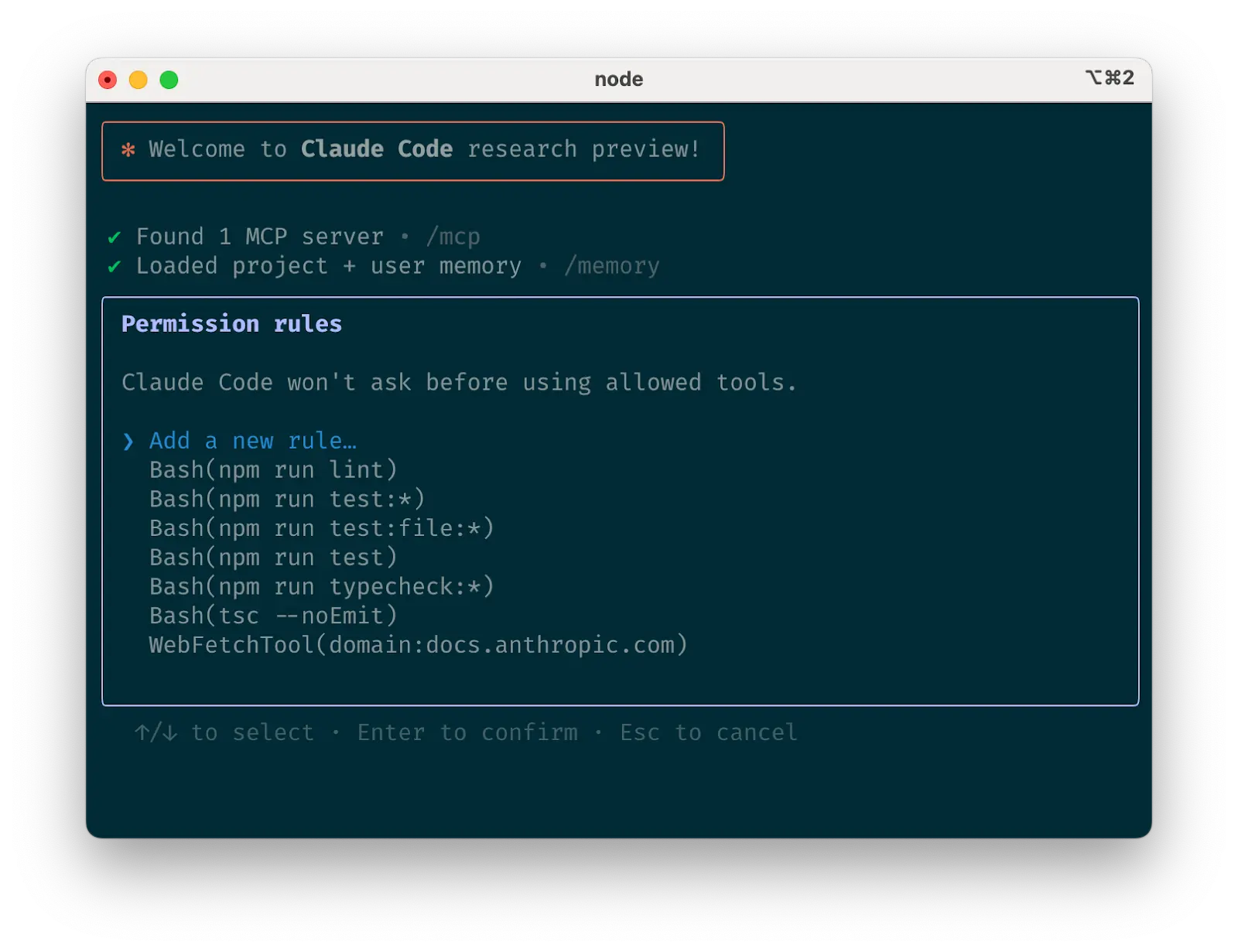
<p><img src="https://www.anthropic.com/_next/image?url=https%3A%2F%2Fwww-cdn.anthropic.com%2Fimages%2F4zrzovbb%2Fwebsite%2F6961243cc6409e41ba93895faded4f4bc1772366-1600x1231.png&amp;w=3840&amp;q=75" alt="Image 1: Claude Code tool allowlist" /></p>

<h3 id="c-curate-claudes-list-of-allowed-tools">c. Curate Claude’s list of allowed tools</h3>

<p>By default, Claude Code requests permission for any action that might modify your system: file writes, many bash commands, MCP tools, etc. We designed Claude Code with this deliberately conservative approach to prioritize safety. You can customize the allowlist to permit additional tools that you know are safe, or to allow potentially unsafe tools that are easy to undo (e.g., file editing, <code class="language-plaintext highlighter-rouge">git commit</code>).</p>

<p>There are four ways to manage allowed tools:</p>

<ul>
  <li><strong>Select “Always allow”</strong> when prompted during a session.</li>
  <li><strong>Use the<code class="language-plaintext highlighter-rouge">/permissions</code>command</strong> after starting Claude Code to add or remove tools from the allowlist. For example, you can add <code class="language-plaintext highlighter-rouge">Edit</code> to always allow file edits, <code class="language-plaintext highlighter-rouge">Bash(git commit:*)</code> to allow git commits, or <code class="language-plaintext highlighter-rouge">mcp__puppeteer__puppeteer_navigate</code> to allow navigating with the Puppeteer MCP server.</li>
  <li><strong>Manually edit</strong> your <code class="language-plaintext highlighter-rouge">.claude/settings.json</code> or <code class="language-plaintext highlighter-rouge">~/.claude.json</code> (we recommend checking the former into source control to share with your team)<em>.</em></li>
  <li><strong>Use the<code class="language-plaintext highlighter-rouge">--allowedTools</code> CLI flag</strong> for session-specific permissions.</li>
</ul>

<h3 id="d-if-using-github-install-the-gh-cli">d. If using GitHub, install the gh CLI</h3>

<p>Claude knows how to use the <code class="language-plaintext highlighter-rouge">gh</code> CLI to interact with GitHub for creating issues, opening pull requests, reading comments, and more. Without <code class="language-plaintext highlighter-rouge">gh</code> installed, Claude can still use the GitHub API or MCP server (if you have it installed).</p>

<ol>
  <li>
    <h2 id="give-claude-more-tools">Give Claude more tools</h2>
  </li>
</ol>

<p>Claude has access to your shell environment, where you can build up sets of convenience scripts and functions for it just like you would for yourself. It can also leverage more complex tools through MCP and REST APIs.</p>

<h3 id="a-use-claude-with-bash-tools">a. Use Claude with bash tools</h3>

<p>Claude Code inherits your bash environment, giving it access to all your tools. While Claude knows common utilities like unix tools and <code class="language-plaintext highlighter-rouge">gh</code>, it won’t know about your custom bash tools without instructions:</p>

<ol>
  <li>Tell Claude the tool name with usage examples</li>
  <li>Tell Claude to run<code class="language-plaintext highlighter-rouge">--help</code>to see tool documentation</li>
  <li>Document frequently used tools in <code class="language-plaintext highlighter-rouge">CLAUDE.md</code></li>
</ol>

<h3 id="b-use-claude-with-mcp">b. Use Claude with MCP</h3>

<p>Claude Code functions as both an MCP server and client. As a client, it can connect to any number of MCP servers to access their tools in three ways:</p>

<ul>
  <li><strong>In project config</strong> (available when running Claude Code in that directory)</li>
  <li><strong>In global config</strong>(available in all projects)</li>
  <li><strong>In a checked-in <code class="language-plaintext highlighter-rouge">.mcp.json</code> file</strong> (available to anyone working in your codebase). For example, you can add Puppeteer and Sentry servers to your <code class="language-plaintext highlighter-rouge">.mcp.json</code>, so that every engineer working on your repo can use these out of the box.</li>
</ul>

<p>When working with MCP, it can also be helpful to launch Claude with the <code class="language-plaintext highlighter-rouge">--mcp-debug</code> flag to help identify configuration issues.</p>

<h3 id="c-use-custom-slash-commands">c. Use custom slash commands</h3>

<p>For repeated workflows—debugging loops, log analysis, etc.—store prompt templates in Markdown files within the <code class="language-plaintext highlighter-rouge">.claude/commands</code> folder. These become available through the slash commands menu when you type <code class="language-plaintext highlighter-rouge">/</code>. You can check these commands into git to make them available for the rest of your team.</p>

<p>Custom slash commands can include the special keyword <code class="language-plaintext highlighter-rouge">$ARGUMENTS</code> to pass parameters from command invocation.</p>

<p>For example, here’s a slash command that you could use to automatically pull and fix a Github issue:</p>

<div class="language-plaintext highlighter-rouge"><div class="highlight"><pre class="highlight"><code>Please analyze and fix the GitHub issue: $ARGUMENTS.

Follow these steps:

1. Use `gh issue view` to get the issue details
2. Understand the problem described in the issue
3. Search the codebase for relevant files
4. Implement the necessary changes to fix the issue
5. Write and run tests to verify the fix
6. Ensure code passes linting and type checking
7. Create a descriptive commit message
8. Push and create a PR

Remember to use the GitHub CLI (`gh`) for all GitHub-related tasks.
</code></pre></div></div>

<p>Putting the above content into <code class="language-plaintext highlighter-rouge">.claude/commands/fix-github-issue.md</code> makes it available as the <code class="language-plaintext highlighter-rouge">/project:fix-github-issue</code> command in Claude Code. You could then for example use <code class="language-plaintext highlighter-rouge">/project:fix-github-issue 1234</code> to have Claude fix issue #1234. Similarly, you can add your own personal commands to the<code class="language-plaintext highlighter-rouge">~/.claude/commands</code> folder for commands you want available in all of your sessions.</p>

<ol>
  <li>
    <h2 id="try-common-workflows">Try common workflows</h2>
  </li>
</ol>

<p>Claude Code doesn’t impose a specific workflow, giving you the flexibility to use it how you want. Within the space this flexibility affords, several successful patterns for effectively using Claude Code have emerged across our community of users:</p>

<h3 id="a-explore-plan-code-commit">a. Explore, plan, code, commit</h3>

<p>This versatile workflow suits many problems:</p>

<ol>
  <li>
    <p><strong>Ask Claude to read relevant files, images, or URLs</strong>, providing either general pointers (“read the file that handles logging”) or specific filenames (“read logging.py”), but explicitly tell it not to write any code just yet.
    1.   This is the part of the workflow where you should consider strong use of subagents, especially for complex problems. Telling Claude to use subagents to verify details or investigate particular questions it might have, especially early on in a conversation or task, tends to preserve context availability without much downside in terms of lost efficiency.</p>
  </li>
  <li>
    <p><strong>Ask Claude to make a plan for how to approach a specific problem</strong>. We recommend using the word “think” to trigger extended thinking mode, which gives Claude additional computation time to evaluate alternatives more thoroughly. These specific phrases are mapped directly to increasing levels of thinking budget in the system: “think” &lt; “think hard” &lt; “think harder” &lt; “ultrathink.” Each level allocates progressively more thinking budget for Claude to use.
    1.   If the results of this step seem reasonable, you can have Claude create a document or a GitHub issue with its plan so that you can reset to this spot if the implementation (step 3) isn’t what you want.</p>
  </li>
  <li><strong>Ask Claude to implement its solution in code</strong>. This is also a good place to ask it to explicitly verify the reasonableness of its solution as it implements pieces of the solution.</li>
  <li><strong>Ask Claude to commit the result and create a pull request</strong>. If relevant, this is also a good time to have Claude update any READMEs or changelogs with an explanation of what it just did.</li>
</ol>

<p>Steps #1-#2 are crucial—without them, Claude tends to jump straight to coding a solution. While sometimes that’s what you want, asking Claude to research and plan first significantly improves performance for problems requiring deeper thinking upfront.</p>

<h3 id="b-write-tests-commit-code-iterate-commit">b. Write tests, commit; code, iterate, commit</h3>

<p>This is an Anthropic-favorite workflow for changes that are easily verifiable with unit, integration, or end-to-end tests. Test-driven development (TDD) becomes even more powerful with agentic coding:</p>

<ol>
  <li><strong>Ask Claude to write tests based on expected input/output pairs</strong>. Be explicit about the fact that you’re doing test-driven development so that it avoids creating mock implementations, even for functionality that doesn’t exist yet in the codebase.</li>
  <li><strong>Tell Claude to run the tests and confirm they fail</strong>. Explicitly telling it not to write any implementation code at this stage is often helpful.</li>
  <li><strong>Ask Claude to commit the tests</strong>when you’re satisfied with them.</li>
  <li>
    <p><strong>Ask Claude to write code that passes the tests</strong>, instructing it not to modify the tests. Tell Claude to keep going until all tests pass. It will usually take a few iterations for Claude to write code, run the tests, adjust the code, and run the tests again.
    1.   At this stage, it can help to ask it to verify with independent subagents that the implementation isn’t overfitting to the tests</p>
  </li>
  <li><strong>Ask Claude to commit the code</strong> once you’re satisfied with the changes.</li>
</ol>

<p>Claude performs best when it has a clear target to iterate against—a visual mock, a test case, or another kind of output. By providing expected outputs like tests, Claude can make changes, evaluate results, and incrementally improve until it succeeds.</p>

<h3 id="c-write-code-screenshot-result-iterate">c. Write code, screenshot result, iterate</h3>

<p>Similar to the testing workflow, you can provide Claude with visual targets:</p>

<ol>
  <li><strong>Give Claude a way to take browser screenshots</strong> (e.g., with the <a href="https://github.com/modelcontextprotocol/servers/tree/c19925b8f0f2815ad72b08d2368f0007c86eb8e6/src/puppeteer">Puppeteer MCP server</a>, an <a href="https://github.com/joshuayoes/ios-simulator-mcp">iOS simulator MCP server</a>, or manually copy / paste screenshots into Claude).</li>
  <li><strong>Give Claude a visual mock</strong> by copying / pasting or drag-dropping an image, or giving Claude the image file path.</li>
  <li><strong>Ask Claude to implement the design</strong> in code, take screenshots of the result, and iterate until its result matches the mock.</li>
  <li><strong>Ask Claude to commit</strong> when you’re satisfied.</li>
</ol>

<p>Like humans, Claude’s outputs tend to improve significantly with iteration. While the first version might be good, after 2-3 iterations it will typically look much better. Give Claude the tools to see its outputs for best results.</p>

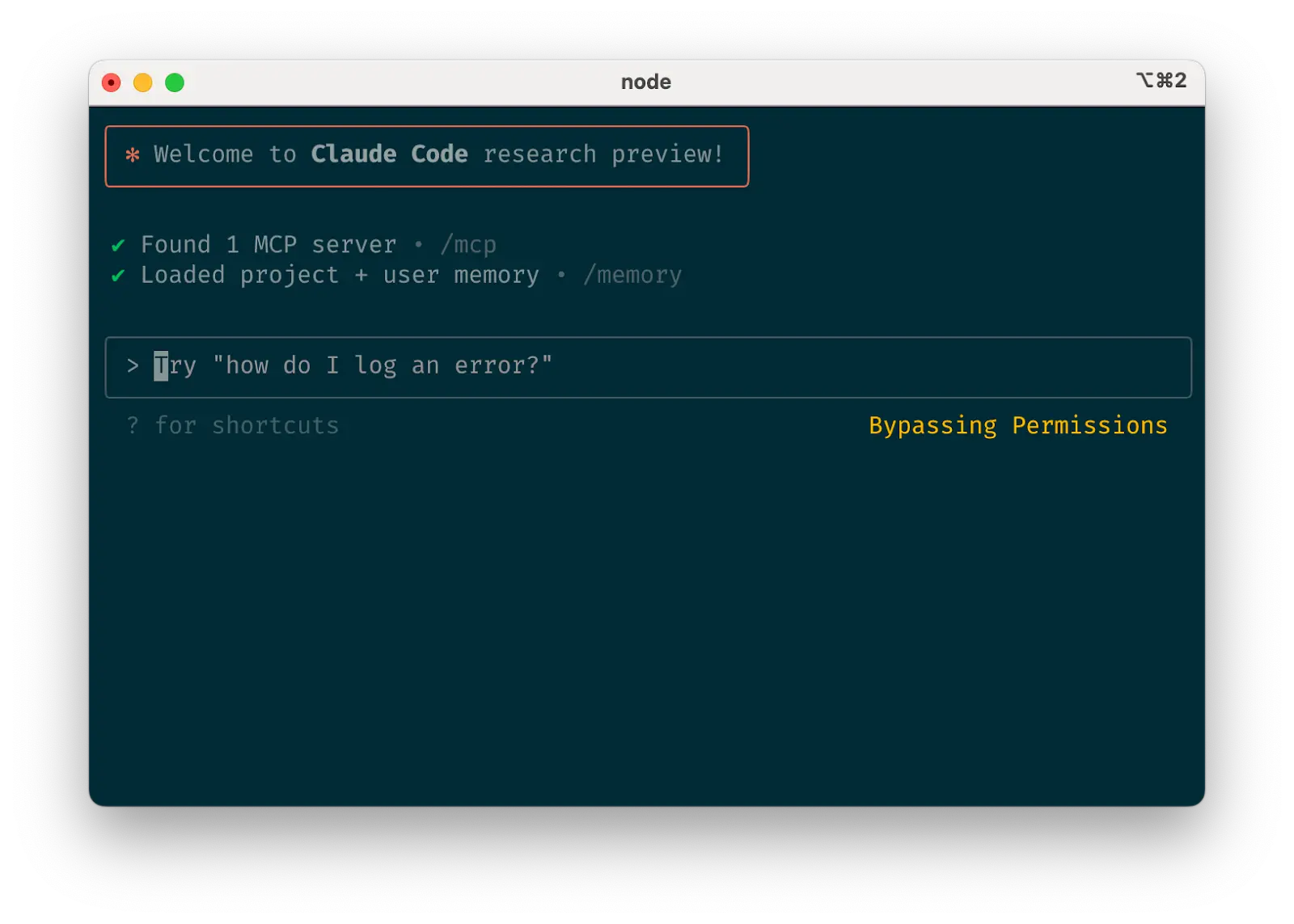
<p><img src="https://www.anthropic.com/_next/image?url=https%3A%2F%2Fwww-cdn.anthropic.com%2Fimages%2F4zrzovbb%2Fwebsite%2F6ea59a36fe82c2b300bceaf3b880a4b4852c552d-1600x1143.png&amp;w=3840&amp;q=75" alt="Image 2: Safe yolo mode" /></p>

<h3 id="d-safe-yolo-mode">d. Safe YOLO mode</h3>

<p>Instead of supervising Claude, you can use <code class="language-plaintext highlighter-rouge">claude --dangerously-skip-permissions</code> to bypass all permission checks and let Claude work uninterrupted until completion. This works well for workflows like fixing lint errors or generating boilerplate code.</p>

<p>Letting Claude run arbitrary commands is risky and can result in data loss, system corruption, or even data exfiltration (e.g., via prompt injection attacks). To minimize these risks, use <code class="language-plaintext highlighter-rouge">--dangerously-skip-permissions</code> in a container without internet access. You can follow this <a href="https://github.com/anthropics/claude-code/tree/main/.devcontainer">reference implementation</a> using Docker Dev Containers.</p>

<h3 id="e-codebase-qa">e. Codebase Q&amp;A</h3>

<p>When onboarding to a new codebase, use Claude Code for learning and exploration. You can ask Claude the same sorts of questions you would ask another engineer on the project when pair programming. Claude can agentically search the codebase to answer general questions like:</p>

<ul>
  <li>How does logging work?</li>
  <li>How do I make a new API endpoint?</li>
  <li>What does <code class="language-plaintext highlighter-rouge">async move { ... }</code> do on line 134 of <code class="language-plaintext highlighter-rouge">foo.rs</code>?</li>
  <li>What edge cases does <code class="language-plaintext highlighter-rouge">CustomerOnboardingFlowImpl</code> handle?</li>
  <li>Why are we calling <code class="language-plaintext highlighter-rouge">foo()</code> instead of <code class="language-plaintext highlighter-rouge">bar()</code> on line 333?</li>
  <li>What’s the equivalent of line 334 of <code class="language-plaintext highlighter-rouge">baz.py</code> in Java?</li>
</ul>

<p>At Anthropic, using Claude Code in this way has become our core onboarding workflow, significantly improving ramp-up time and reducing load on other engineers. No special prompting is required! Simply ask questions, and Claude will explore the code to find answers.</p>

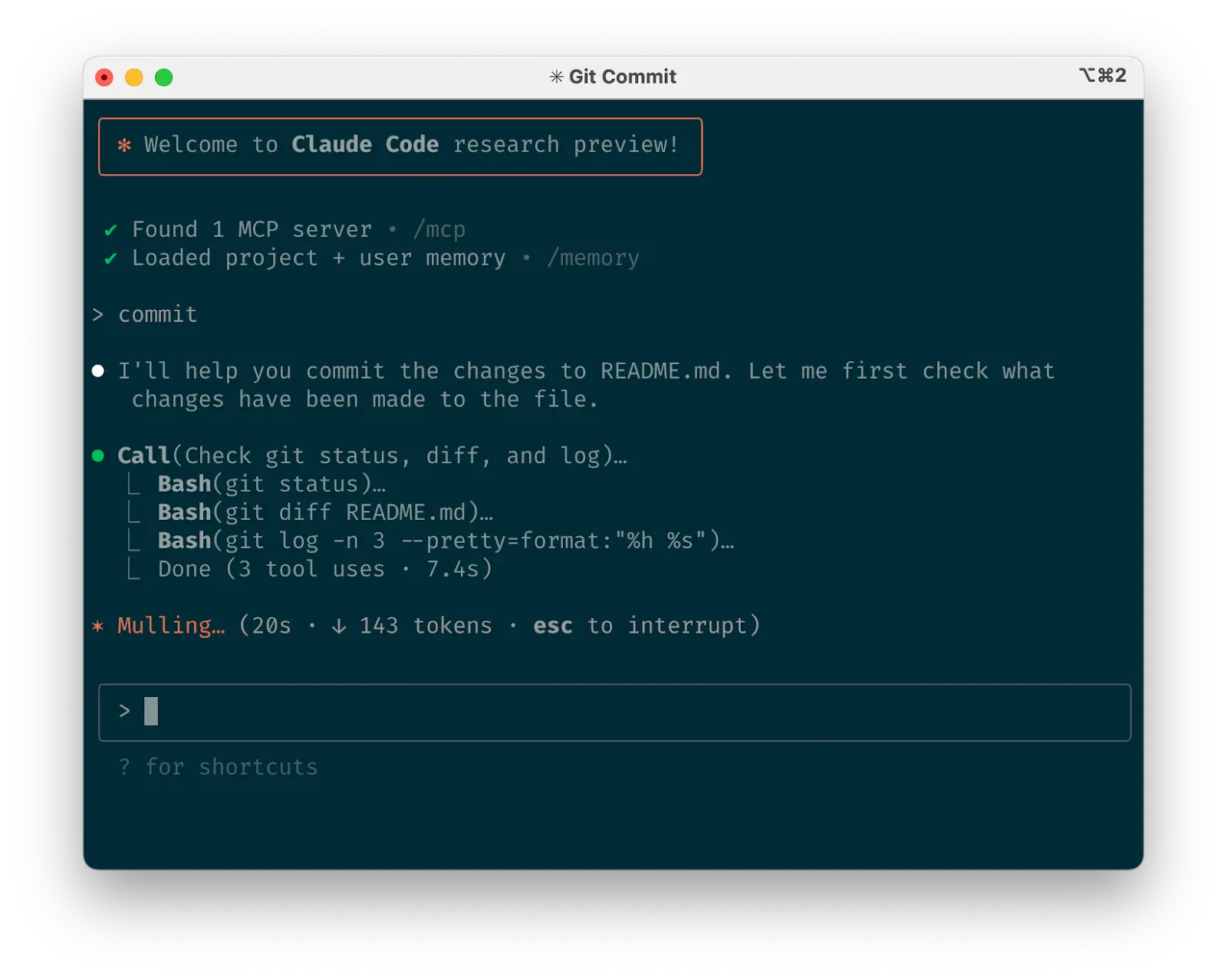
<p><img src="https://www.anthropic.com/_next/image?url=https%3A%2F%2Fwww-cdn.anthropic.com%2Fimages%2F4zrzovbb%2Fwebsite%2Fa08ea13c2359aac0eceacebf2e15f81e8e8ec8d2-1600x1278.png&amp;w=3840&amp;q=75" alt="Image 3: Use Claude to interact with git" /></p>

<h3 id="f-use-claude-to-interact-with-git">f. Use Claude to interact with git</h3>

<p>Claude can effectively handle many git operations. Many Anthropic engineers use Claude for 90%+ of our <em>git</em> interactions:</p>

<ul>
  <li><strong>Searching <em>git</em> history</strong> to answer questions like “What changes made it into v1.2.3?”, “Who owns this particular feature?”, or “Why was this API designed this way?” It helps to explicitly prompt Claude to look through git history to answer queries like these.</li>
  <li><strong>Writing commit messages</strong>.Claude will look at your changes and recent history automatically to compose a message taking all the relevant context into account</li>
  <li><strong>Handling complex git operations</strong> like reverting files, resolving rebase conflicts, and comparing and grafting patches</li>
</ul>

<h3 id="g-use-claude-to-interact-with-github">g. Use Claude to interact with GitHub</h3>

<p>Claude Code can manage many GitHub interactions:</p>

<ul>
  <li><strong>Creating pull requests</strong>: Claude understands the shorthand “pr” and will generate appropriate commit messages based on the diff and surrounding context.</li>
  <li><strong>Implementing one-shot resolutions</strong> for simple code review comments: just tell it to fix comments on your PR (optionally, give it more specific instructions) and push back to the PR branch when it’s done.</li>
  <li><strong>Fixing failing builds</strong> or linter warnings</li>
  <li><strong>Categorizing and triaging open issues</strong> by asking Claude to loop over open GitHub issues</li>
</ul>

<p>This eliminates the need to remember <code class="language-plaintext highlighter-rouge">gh</code> command line syntax while automating routine tasks.</p>

<h3 id="h-use-claude-to-work-with-jupyter-notebooks">h. Use Claude to work with Jupyter notebooks</h3>

<p>Researchers and data scientists at Anthropic use Claude Code to read and write Jupyter notebooks. Claude can interpret outputs, including images, providing a fast way to explore and interact with data. There are no required prompts or workflows, but a workflow we recommend is to have Claude Code and a <code class="language-plaintext highlighter-rouge">.ipynb</code> file open side-by-side in VS Code.</p>

<p>You can also ask Claude to clean up or make aesthetic improvements to your Jupyter notebook before you show it to colleagues. Specifically telling it to make the notebook or its data visualizations “aesthetically pleasing” tends to help remind it that it’s optimizing for a human viewing experience.</p>

<ol>
  <li>
    <h2 id="optimize-your-workflow">Optimize your workflow</h2>
  </li>
</ol>

<p>The suggestions below apply across all workflows:</p>

<h3 id="a-be-specific-in-your-instructions">a. Be specific in your instructions</h3>

<p>Claude Code’s success rate improves significantly with more specific instructions, especially on first attempts. Giving clear directions upfront reduces the need for course corrections later.</p>

<p>For example:</p>

<table>
  <thead>
    <tr>
      <th>Poor</th>
      <th>Good</th>
    </tr>
  </thead>
  <tbody>
    <tr>
      <td>add tests for foo.py</td>
      <td>write a new test case for foo.py, covering the edge case where the user is logged out. avoid mocks</td>
    </tr>
    <tr>
      <td>why does ExecutionFactory have such a weird api?</td>
      <td>look through ExecutionFactory’s git history and summarize how its api came to be</td>
    </tr>
    <tr>
      <td>add a calendar widget</td>
      <td>look at how existing widgets are implemented on the home page to understand the patterns and specifically how code and interfaces are separated out. HotDogWidget.php is a good example to start with. then, follow the pattern to implement a new calendar widget that lets the user select a month and paginate forwards/backwards to pick a year. Build from scratch without libraries other than the ones already used in the rest of the codebase.</td>
    </tr>
  </tbody>
</table>

<p>Claude can infer intent, but it can’t read minds. Specificity leads to better alignment with expectations.</p>

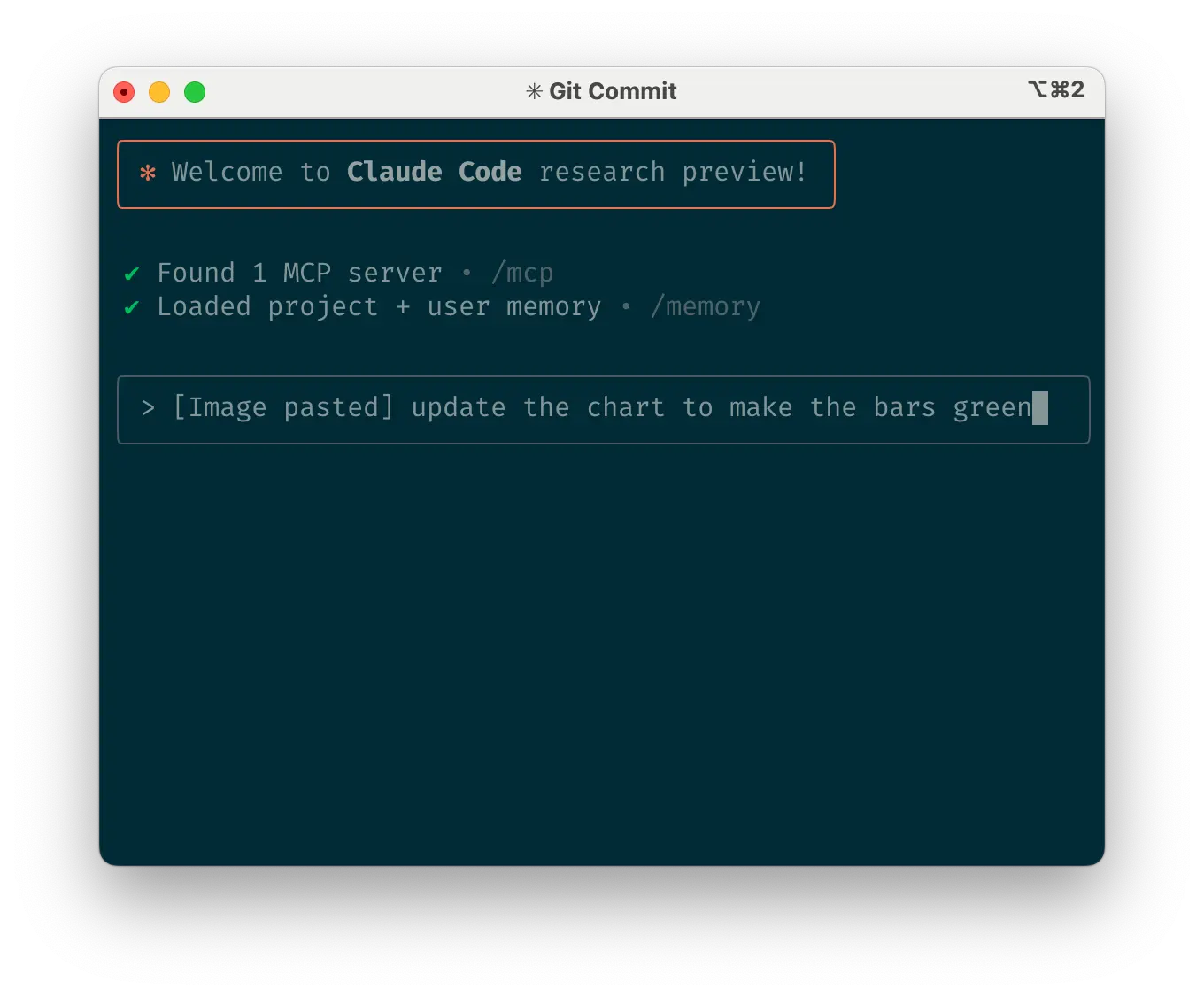
<p><img src="https://www.anthropic.com/_next/image?url=https%3A%2F%2Fwww-cdn.anthropic.com%2Fimages%2F4zrzovbb%2Fwebsite%2F75e1b57a0b696e7aafeca1ed5fa6ba7c601a5953-1360x1126.png&amp;w=3840&amp;q=75" alt="Image 4: Give Claude images" /></p>

<h3 id="b-give-claude-images">b. Give Claude images</h3>

<p>Claude excels with images and diagrams through several methods:</p>

<ul>
  <li><strong>Paste screenshots</strong>(pro tip: hit <em>cmd+ctrl+shift+4</em> in macOS to screenshot to clipboard and <em>ctrl+v</em> to paste. Note that this is not cmd+v like you would usually use to paste on mac and does not work remotely.)</li>
  <li><strong>Drag and drop</strong> images directly into the prompt input</li>
  <li><strong>Provide file paths</strong>for images</li>
</ul>

<p>This is particularly useful when working with design mocks as reference points for UI development, and visual charts for analysis and debugging. If you are not adding visuals to context, it can still be helpful to be clear with Claude about how important it is for the result to be visually appealing.</p>

<p><img src="https://www.anthropic.com/_next/image?url=https%3A%2F%2Fwww-cdn.anthropic.com%2Fimages%2F4zrzovbb%2Fwebsite%2F7372868757dd17b6f2d3fef98d499d7991d89800-1450x1164.png&amp;w=3840&amp;q=75" alt="Image 5: Mention files you want Claude to look at or work on" /></p>

<h3 id="c-mention-files-you-want-claude-to-look-at-or-work-on">c. Mention files you want Claude to look at or work on</h3>

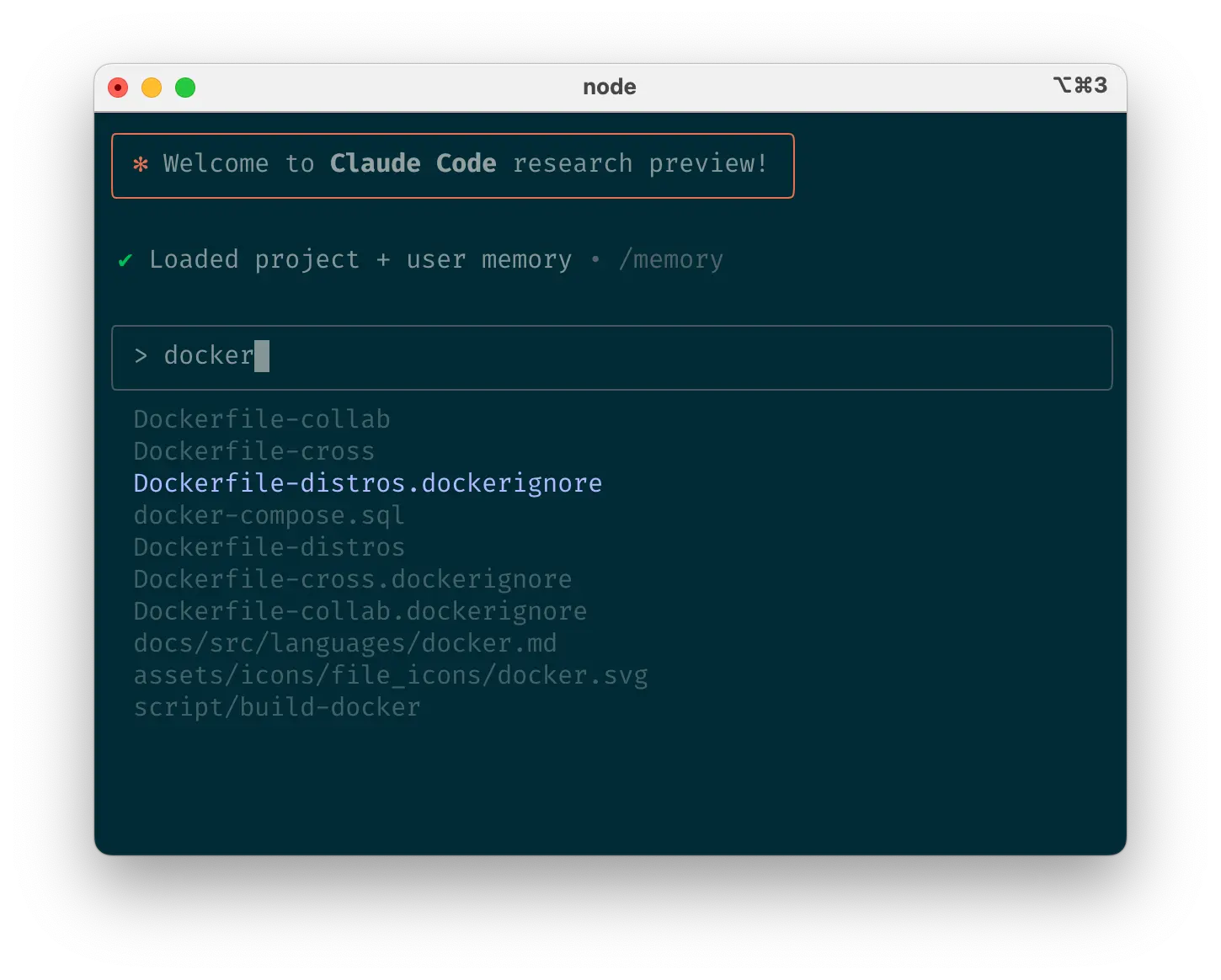
<p>Use tab-completion to quickly reference files or folders anywhere in your repository, helping Claude find or update the right resources.</p>

<p><img src="https://www.anthropic.com/_next/image?url=https%3A%2F%2Fwww-cdn.anthropic.com%2Fimages%2F4zrzovbb%2Fwebsite%2Fe071de707f209bbaa7f16b593cc7ed0739875dae-1306x1088.png&amp;w=3840&amp;q=75" alt="Image 6: Give Claude URLs" /></p>

<h3 id="d-give-claude-urls">d. Give Claude URLs</h3>

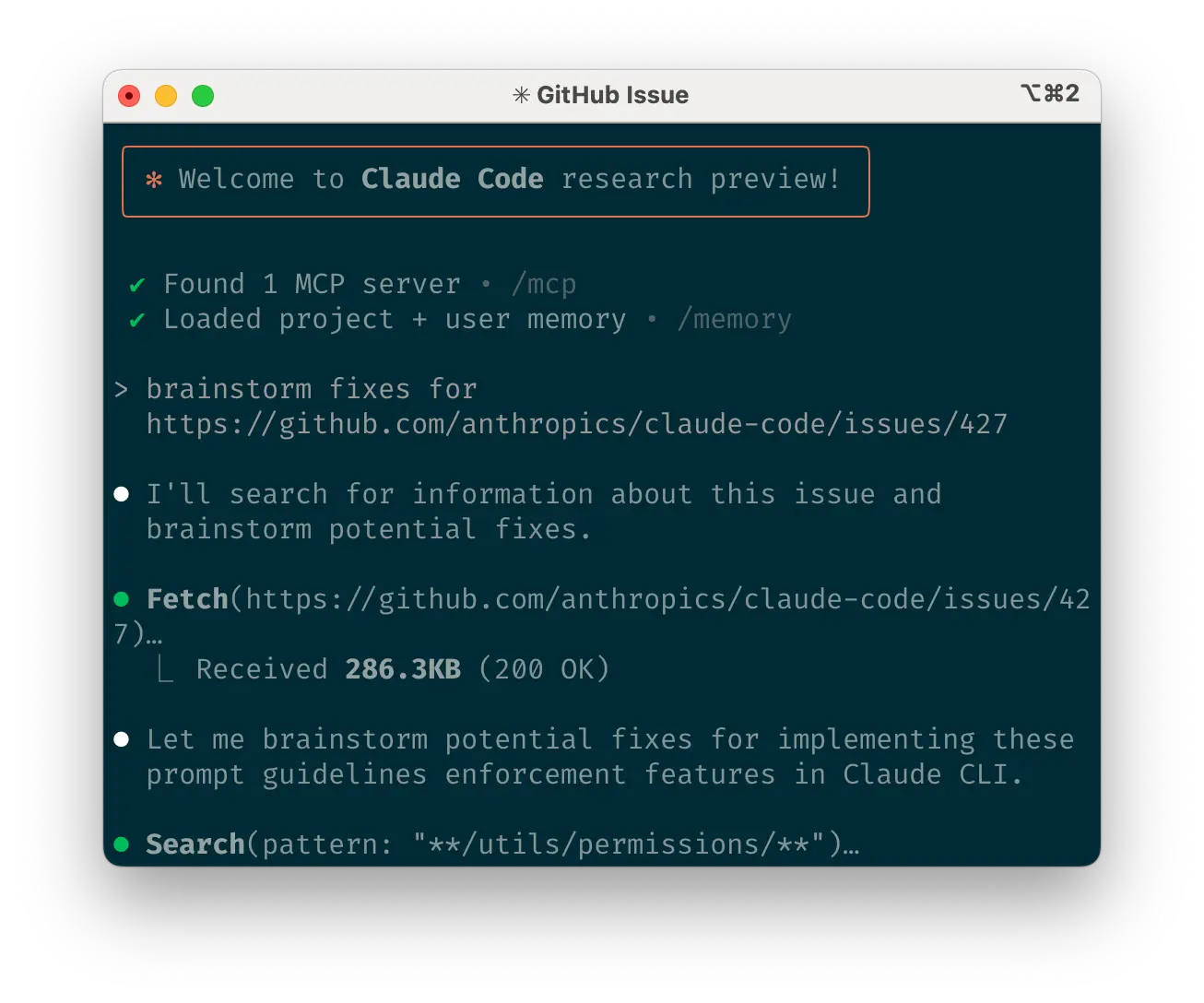
<p>Paste specific URLs alongside your prompts for Claude to fetch and read. To avoid permission prompts for the same domains (e.g., docs.foo.com), use<code class="language-plaintext highlighter-rouge">/permissions</code> to add domains to your allowlist.</p>

<h3 id="e-course-correct-early-and-often">e. Course correct early and often</h3>

<p>While auto-accept mode (shift+tab to toggle) lets Claude work autonomously, you’ll typically get better results by being an active collaborator and guiding Claude’s approach. You can get the best results by thoroughly explaining the task to Claude at the beginning, but you can also course correct Claude at any time.</p>

<p>These four tools help with course correction:</p>

<ul>
  <li><strong>Ask Claude to make a plan</strong> before coding. Explicitly tell it not to code until you’ve confirmed its plan looks good.</li>
  <li><strong>Press Escape to interrupt</strong> Claude during any phase (thinking, tool calls, file edits), preserving context so you can redirect or expand instructions.</li>
  <li><strong>Double-tap Escape to jump back in history</strong>, edit a previous prompt, and explore a different direction. You can edit the prompt and repeat until you get the result you’re looking for.</li>
  <li><strong>Ask Claude to undo changes</strong>, often in conjunction with option #2 to take a different approach.</li>
</ul>

<p>Though Claude Code occasionally solves problems perfectly on the first attempt, using these correction tools generally produces better solutions faster.</p>

<h3 id="f-use-clear-to-keep-context-focused">f. Use <code class="language-plaintext highlighter-rouge">/clear</code> to keep context focused</h3>

<p>During long sessions, Claude’s context window can fill with irrelevant conversation, file contents, and commands. This can reduce performance and sometimes distract Claude. Use the <code class="language-plaintext highlighter-rouge">/clear</code> command frequently between tasks to reset the context window.</p>

<h3 id="g-use-checklists-and-scratchpads-for-complex-workflows">g. Use checklists and scratchpads for complex workflows</h3>

<p>For large tasks with multiple steps or requiring exhaustive solutions—like code migrations, fixing numerous lint errors, or running complex build scripts—improve performance by having Claude use a Markdown file (or even a GitHub issue!) as a checklist and working scratchpad:</p>

<p>For example, to fix a large number of lint issues, you can do the following:</p>

<ol>
  <li><strong>Tell Claude to run the lint command</strong> and write all resulting errors (with filenames and line numbers) to a Markdown checklist</li>
  <li><strong>Instruct Claude to address each issue one by one</strong>, fixing and verifying before checking it off and moving to the next</li>
</ol>

<h3 id="h-pass-data-into-claude">h. Pass data into Claude</h3>

<p>Several methods exist for providing data to Claude:</p>

<ul>
  <li><strong>Copy and paste</strong> directly into your prompt (most common approach)</li>
  <li><strong>Pipe into Claude Code</strong> (e.g., <code class="language-plaintext highlighter-rouge">cat foo.txt | claude</code>), particularly useful for logs, CSVs, and large data</li>
  <li><strong>Tell Claude to pull data</strong> via bash commands, MCP tools, or custom slash commands</li>
  <li><strong>Ask Claude to read files</strong> or fetch URLs (works for images too)</li>
</ul>

<p>Most sessions involve a combination of these approaches. For example, you can pipe in a log file, then tell Claude to use a tool to pull in additional context to debug the logs.</p>

<ol>
  <li>
    <h2 id="use-headless-mode-to-automate-your-infra">Use headless mode to automate your infra</h2>
  </li>
</ol>

<p>Claude Code includes <a href="https://docs.anthropic.com/en/docs/agents-and-tools/claude-code/overview#automate-ci-and-infra-workflows">headless mode</a> for non-interactive contexts like CI, pre-commit hooks, build scripts, and automation. Use the <code class="language-plaintext highlighter-rouge">-p</code> flag with a prompt to enable headless mode, and <code class="language-plaintext highlighter-rouge">--output-format stream-json</code> for streaming JSON output.</p>

<p>Note that headless mode does not persist between sessions. You have to trigger it each session.</p>

<h3 id="a-use-claude-for-issue-triage">a. Use Claude for issue triage</h3>

<p>Headless mode can power automations triggered by GitHub events, such as when a new issue is created in your repository. For example, the public <a href="https://github.com/anthropics/claude-code/blob/main/.github/actions/claude-issue-triage-action/action.yml">Claude Code repository</a> uses Claude to inspect new issues as they come in and assign appropriate labels.</p>

<h3 id="b-use-claude-as-a-linter">b. Use Claude as a linter</h3>

<p>Claude Code can provide <a href="https://github.com/anthropics/claude-code/blob/main/.github/actions/claude-code-action/action.yml">subjective code reviews</a> beyond what traditional linting tools detect, identifying issues like typos, stale comments, misleading function or variable names, and more.</p>

<ol>
  <li>
    <h2 id="uplevel-with-multi-claude-workflows">Uplevel with multi-Claude workflows</h2>
  </li>
</ol>

<p>Beyond standalone usage, some of the most powerful applications involve running multiple Claude instances in parallel:</p>

<h3 id="a-have-one-claude-write-code-use-another-claude-to-verify">a. Have one Claude write code; use another Claude to verify</h3>

<p>A simple but effective approach is to have one Claude write code while another reviews or tests it. Similar to working with multiple engineers, sometimes having separate context is beneficial:</p>

<ol>
  <li>Use Claude to write code</li>
  <li>Run <code class="language-plaintext highlighter-rouge">/clear</code> or start a second Claude in another terminal</li>
  <li>Have the second Claude review the first Claude’s work</li>
  <li>Start another Claude (or <code class="language-plaintext highlighter-rouge">/clear</code> again) to read both the code and review feedback</li>
  <li>Have this Claude edit the code based on the feedback</li>
</ol>

<p>You can do something similar with tests: have one Claude write tests, then have another Claude write code to make the tests pass. You can even have your Claude instances communicate with each other by giving them separate working scratchpads and telling them which one to write to and which one to read from.</p>

<p>This separation often yields better results than having a single Claude handle everything.</p>

<h3 id="b-have-multiple-checkouts-of-your-repo">b. Have multiple checkouts of your repo</h3>

<p>Rather than waiting for Claude to complete each step, something many engineers at Anthropic do is:</p>

<ol>
  <li><strong>Create 3-4 git checkouts</strong> in separate folders</li>
  <li><strong>Open each folder</strong> in separate terminal tabs</li>
  <li><strong>Start Claude in each folder</strong>with different tasks</li>
  <li><strong>Cycle through</strong> to check progress and approve/deny permission requests</li>
</ol>

<h3 id="c-use-git-worktrees">c. Use git worktrees</h3>

<p>This approach shines for multiple independent tasks, offering a lighter-weight alternative to multiple checkouts. Git worktrees allow you to check out multiple branches from the same repository into separate directories. Each worktree has its own working directory with isolated files, while sharing the same Git history and reflog.</p>

<p>Using git worktrees enables you to run multiple Claude sessions simultaneously on different parts of your project, each focused on its own independent task. For instance, you might have one Claude refactoring your authentication system while another builds a completely unrelated data visualization component. Since the tasks don’t overlap, each Claude can work at full speed without waiting for the other’s changes or dealing with merge conflicts:</p>

<ol>
  <li><strong>Create worktrees</strong>: <code class="language-plaintext highlighter-rouge">git worktree add ../project-feature-a feature-a</code></li>
  <li><strong>Launch Claude in each worktree</strong>: <code class="language-plaintext highlighter-rouge">cd ../project-feature-a &amp;&amp; claude</code></li>
  <li><strong>Create additional worktrees</strong> as needed (repeat steps 1-2 in new terminal tabs)</li>
</ol>

<p>Some tips:</p>

<ul>
  <li>Use consistent naming conventions</li>
  <li>Maintain one terminal tab per worktree</li>
  <li>If you’re using iTerm2 on Mac, <a href="https://docs.anthropic.com/en/docs/agents-and-tools/claude-code/overview#notification-setup">set up notifications</a> for when Claude needs attention</li>
  <li>Use separate IDE windows for different worktrees</li>
  <li>Clean up when finished: <code class="language-plaintext highlighter-rouge">git worktree remove ../project-feature-a</code></li>
</ul>

<h3 id="d-use-headless-mode-with-a-custom-harness">d. Use headless mode with a custom harness</h3>

<p><code class="language-plaintext highlighter-rouge">claude -p</code> (headless mode) integrates Claude Code programmatically into larger workflows while leveraging its built-in tools and system prompt. There are two primary patterns for using headless mode:</p>

<ol>
  <li>
    <p><strong>Fanning out</strong> handles large migrations or analyses (e.g., analyzing sentiment in hundreds of logs or analyzing thousands of CSVs):</p>
  </li>
  <li>Have Claude write a script to generate a task list. For example, generate a list of 2k files that need to be migrated from framework A to framework B.</li>
  <li>Loop through tasks, calling Claude programmatically for each and giving it a task and a set of tools it can use. For example: <code class="language-plaintext highlighter-rouge">claude -p “migrate foo.py from React to Vue. When you are done, you MUST return the string OK if you succeeded, or FAIL if the task failed.” --allowedTools Edit Bash(git commit:*)</code></li>
  <li>
    <p>Run the script several times and refine your prompt to get the desired outcome.</p>
  </li>
  <li>
    <p><strong>Pipelining</strong> integrates Claude into existing data/processing pipelines:</p>
  </li>
  <li>Call <code class="language-plaintext highlighter-rouge">claude -p “&lt;your prompt&gt;” --json | your_command</code>, where <code class="language-plaintext highlighter-rouge">your_command</code> is the next step of your processing pipeline</li>
  <li>That’s it! JSON output (optional) can help provide structure for easier automated processing.</li>
</ol>

<p>For both of these use cases, it can be helpful to use the <code class="language-plaintext highlighter-rouge">--verbose</code> flag for debugging the Claude invocation. We generally recommend turning verbose mode off in production for cleaner output.</p>

<p>What are your tips and best practices for working with Claude Code? Tag @AnthropicAI so we can see what you’re building!</p>

<h2 id="acknowledgements">Acknowledgements</h2>

<p>Written by Boris Cherny. This work draws upon best practices from across the broader Claude Code user community, whose creative approaches and workflows continue to inspire us. Special thanks also to Daisy Hollman, Ashwin Bhat, Cat Wu, Sid Bidasaria, Cal Rueb, Nodir Turakulov, Barry Zhang, Drew Hodun and many other Anthropic engineers whose valuable insights and practical experience with Claude Code helped shape these recommendations.</p>

<p><img src="https://www-cdn.anthropic.com/images/4zrzovbb/website/43abe7e54b56a891e74a8542944dfbd33f07f49c-1000x1000.svg" alt="Image 7: Interlocking puzzle piece with complex geometric shape and detailed surface texture" /></p>

<h3 id="looking-to-learn-more">Looking to learn more?</h3>

<p>Master API development, Model Context Protocol, and Claude Code with courses on Anthropic Academy. Earn certificates upon completion.</p>

<p><a href="https://anthropic.skilljar.com/">Explore courses</a></p>]]></content><author><name></name></author><summary type="html"><![CDATA[Title: Claude Code Best Practices]]></summary></entry><entry><title type="html">Claude Code 最佳实践</title><link href="http://bookmark.programnotes.cn/2025/08/21/claude-code-%E6%9C%80%E4%BD%B3%E5%AE%9E%E8%B7%B5.html" rel="alternate" type="text/html" title="Claude Code 最佳实践" /><published>2025-08-21T00:00:00+00:00</published><updated>2025-08-21T00:00:00+00:00</updated><id>http://bookmark.programnotes.cn/2025/08/21/claude-code-%E6%9C%80%E4%BD%B3%E5%AE%9E%E8%B7%B5</id><content type="html" xml:base="http://bookmark.programnotes.cn/2025/08/21/claude-code-%E6%9C%80%E4%BD%B3%E5%AE%9E%E8%B7%B5.html"><![CDATA[<h1 id="claude-code-最佳实践">Claude Code 最佳实践</h1>
<ul>
  <li>URL: <a href="https://ai.programnotes.cn/p/claude-code-%E6%9C%80%E4%BD%B3%E5%AE%9E%E8%B7%B5/">原文</a></li>
  <li>Added At: 2025-08-21 10:04:39</li>
  <li><a href="_posts/2025-08-21-claude-code-最佳实践_raw.md">Link To Text</a></li>
</ul>

<h2 id="tldr">TL;DR</h2>
<p>Anthropic 官方发布的 Claude Code 是一个底层且不固执己见的代理式编程工具，通过命令行高效利用 AI 编程。核心在于优化<code class="language-plaintext highlighter-rouge">CLAUDE.md</code>文件，有效管理工具权限，并结合具体指令、图像、URL等提升Claude Code的成功率。常用工作流包括探索-计划-编码-提交等。此外，还介绍了无头模式、代码库问答、git/GitHub 交互及 Jupyter Notebook 使用等。高级用法包括多 Claude 工作流。总而言之，文章旨在帮助开发者掌握 Claude Code 的实用技巧，提高开发效率。</p>

<h2 id="summary">Summary</h2>
<p>好的，这是对你提供的 Claude Code 最佳实践文章的 Markdown 列表式详细总结：</p>

<ol>
  <li>
    <p><strong>文章概述</strong>：介绍了 Anthropic 官方发布的 Claude Code 使用最佳实践，帮助开发者高效利用 AI 进行编程。Claude Code 是一款用于代理式编码的命令行工具，旨在提供对模型的原生访问，同时保证安全。文章分享了在各种代码库、语言和环境中使用 Claude Code 的有效技巧和窍门。</p>
  </li>
  <li>
    <p><strong>核心理念</strong>：Claude Code 被设计为底层且不固执己见，提供近乎原始的模型访问权限，不强加特定的工作流。</p>
  </li>
  <li>
    <p><strong>重要资源</strong>：推荐阅读<a href="claude.ai/code">claude.ai/code</a> 上的综合文档，涵盖所有功能、示例和高级技术。</p>
  </li>
  <li><strong>设置自定义</strong>：
    <ul>
      <li><strong><code class="language-plaintext highlighter-rouge">CLAUDE.md</code> 文件</strong>：
        <ul>
          <li>Claude 在开始对话时自动提取到上下文的特殊文件。</li>
          <li>存放常用 bash 命令、核心文件和实用函数、代码风格指南、测试说明、代码仓库礼仪、开发环境设置、项目特有警告等信息。</li>
          <li>建议保持简洁易读。</li>
          <li>可以放在仓库根目录、运行 <code class="language-plaintext highlighter-rouge">claude</code> 目录的父目录或子目录、用户主文件夹 (<code class="language-plaintext highlighter-rouge">~/.claude/CLAUDE.md</code>)。</li>
          <li>运行 <code class="language-plaintext highlighter-rouge">/init</code> 命令可自动生成 <code class="language-plaintext highlighter-rouge">CLAUDE.md</code> 文件。</li>
        </ul>
      </li>
      <li><strong>优化文件</strong>：像优化其他提示一样，迭代优化 <code class="language-plaintext highlighter-rouge">CLAUDE.md</code> 文件内容，确保指令遵循效果。</li>
      <li><strong>命令快捷</strong>： 使用 <code class="language-plaintext highlighter-rouge">#</code> 键向 Claude 发出指令，它会自动将其合并到相关的 <code class="language-plaintext highlighter-rouge">CLAUDE.md</code>。</li>
      <li><strong>强调指令</strong>：在Anthropic，团队会使用提示改进器来运行 <code class="language-plaintext highlighter-rouge">CLAUDE.md</code> 文件，并经常调整指令（例如，用 “IMPORTANT” 或 “YOU MUST” 来强调）以提高遵循度。</li>
      <li><strong>工具管理</strong>：管理 Claude Code 允许的工具列表以保证安全性，通过以下方式：
        <ul>
          <li>在会话期间出现提示时选择“始终允许”。</li>
          <li>使用 <code class="language-plaintext highlighter-rouge">/permissions</code> 命令添加或删除工具。</li>
          <li>手动编辑 <code class="language-plaintext highlighter-rouge">.claude/settings.json</code> 或 <code class="language-plaintext highlighter-rouge">~/.claude.json</code>。</li>
          <li>使用 <code class="language-plaintext highlighter-rouge">--allowedTools</code> CLI 标志。</li>
        </ul>
      </li>
      <li><strong><code class="language-plaintext highlighter-rouge">gh</code> CLI</strong>：如果使用 GitHub，建议安装 <code class="language-plaintext highlighter-rouge">gh</code> CLI，以便 Claude 与 GitHub 交互。</li>
    </ul>
  </li>
  <li><strong>扩展工具集</strong>：
    <ul>
      <li><strong>bash 工具</strong>：
        <ul>
          <li>继承 bash 环境，访问所有工具。</li>
          <li>告诉 Claude 工具名称和使用示例。</li>
          <li>告诉 Claude 运行 <code class="language-plaintext highlighter-rouge">--help</code> 查看工具文档。</li>
          <li>在 <code class="language-plaintext highlighter-rouge">CLAUDE.md</code> 中记录常用工具。</li>
        </ul>
      </li>
      <li><strong>MCP</strong>：
        <ul>
          <li>作为客户端连接到 MCP 服务器以访问工具。</li>
          <li>在项目配置、全局配置或 <code class="language-plaintext highlighter-rouge">.mcp.json</code> 文件中配置 MCP 服务器。</li>
          <li>使用 <code class="language-plaintext highlighter-rouge">--mcp-debug</code> 标志识别配置问题。</li>
        </ul>
      </li>
      <li><strong>斜杠命令</strong>：
        <ul>
          <li>在 <code class="language-plaintext highlighter-rouge">.claude/commands</code> 文件夹中存储提示模板，通过斜杠命令菜单访问。</li>
          <li>可包含特殊关键字 <code class="language-plaintext highlighter-rouge">$ARGUMENTS</code> 以传递参数。</li>
        </ul>
      </li>
    </ul>
  </li>
  <li><strong>常见工作流</strong>：
    <ul>
      <li><strong>探索-计划-编码-提交</strong>：
        <ol>
          <li>要求 Claude 阅读相关文件。
            <ul>
              <li>考虑使用子代理来验证细节或调查它可能有的特定问题</li>
            </ul>
          </li>
          <li>要求 Claude 制定解决特定问题的方法计划。
     - 使用“思考（think）”这个词来触发扩展思考模式：“think” &lt; “think hard” &lt; “think harder” &lt; “ultrathink”。</li>
          <li>要求 Claude 用代码实现其解决方案。</li>
          <li>要求 Claude 提交结果并创建一个 pull request。</li>
        </ol>
      </li>
      <li><strong>编写测试-提交；编码-迭代-提交</strong>：
        <ol>
          <li>要求 Claude 根据预期的输入/输出对编写测试。</li>
          <li>告诉 Claude 运行测试并确认它们失败。</li>
          <li>当您对测试满意时，要求 Claude 提交测试。</li>
          <li>要求 Claude 编写通过测试的代码，并指示它不要修改测试。</li>
          <li>告诉 Claude 继续，直到所有测试都通过。</li>
          <li>一旦您对更改感到满意，就要求 Claude 提交代码。</li>
        </ol>
      </li>
      <li><strong>编写代码-截图结果-迭代</strong>：
        <ol>
          <li>为 Claude 提供一种截取浏览器屏幕截图的方法。</li>
          <li>为 Claude 提供一个视觉模型。</li>
          <li>要求 Claude 用代码实现设计，截取结果的屏幕截图，并进行迭代，直到其结果与模型匹配。</li>
          <li>当您满意时，要求 Claude 提交。</li>
        </ol>
      </li>
      <li><strong>安全的“YOLO”模式</strong>：
        <ul>
          <li>使用 <code class="language-plaintext highlighter-rouge">claude --dangerously-skip-permissions</code> 绕过所有权限检查。</li>
          <li>建议在没有互联网访问的容器中使用，以降低风险。</li>
        </ul>
      </li>
      <li><strong>代码库问答</strong>：
        <ul>
          <li>使用 Claude Code 进行学习和探索。</li>
          <li>提出一般性问题，Claude 会搜索代码库找到答案。</li>
        </ul>
      </li>
      <li><strong>git 交互</strong>：
        <ul>
          <li>使用 Claude 处理 git 操作，如搜索历史记录、编写提交消息、处理 rebase 冲突等。</li>
        </ul>
      </li>
      <li><strong>GitHub 交互</strong>：
        <ul>
          <li>使用 Claude Code 管理 GitHub 交互，如创建 pull request、实施代码审查评论、修复构建失败等。</li>
        </ul>
      </li>
      <li><strong>Jupyter notebook</strong>：
        <ul>
          <li>使用 Claude Code 来读写 Jupyter notebook。</li>
          <li>要求 Claude 清理或美化 Jupyter notebook。</li>
        </ul>
      </li>
    </ul>
  </li>
  <li><strong>工作流优化</strong>：
    <ul>
      <li><strong>指令具体</strong>：
        <ul>
          <li>Claude Code 的成功率随着更具体的指令而显著提高。</li>
        </ul>
      </li>
      <li><strong>提供图像</strong>：
        <ul>
          <li>通过截图、拖放或文件路径向 Claude 提供图像。</li>
        </ul>
      </li>
      <li><strong>提及文件</strong>：
        <ul>
          <li>使用 Tab 键补全快速引用仓库中的文件或文件夹。</li>
        </ul>
      </li>
      <li><strong>提供URL</strong>：
        <ul>
          <li>将特定的 URL 与您的提示一起粘贴，供 Claude 获取和阅读。</li>
        </ul>
      </li>
      <li><strong>及早纠正</strong>：
        <ul>
          <li>使用“在编码前制定计划”、“中断 Claude”、“跳回历史记录”、“撤销更改”等工具进行路线修正。</li>
        </ul>
      </li>
      <li><strong>保持上下文专注</strong>：
        <ul>
          <li>使用 <code class="language-plaintext highlighter-rouge">/clear</code> 命令重置上下文窗口。</li>
        </ul>
      </li>
      <li><strong>清单草稿</strong>：
        <ul>
          <li>对于复杂任务，使用 Markdown 文件作为清单和工作草稿板。</li>
        </ul>
      </li>
      <li><strong>数据传递</strong>：
        <ul>
          <li>通过复制粘贴、管道传递、bash 命令/MCP 工具/斜杠命令、读取文件/获取 URL 等方式向 Claude 提供数据。</li>
        </ul>
      </li>
    </ul>
  </li>
  <li><strong>无头模式</strong>：
    <ul>
      <li>使用 <code class="language-plaintext highlighter-rouge">-p</code> 标志和提示启用无头模式，适用于 CI、预提交钩子、构建脚本等非交互式环境。</li>
      <li>使用 <code class="language-plaintext highlighter-rouge">--output-format stream-json</code> 进行流式 JSON 输出。</li>
      <li>可用于 issue 分流和作为 linter。</li>
    </ul>
  </li>
  <li><strong>高级用法：多 Claude 工作流</strong>：
    - <strong>代码编写与验证分离</strong>：
    <ul>
      <li>使用一个 Claude 编写代码，另一个进行审查或测试。
    - <strong>多个代码库副本</strong>：</li>
      <li>创建多个 git 检出副本，在不同终端中以不同任务启动 Claude。
    - <strong>Git Worktrees</strong>：使用 git worktrees 管理多个会话
    - <strong>无头模式集成</strong>：</li>
      <li>通过扇出或管道化方式，将 Claude Code 集成到更大的工作流中。</li>
    </ul>
  </li>
</ol>]]></content><author><name></name></author><summary type="html"><![CDATA[Claude Code 最佳实践 URL: 原文 Added At: 2025-08-21 10:04:39 Link To Text]]></summary></entry><entry><title type="html">Claude Code 最佳实践_raw</title><link href="http://bookmark.programnotes.cn/2025/08/21/claude-code-%E6%9C%80%E4%BD%B3%E5%AE%9E%E8%B7%B5_raw.html" rel="alternate" type="text/html" title="Claude Code 最佳实践_raw" /><published>2025-08-21T00:00:00+00:00</published><updated>2025-08-21T00:00:00+00:00</updated><id>http://bookmark.programnotes.cn/2025/08/21/claude-code-%E6%9C%80%E4%BD%B3%E5%AE%9E%E8%B7%B5_raw</id><content type="html" xml:base="http://bookmark.programnotes.cn/2025/08/21/claude-code-%E6%9C%80%E4%BD%B3%E5%AE%9E%E8%B7%B5_raw.html"><![CDATA[<p>Title: Claude Code 最佳实践</p>

<p>URL Source: https://ai.programnotes.cn/p/claude-code-%E6%9C%80%E4%BD%B3%E5%AE%9E%E8%B7%B5/</p>

<p>Published Time: 2025-08-21T00:00:00+00:00</p>

<p>Markdown Content:
<a href="https://ai.programnotes.cn/categories/%E4%BA%BA%E5%B7%A5%E6%99%BA%E8%83%BD/">人工智能</a><a href="https://ai.programnotes.cn/categories/%E5%BC%80%E5%8F%91/">开发</a></p>
<h3 id="anthropic官方发布的claude-code使用最佳实践帮助开发者更高效地利用ai进行编程本文为完整翻译版">Anthropic官方发布的Claude Code使用最佳实践，帮助开发者更高效地利用AI进行编程。本文为完整翻译版。</h3>

<h2 id="claude-code代理式编码的最佳实践">Claude Code：代理式编码的最佳实践</h2>

<p>Claude Code 是一款用于代理式编码（agentic coding）的命令行工具。本文将介绍一些在使用 Claude Code 过程中，跨越不同代码库、语言和环境时被证明行之有效的技巧和窍门。</p>

<p>我们最近发布了 Claude Code，这是一款用于代理式编码的命令行工具。作为一项研究项目，Claude Code 为 Anthropic 的工程师和研究人员提供了一种更原生的方式，将 Claude 集成到他们的编码工作流中。</p>

<p>Claude Code 故意设计得底层且不固执己见，提供近乎原始的模型访问权限，而不强加特定的工作流。这种设计理念创造了一个灵活、可定制、可编写脚本且功能强大的安全工具。虽然功能强大，但这种灵活性也给刚接触代理式编码工具的工程师带来了一定的学习曲线——至少在他们形成自己的最佳实践之前是这样。</p>

<p>本文概述了一些通用的模式，这些模式在 Anthropic 的内部团队和外部工程师在各种代码库、语言和环境中使用 Claude Code 时都被证明是有效的。此列表中的任何内容都不是一成不变的，也不是普遍适用的；请将这些建议视为起点。我们鼓励您进行实验，找到最适合您的方法！</p>

<p>想了解更详细的信息吗？我们在 claude.ai/code 上的综合文档涵盖了本文提到的所有功能，并提供了额外的示例、实现细节和高级技术。</p>

<h3 id="1-自定义您的设置">1. 自定义您的设置</h3>

<p>Claude Code 是一个代理式编码助手，它会自动将上下文提取到提示中。这种上下文收集会消耗时间和 token，但您可以通过环境调整来优化它。</p>

<h4 id="a-创建-claudemd-文件">a. 创建 <code class="language-plaintext highlighter-rouge">CLAUDE.md</code> 文件</h4>

<p><code class="language-plaintext highlighter-rouge">CLAUDE.md</code> 是一个特殊文件，Claude 在开始对话时会自动将其提取到上下文中。这使其成为记录以下内容的理想场所：</p>

<ul>
  <li>常用的 bash 命令</li>
  <li>核心文件和实用函数</li>
  <li>代码风格指南</li>
  <li>测试说明</li>
  <li>代码仓库礼仪（例如，分支命名、merge vs. rebase 等）</li>
  <li>开发环境设置（例如，pyenv 的使用、哪些编译器可用）</li>
  <li>项目特有的任何意外行为或警告</li>
  <li>您希望 Claude 记住的其他信息</li>
</ul>

<p><code class="language-plaintext highlighter-rouge">CLAUDE.md</code> 文件没有固定的格式。我们建议保持其简洁易读。例如：</p>

<div class="language-plaintext highlighter-rouge"><div class="highlight"><pre class="highlight"><code>1
 2
 3
 4
 5
 6
 7
 8
 9
10
11
</code></pre></div></div>
<h1 id="bash-命令">Bash 命令</h1>
<ul>
  <li>npm run build: 构建项目</li>
  <li>npm run typecheck: 运行类型检查器</li>
</ul>

<h1 id="代码风格">代码风格</h1>
<ul>
  <li>使用 ES 模块 (import/export) 语法，而不是 CommonJS (require)</li>
  <li>尽可能解构导入 (例如 import { foo } from ‘bar’)</li>
</ul>

<h1 id="工作流">工作流</h1>
<ul>
  <li>在完成一系列代码更改后，请务必进行类型检查</li>
  <li>为提高性能，优先运行单个测试，而不是整个测试套件
```</li>
</ul>

<p>您可以将 <code class="language-plaintext highlighter-rouge">CLAUDE.md</code> 文件放置在多个位置：</p>

<ul>
  <li><strong>仓库的根目录</strong>，或您运行 <code class="language-plaintext highlighter-rouge">claude</code> 的任何位置（最常见的用法）。将其命名为 <code class="language-plaintext highlighter-rouge">CLAUDE.md</code> 并检入 git，以便您可以在不同会话和团队之间共享（推荐），或者将其命名为 <code class="language-plaintext highlighter-rouge">CLAUDE.local.md</code> 并将其添加到 <code class="language-plaintext highlighter-rouge">.gitignore</code> 中。</li>
  <li><strong>运行 <code class="language-plaintext highlighter-rouge">claude</code> 的目录的任何父目录</strong>。这在 monorepo 中最有用，您可能从 <code class="language-plaintext highlighter-rouge">root/foo</code> 运行 <code class="language-plaintext highlighter-rouge">claude</code>，并在 <code class="language-plaintext highlighter-rouge">root/CLAUDE.md</code> 和 <code class="language-plaintext highlighter-rouge">root/foo/CLAUDE.md</code> 中都有 <code class="language-plaintext highlighter-rouge">CLAUDE.md</code> 文件。这两个文件都会被自动提取到上下文中。</li>
  <li><strong>运行 <code class="language-plaintext highlighter-rouge">claude</code> 的目录的任何子目录</strong>。这与上述情况相反，在这种情况下，当您处理子目录中的文件时，Claude 会按需提取 <code class="language-plaintext highlighter-rouge">CLAUDE.md</code> 文件。</li>
  <li><strong>您的主文件夹</strong> (<code class="language-plaintext highlighter-rouge">~/.claude/CLAUDE.md</code>)，它会应用于您所有的 <code class="language-plaintext highlighter-rouge">claude</code> 会话。</li>
</ul>

<p>当您运行 <code class="language-plaintext highlighter-rouge">/init</code> 命令时，Claude 会自动为您生成一个 <code class="language-plaintext highlighter-rouge">CLAUDE.md</code> 文件。</p>

<h4 id="b-调整您的-claudemd-文件">b. 调整您的 <code class="language-plaintext highlighter-rouge">CLAUDE.md</code> 文件</h4>

<p>您的 <code class="language-plaintext highlighter-rouge">CLAUDE.md</code> 文件会成为 Claude 提示的一部分，因此应像任何常用提示一样对其进行优化。一个常见的错误是添加大量内容而没有迭代其有效性。花时间进行实验，确定什么能从模型中产生最佳的指令遵循效果。</p>

<p>您可以手动向 <code class="language-plaintext highlighter-rouge">CLAUDE.md</code> 添加内容，或按 <code class="language-plaintext highlighter-rouge">#</code> 键向 Claude 发出指令，它会自动将其合并到相关的 <code class="language-plaintext highlighter-rouge">CLAUDE.md</code> 中。许多工程师在编码时经常使用 <code class="language-plaintext highlighter-rouge">#</code> 来记录命令、文件和风格指南，然后将 <code class="language-plaintext highlighter-rouge">CLAUDE.md</code> 的更改包含在提交中，以便团队成员也能受益。</p>

<p>在 Anthropic，我们偶尔会通过提示改进器来运行 <code class="language-plaintext highlighter-rouge">CLAUDE.md</code> 文件，并经常调整指令（例如，用 “IMPORTANT” 或 “YOU MUST” 来强调）以提高遵循度。</p>

<h4 id="c-管理-claude-允许的工具列表">c. 管理 Claude 允许的工具列表</h4>

<p>默认情况下，Claude Code 对任何可能修改您系统的操作都会请求权限：文件写入、许多 bash 命令、MCP 工具等。我们采用这种刻意保守的方法设计 Claude Code，以优先考虑安全性。您可以自定义允许列表，以允许您知道是安全的其他工具，或者允许易于撤销的潜在不安全工具（例如，文件编辑、<code class="language-plaintext highlighter-rouge">git commit</code>）。</p>

<p>有四种方法可以管理允许的工具：</p>

<ol>
  <li>在会话期间出现提示时选择“始终允许”。</li>
  <li>启动 Claude Code 后使用 <code class="language-plaintext highlighter-rouge">/permissions</code> 命令添加或删除工具。例如，您可以添加 <code class="language-plaintext highlighter-rouge">Edit</code> 以始终允许文件编辑，<code class="language-plaintext highlighter-rouge">Bash(git commit:*)</code> 以允许 git 提交，或 <code class="language-plaintext highlighter-rouge">mcp__puppeteer__puppeteer_navigate</code> 以允许使用 Puppeteer MCP 服务器进行导航。</li>
  <li>手动编辑您的 <code class="language-plaintext highlighter-rouge">.claude/settings.json</code> 或 <code class="language-plaintext highlighter-rouge">~/.claude.json</code>（我们建议将前者检入源代码控制以与您的团队共享）。</li>
  <li>使用 <code class="language-plaintext highlighter-rouge">--allowedTools</code> CLI 标志进行会话特定的权限设置。</li>
</ol>

<h4 id="d-如果使用-github请安装-gh-cli">d. 如果使用 GitHub，请安装 <code class="language-plaintext highlighter-rouge">gh</code> CLI</h4>

<p>Claude 知道如何使用 <code class="language-plaintext highlighter-rouge">gh</code> CLI 与 GitHub 交互，以创建 issue、打开 pull request、阅读评论等。如果没有安装 <code class="language-plaintext highlighter-rouge">gh</code>，Claude 仍然可以使用 GitHub API 或 MCP 服务器（如果您已安装）。</p>

<h3 id="2-为-claude-提供更多工具">2. 为 Claude 提供更多工具</h3>

<p>Claude 可以访问您的 shell 环境，您可以在其中为它构建便利的脚本和函数集，就像为自己构建一样。它还可以通过 MCP 和 REST API 利用更复杂的工具。</p>

<h4 id="a-将-claude-与-bash-工具结合使用">a. 将 Claude 与 bash 工具结合使用</h4>

<p>Claude Code 继承了您的 bash 环境，使其可以访问您的所有工具。虽然 Claude 了解像 unix 工具和 <code class="language-plaintext highlighter-rouge">gh</code> 这样的常用实用程序，但如果没有说明，它不会知道您的自定义 bash 工具：</p>

<ul>
  <li>告诉 Claude 工具名称和使用示例。</li>
  <li>告诉 Claude 运行 <code class="language-plaintext highlighter-rouge">--help</code> 查看工具文档。</li>
  <li>在 <code class="language-plaintext highlighter-rouge">CLAUDE.md</code> 中记录常用工具。</li>
</ul>

<h4 id="b-将-claude-与-mcp-结合使用">b. 将 Claude 与 MCP 结合使用</h4>

<p>Claude Code 同时充当 MCP 服务器和客户端。作为客户端，它可以通过三种方式连接到任意数量的 MCP 服务器以访问其工具：</p>

<ol>
  <li>在项目配置中（在项目目录中运行 Claude Code 时可用）。</li>
  <li>在全局配置中（在所有项目中可用）。</li>
  <li>在检入的 <code class="language-plaintext highlighter-rouge">.mcp.json</code> 文件中（对在您的代码库中工作的任何人可用）。例如，您可以将 Puppeteer 和 Sentry 服务器添加到您的 <code class="language-plaintext highlighter-rouge">.mcp.json</code> 中，这样在您的仓库中工作的每位工程师都可以开箱即用地使用这些工具。</li>
</ol>

<p>在使用 MCP 时，使用 <code class="language-plaintext highlighter-rouge">--mcp-debug</code> 标志启动 Claude 也有助于识别配置问题。</p>

<h4 id="c-使用自定义斜杠命令">c. 使用自定义斜杠命令</h4>

<p>对于重复的工作流——调试循环、日志分析等——将提示模板存储在 <code class="language-plaintext highlighter-rouge">.claude/commands</code> 文件夹中的 Markdown 文件中。当您键入 <code class="language-plaintext highlighter-rouge">/</code> 时，这些模板将通过斜杠命令菜单可用。您可以将这些命令检入 git，使其对团队其他成员可用。</p>

<p>自定义斜杠命令可以包含特殊关键字 <code class="language-plaintext highlighter-rouge">$ARGUMENTS</code> 以从命令调用中传递参数。</p>

<p>例如，这是一个可用于自动拉取和修复 Github issue 的斜杠命令：</p>

<div class="language-plaintext highlighter-rouge"><div class="highlight"><pre class="highlight"><code>1
 2
 3
 4
 5
 6
 7
 8
 9
10
</code></pre></div></div>
<p>请分析并修复 GitHub issue：$ARGUMENTS。请遵循以下步骤：</p>
<ol>
  <li>使用 <code class="language-plaintext highlighter-rouge">gh issue view</code> 获取 issue 详细信息。</li>
  <li>理解 issue 中描述的问题。</li>
  <li>在代码库中搜索相关文件。</li>
  <li>实施必要的更改以修复问题。</li>
  <li>编写并运行测试以验证修复。</li>
  <li>确保代码通过 linting 和类型检查。</li>
  <li>创建一个描述性的提交消息。</li>
  <li>推送并创建一个 PR。
请记住使用 GitHub CLI (<code class="language-plaintext highlighter-rouge">gh</code>) 来完成所有与 GitHub 相关的任务。
```</li>
</ol>

<p>将上述内容放入 <code class="language-plaintext highlighter-rouge">.claude/commands/fix-github-issue.md</code> 中，使其在 Claude Code 中作为 <code class="language-plaintext highlighter-rouge">/project:fix-github-issue</code> 命令可用。然后，您可以使用例如 <code class="language-plaintext highlighter-rouge">/project:fix-github-issue 1234</code> 来让 Claude 修复 issue #1234。同样，您可以将自己的个人命令添加到 <code class="language-plaintext highlighter-rouge">~/.claude/commands</code> 文件夹中，以便在所有会话中使用。</p>

<h3 id="3-尝试常见的工作流">3. 尝试常见的工作流</h3>

<p>Claude Code 不会强加特定的工作流，让您可以灵活地按自己的方式使用它。在这种灵活性提供的空间内，我们的用户社区中出现了几种有效使用 Claude Code 的成功模式：</p>

<h4 id="a-探索计划编码提交">a. 探索、计划、编码、提交</h4>

<p>这个通用的工作流适用于许多问题：</p>

<ol>
  <li>
    <p><strong>要求 Claude 阅读相关文件、图像或 URL</strong>，可以提供一般性指引（“阅读处理日志记录的文件”）或特定文件名（“阅读 logging.py”），但要明确告诉它暂时不要编写任何代码。 
    *   在这个工作流的这个部分，您应该考虑强力使用子代理，特别是对于复杂问题。告诉 Claude 使用子代理来验证细节或调查它可能有的特定问题，尤其是在对话或任务的早期，往往可以在不损失太多效率的情况下保留上下文的可用性。</p>
  </li>
  <li>
    <p><strong>要求 Claude 制定解决特定问题的方法计划</strong>。我们建议使用“思考（think）”这个词来触发扩展思考模式，这会给 Claude 额外的计算时间来更彻底地评估替代方案。这些特定的短语直接映射到系统中不断增加的思考预算级别：“think” &lt; “think hard” &lt; “think harder” &lt; “ultrathink”。每个级别都会分配逐渐增多的思考预算供 Claude 使用。 
    *   如果此步骤的结果看起来合理，您可以让 Claude 创建一个文档或一个 GitHub issue，其中包含其计划，这样如果实现（步骤3）不符合您的要求，您可以重置到这个位置。</p>
  </li>
  <li><strong>要求 Claude 用代码实现其解决方案</strong>。这也是一个好时机，要求它在实现解决方案的各个部分时明确验证其解决方案的合理性。</li>
  <li><strong>要求 Claude 提交结果并创建一个 pull request</strong>。如果相关，这也是让 Claude 更新任何 README 或 changelog，并解释它刚刚做了什么的好时机。</li>
</ol>

<p>步骤 #1-#2至关重要——没有它们，Claude 往往会直接跳到编码解决方案。虽然有时这正是您想要的，但要求 Claude 先进行研究和规划，可以显著提高解决需要预先深入思考的问题的性能。</p>

<h4 id="b-编写测试提交编码迭代提交">b. 编写测试，提交；编码，迭代，提交</h4>

<p>这是一个在 Anthropic 内部备受青睐的工作流，适用于可以通过单元、集成或端到端测试轻松验证的更改。测试驱动开发（TDD）在代理式编码中变得更加强大：</p>

<ol>
  <li><strong>要求 Claude 根据预期的输入/输出对编写测试</strong>。明确说明您正在进行测试驱动开发，这样它就会避免创建模拟实现，即使对于代码库中尚不存在的功能也是如此。</li>
  <li><strong>告诉 Claude 运行测试并确认它们失败</strong>。明确告诉它在此阶段不要编写任何实现代码通常很有帮助。</li>
  <li><strong>当您对测试满意时，要求 Claude 提交测试</strong>。</li>
  <li><strong>要求 Claude 编写通过测试的代码</strong>，并指示它不要修改测试。</li>
  <li>
    <p><strong>告诉 Claude 继续，直到所有测试都通过</strong>。Claude 通常需要几次迭代才能编写代码、运行测试、调整代码并再次运行测试。 
    *   在此阶段，要求它使用独立的子代理来验证实现没有过度拟合测试可能会有所帮助。</p>
  </li>
  <li><strong>一旦您对更改感到满意，就要求 Claude 提交代码</strong>。</li>
</ol>

<p>当 Claude 有一个明确的目标可以迭代时，它的表现最好——无论是视觉模型、测试用例还是其他类型的输出。通过提供像测试这样的预期输出，Claude 可以进行更改、评估结果并逐步改进，直到成功。</p>

<h4 id="c-编写代码截图结果迭代">c. 编写代码，截图结果，迭代</h4>

<p>与测试工作流类似，您可以为 Claude 提供视觉目标：</p>

<ol>
  <li><strong>为 Claude 提供一种截取浏览器屏幕截图的方法</strong>（例如，使用 Puppeteer MCP 服务器、iOS 模拟器 MCP 服务器，或手动将屏幕截图复制/粘贴到 Claude 中）。</li>
  <li><strong>通过复制/粘贴或拖放图像，或提供图像文件路径，为 Claude 提供一个视觉模型</strong>。</li>
  <li><strong>要求 Claude 用代码实现设计，截取结果的屏幕截图，并进行迭代，直到其结果与模型匹配</strong>。</li>
  <li><strong>当您满意时，要求 Claude 提交</strong>。</li>
</ol>

<p>像人类一样，Claude 的输出通常会随着迭代而显著改善。虽然第一个版本可能不错，但经过2-3次迭代后，它通常会看起来好得多。为 Claude 提供查看其输出的工具以获得最佳结果。</p>

<h4 id="d-安全的yolo模式">d. 安全的“YOLO”模式</h4>

<p>您可以不监督 Claude，而是使用 <code class="language-plaintext highlighter-rouge">claude --dangerously-skip-permissions</code> 来绕过所有权限检查，让 Claude 不间断地工作直到完成。这对于修复 lint 错误或生成样板代码等工作流非常有效。</p>

<p><strong>警告</strong>：让 Claude 运行任意命令是有风险的，可能导致数据丢失、系统损坏甚至数据泄露（例如，通过提示注入攻击）。为了将这些风险降到最低，请在没有互联网访问的容器中使用 <code class="language-plaintext highlighter-rouge">--dangerously-skip-permissions</code>。您可以参考这个使用 Docker 开发容器的实现。</p>

<h4 id="e-代码库问答">e. 代码库问答</h4>

<p>在熟悉新的代码库时，使用 Claude Code 进行学习和探索。您可以向 Claude 提出与结对编程时向项目中的其他工程师提出的同类问题。Claude 可以代理式地搜索代码库以回答一般性问题，例如：</p>

<ul>
  <li>日志记录是如何工作的？</li>
  <li>我如何创建一个新的 API 端点？</li>
  <li><code class="language-plaintext highlighter-rouge">foo.rs</code> 第134行的 <code class="language-plaintext highlighter-rouge">async move { ... }</code> 是做什么的？</li>
  <li><code class="language-plaintext highlighter-rouge">CustomerOnboardingFlowImpl</code> 处理了哪些边缘情况？</li>
  <li>为什么我们在第333行调用 <code class="language-plaintext highlighter-rouge">foo()</code> 而不是 <code class="language-plaintext highlighter-rouge">bar()</code>？</li>
  <li><code class="language-plaintext highlighter-rouge">baz.py</code> 第334行在 Java 中的等价物是什么？</li>
</ul>

<p>在 Anthropic，以这种方式使用 Claude Code 已成为我们的核心入职工作流，显著缩短了上手时间并减轻了其他工程师的负担。无需特殊提示！只需提问，Claude 就会探索代码以找到答案。</p>

<h4 id="f-使用-claude-与-git-交互">f. 使用 Claude 与 git 交互</h4>

<p>Claude 可以有效地处理许多 git 操作。许多 Anthropic 工程师使用 Claude 进行 90% 以上的 git 交互：</p>

<ul>
  <li><strong>搜索 git 历史记录</strong>以回答诸如“v1.2.3 版本中包含了哪些更改？”、“谁拥有这个特定功能？”或“为什么这个 API 是这样设计的？”之类的问题。明确提示 Claude 查看 git 历史记录以回答此类查询很有帮助。</li>
  <li><strong>编写提交消息</strong>。Claude 会自动查看您的更改和最近的历史记录，以撰写包含所有相关上下文的消息。</li>
  <li><strong>处理复杂的 git 操作</strong>，如还原文件、解决 rebase 冲突以及比较和嫁接补丁。</li>
</ul>

<h4 id="g-使用-claude-与-github-交互">g. 使用 Claude 与 GitHub 交互</h4>

<p>Claude Code 可以管理许多 GitHub 交互：</p>

<ul>
  <li><strong>创建 pull request</strong>：Claude 理解速记“pr”，并将根据差异和周围的上下文生成适当的提交消息。</li>
  <li><strong>对简单的代码审查评论实施一次性解决方案</strong>：只需告诉它修复您 PR 上的评论（可选地，给它更具体的说明），并在完成后推送回 PR 分支。</li>
  <li><strong>修复失败的构建或 linter 警告</strong>。</li>
  <li><strong>通过要求 Claude 遍历开放的 GitHub issue 来分类和分流</strong>。</li>
</ul>

<p>这消除了记住 <code class="language-plaintext highlighter-rouge">gh</code> 命令行语法的需要，同时自动化了常规任务。</p>

<h4 id="h-使用-claude-处理-jupyter-notebook">h. 使用 Claude 处理 Jupyter notebook</h4>

<p>Anthropic 的研究人员和数据科学家使用 Claude Code 来读写 Jupyter notebook。Claude 可以解释包括图像在内的输出，为探索和与数据交互提供了一种快速的方法。没有必需的提示或工作流，但我们推荐的一个工作流是在 VS Code 中并排打开 Claude Code 和一个 <code class="language-plaintext highlighter-rouge">.ipynb</code> 文件。</p>

<p>您还可以要求 Claude 在向同事展示之前清理或美化您的 Jupyter notebook。明确告诉它使 notebook 或其数据可视化“美观”往往有助于提醒它正在为人类的观看体验进行优化。</p>

<h3 id="4-优化您的工作流">4. 优化您的工作流</h3>

<p>以下建议适用于所有工作流：</p>

<h4 id="a-在您的指令中要具体">a. 在您的指令中要具体</h4>

<p>Claude Code 的成功率随着更具体的指令而显著提高，尤其是在初次尝试时。预先给出明确的指示可以减少以后进行路线修正的需要。</p>

<p>例如：</p>

<table>
  <thead>
    <tr>
      <th>差的指令</th>
      <th>好的指令</th>
    </tr>
  </thead>
  <tbody>
    <tr>
      <td>为 foo.py 添加测试</td>
      <td>为 foo.py 编写一个新的测试用例，涵盖用户未登录的边缘情况。避免使用 mock。</td>
    </tr>
    <tr>
      <td>为什么 ExecutionFactory 的 api 这么奇怪？</td>
      <td>查看 ExecutionFactory 的 git 历史记录，并总结其 api 是如何形成的。</td>
    </tr>
    <tr>
      <td>添加一个日历小部件</td>
      <td>查看主页上现有小部件的实现方式，以了解模式，特别是代码和接口是如何分离的。HotDogWidget.php 是一个很好的起点。然后，遵循该模式实现一个新的日历小部件，让用户可以选择月份并向前/向后翻页以选择年份。除了代码库中已使用的库之外，不要使用其他库从头构建。</td>
    </tr>
  </tbody>
</table>

<p>Claude 可以推断意图，但它无法读懂您的心思。具体性可以更好地与期望保持一致。</p>

<h4 id="b-给-claude-图像">b. 给 Claude 图像</h4>

<p>Claude 通过多种方法在处理图像和图表方面表现出色：</p>

<ul>
  <li>粘贴屏幕截图（专业提示：在 macOS 中按 <code class="language-plaintext highlighter-rouge">cmd+ctrl+shift+4</code> 将屏幕截图到剪贴板，然后按 <code class="language-plaintext highlighter-rouge">ctrl+v</code> 粘贴。请注意，这与您通常在 Mac 上用于粘贴的 <code class="language-plaintext highlighter-rouge">cmd+v</code> 不同，并且在远程操作时无效。）</li>
  <li>将图像直接拖放到提示输入中。</li>
  <li>提供图像的文件路径。</li>
</ul>

<p>这在处理用于 UI 开发的设计模型以及用于分析和调试的可视化图表时特别有用。如果您没有向上下文中添加视觉效果，向 Claude 明确说明结果在视觉上具有吸引力的重要性仍然很有帮助。</p>

<h4 id="c-提及您希望-claude-查看或处理的文件">c. 提及您希望 Claude 查看或处理的文件</h4>

<p>使用 Tab 键补全可以快速引用仓库中任何位置的文件或文件夹，帮助 Claude 找到或更新正确的资源。</p>

<h4 id="d-给-claude-url">d. 给 Claude URL</h4>

<p>将特定的 URL 与您的提示一起粘贴，供 Claude 获取和阅读。为避免对相同域（例如，docs.foo.com）的权限提示，请使用 <code class="language-plaintext highlighter-rouge">/permissions</code> 将域添加到您的允许列表中。</p>

<h4 id="e-及早并经常纠正路线">e. 及早并经常纠正路线</h4>

<p>虽然自动接受模式（按 <code class="language-plaintext highlighter-rouge">shift+tab</code> 切换）让 Claude 可以自主工作，但通过作为积极的协作者并指导 Claude 的方法，您通常会获得更好的结果。您可以在开始时向 Claude 彻底解释任务以获得最佳结果，但您也可以随时纠正 Claude 的路线。</p>

<p>这四个工具有助于路线修正：</p>

<ol>
  <li><strong>在编码前要求 Claude 制定计划</strong>。明确告诉它在您确认其计划看起来不错之前不要编码。</li>
  <li><strong>在任何阶段（思考、工具调用、文件编辑）按 Escape 键中断 Claude</strong>，保留上下文，以便您可以重定向或扩展指令。</li>
  <li><strong>双击 Escape 键跳回历史记录</strong>，编辑先前的提示，并探索不同的方向。您可以编辑提示并重复，直到获得所需的结果。</li>
  <li><strong>要求 Claude 撤销更改</strong>，通常与选项 #2 结合使用以采取不同的方法。</li>
</ol>

<p>尽管 Claude Code 偶尔会在第一次尝试时完美解决问题，但使用这些修正工具通常可以更快地产生更好的解决方案。</p>

<h4 id="f-使用-clear-保持上下文专注">f. 使用 <code class="language-plaintext highlighter-rouge">/clear</code> 保持上下文专注</h4>

<p>在长时间的会话中，Claude 的上下文窗口可能会充满不相关的对话、文件内容和命令。这会降低性能，有时还会分散 Claude 的注意力。在任务之间频繁使用 <code class="language-plaintext highlighter-rouge">/clear</code> 命令来重置上下文窗口。</p>

<h4 id="g-对复杂工作流使用清单和草稿板">g. 对复杂工作流使用清单和草稿板</h4>

<p>对于具有多个步骤或需要详尽解决方案的大型任务——如代码迁移、修复大量 lint 错误或运行复杂的构建脚本——通过让 Claude 使用 Markdown 文件（甚至 GitHub issue！）作为清单和工作草稿板来提高性能：</p>

<p>例如，要修复大量的 lint 问题，您可以执行以下操作：</p>

<ol>
  <li>告诉 Claude 运行 lint 命令，并将所有结果错误（包括文件名和行号）写入 Markdown 清单。</li>
  <li>指示 Claude 逐个解决每个问题，在勾选并移至下一个问题之前进行修复和验证。</li>
</ol>

<h4 id="h-将数据传递给-claude">h. 将数据传递给 Claude</h4>

<p>有几种方法可以向 Claude 提供数据：</p>

<ul>
  <li>直接复制并粘贴到您的提示中（最常见的方法）。</li>
  <li>通过管道传递给 Claude Code（例如，<code class="language-plaintext highlighter-rouge">cat foo.txt | claude</code>），对于日志、CSV 和大数据特别有用。</li>
  <li>告诉 Claude 通过 bash 命令、MCP 工具或自定义斜杠命令拉取数据。</li>
  <li>要求 Claude 读取文件或获取 URL（也适用于图像）。</li>
</ul>

<p>大多数会话都涉及这些方法的组合。例如，您可以传入一个日志文件，然后告诉 Claude 使用一个工具来引入额外的上下文来调试日志。</p>

<h3 id="5-使用无头模式自动化您的基础架构">5. 使用无头模式自动化您的基础架构</h3>

<p>Claude Code 包含无头模式，适用于非交互式环境，如 CI、预提交钩子、构建脚本和自动化。使用 <code class="language-plaintext highlighter-rouge">-p</code> 标志和提示来启用无头模式，并使用 <code class="language-plaintext highlighter-rouge">--output-format stream-json</code> 进行流式 JSON 输出。</p>

<p>请注意，无头模式在会话之间不持久。您必须在每个会话中触发它。</p>

<h4 id="a-使用-claude-进行-issue-分流">a. 使用 Claude 进行 issue 分流</h4>

<p>无头模式可以为由 GitHub 事件触发的自动化提供支持，例如当您的仓库中创建新 issue 时。例如，公共的 Claude Code 仓库使用 Claude 来检查新进的 issue 并分配适当的标签。</p>

<h4 id="b-使用-claude-作为-linter">b. 使用 Claude 作为 linter</h4>

<p>Claude Code 可以提供传统 linting 工具无法检测到的主观代码审查，识别诸如拼写错误、过时的注释、误导性的函数或变量名等问题。</p>

<h3 id="6-通过多-claude-工作流提升水平">6. 通过多 Claude 工作流提升水平</h3>

<p>除了独立使用之外，一些最强大的应用涉及并行运行多个 Claude 实例：</p>

<h4 id="a-让一个-claude-编写代码使用另一个-claude-进行验证">a. 让一个 Claude 编写代码；使用另一个 Claude 进行验证</h4>

<p>一个简单但有效的方法是让一个 Claude 编写代码，而另一个则进行审查或测试。与多位工程师合作类似，有时拥有独立的上下文是有益的：</p>

<ol>
  <li>使用 Claude 编写代码。</li>
  <li>运行 <code class="language-plaintext highlighter-rouge">/clear</code> 或在另一个终端中启动第二个 Claude。</li>
  <li>让第二个 Claude 审查第一个 Claude 的工作。</li>
  <li>启动另一个 Claude（或再次 <code class="language-plaintext highlighter-rouge">/clear</code>）来阅读代码和审查反馈。</li>
  <li>让这个 Claude 根据反馈编辑代码。</li>
</ol>

<p>您可以用测试做类似的事情：让一个 Claude 编写测试，然后让另一个 Claude 编写代码以使测试通过。您甚至可以让您的 Claude 实例通过给它们独立的草稿板并告诉它们哪个写入哪个读取来相互通信。</p>

<p>这种分离通常比让单个 Claude 处理所有事情产生更好的结果。</p>

<h4 id="b-拥有多个代码库的检出副本">b. 拥有多个代码库的检出副本</h4>

<p>许多 Anthropic 的工程师不是等待 Claude 完成每一步，而是这样做：</p>

<ol>
  <li>在不同的文件夹中创建 3-4 个 git 检出副本。</li>
  <li>在不同的终端选项卡中打开每个文件夹。</li>
  <li>在每个文件夹中以不同的任务启动 Claude。</li>
  <li>循环检查进度并批准/拒绝权限请求。</li>
</ol>

<h4 id="c-使用-git-worktrees">c. 使用 git worktrees</h4>

<p>这种方法在处理多个独立任务时表现出色，为多个检出副本提供了一种更轻量级的替代方案。Git worktrees 允许您将同一仓库的多个分支检出到不同的目录中。每个 worktree 都有自己的工作目录和隔离的文件，同时共享相同的 Git 历史和 reflog。</p>

<p>使用 git worktrees 使您能够同时在项目的不同部分运行多个 Claude 会话，每个会话都专注于其独立的任务。例如，您可能让一个 Claude 重构您的身份验证系统，而另一个则构建一个完全不相关的数据可视化组件。由于任务不重叠，每个 Claude 都可以全速工作，而无需等待对方的更改或处理合并冲突：</p>

<ol>
  <li>创建 worktrees: <code class="language-plaintext highlighter-rouge">git worktree add ../project-feature-a feature-a</code></li>
  <li>在每个 worktree 中启动 Claude: <code class="language-plaintext highlighter-rouge">cd ../project-feature-a &amp;&amp; claude</code></li>
  <li>根据需要创建额外的 worktrees（在新的终端选项卡中重复步骤1-2）。</li>
</ol>

<p>一些提示：</p>

<ul>
  <li>使用一致的命名约定。</li>
  <li>每个 worktree 维护一个终端选项卡。</li>
  <li>如果您在 Mac 上使用 iTerm2，请设置当 Claude 需要注意时的通知。</li>
  <li>为不同的 worktrees 使用不同的 IDE 窗口。</li>
  <li>完成后清理：<code class="language-plaintext highlighter-rouge">git worktree remove ../project-feature-a</code></li>
</ul>

<h4 id="d-使用无头模式和自定义工具链">d. 使用无头模式和自定义工具链</h4>

<p><code class="language-plaintext highlighter-rouge">claude -p</code>（无头模式）以编程方式将 Claude Code 集成到更大的工作流中，同时利用其内置工具和系统提示。使用无头模式主要有两种模式：</p>

<ol>
  <li><strong>扇出（Fanning out）</strong> 处理大规模迁移或分析（例如，分析数百个日志中的情绪或分析数千个 CSV）：</li>
</ol>

<div class="language-plaintext highlighter-rouge"><div class="highlight"><pre class="highlight"><code>*   让 Claude 编写一个脚本来生成任务列表。例如，生成一个需要从框架 A 迁移到框架 B 的 2000 个文件的列表。
*   循环遍历任务，为每个任务以编程方式调用 Claude，并给它一个任务和一组它可以使用的工具。例如：`claude -p “将 foo.py 从 React 迁移到 Vue。完成后，如果成功，您必须返回字符串 OK，如果任务失败，则返回 FAIL。” --allowedTools Edit Bash(git commit:*)`
*   多次运行脚本并优化您的提示以获得期望的结果。
</code></pre></div></div>

<ol>
  <li><strong>管道化（Pipelining）</strong> 将 Claude 集成到现有的数据/处理管道中：</li>
</ol>

<div class="language-plaintext highlighter-rouge"><div class="highlight"><pre class="highlight"><code>*   调用 `claude -p “&lt;您的提示&gt;” --json | your_command`，其中 `your_command` 是您处理管道的下一步。
*   就是这样！JSON 输出（可选）可以帮助提供结构，以便于自动化处理。
</code></pre></div></div>

<p>对于这两种用例，使用 <code class="language-plaintext highlighter-rouge">--verbose</code> 标志进行调试 Claude 调用可能会有所帮助。我们通常建议在生产中关闭详细模式以获得更清晰的输出。</p>

<p>您在使用 Claude Code 方面有什么技巧和最佳实践？请标记 @AnthropicAI，让我们看看您正在构建什么！</p>

<p><strong>致谢</strong></p>

<p>由 Boris Cherny 撰写。这项工作借鉴了更广泛的 Claude Code 用户社区的最佳实践，他们富有创意的方法和工作流继续激励着我们。特别感谢 Daisy Hollman、Ashwin Bhat、Cat Wu、Sid Bidasaria、Cal Rueb、Nodir Turakulov、Barry Zhang、Drew Hodun 以及许多其他 Anthropic 工程师，他们对 Claude Code 的宝贵见解和实践经验帮助塑造了这些建议。</p>

<h2 id="原文">原文</h2>

<ul>
  <li><a href="https://www.anthropic.com/engineering/claude-code-best-practices">https://www.anthropic.com/engineering/claude-code-best-practices</a></li>
</ul>]]></content><author><name></name></author><summary type="html"><![CDATA[Title: Claude Code 最佳实践]]></summary></entry><entry><title type="html">工程师如何更好投资 Tw93</title><link href="http://bookmark.programnotes.cn/2025/08/21/%E5%B7%A5%E7%A8%8B%E5%B8%88%E5%A6%82%E4%BD%95%E6%9B%B4%E5%A5%BD%E6%8A%95%E8%B5%84-tw93.html" rel="alternate" type="text/html" title="工程师如何更好投资 Tw93" /><published>2025-08-21T00:00:00+00:00</published><updated>2025-08-21T00:00:00+00:00</updated><id>http://bookmark.programnotes.cn/2025/08/21/%E5%B7%A5%E7%A8%8B%E5%B8%88%E5%A6%82%E4%BD%95%E6%9B%B4%E5%A5%BD%E6%8A%95%E8%B5%84---tw93</id><content type="html" xml:base="http://bookmark.programnotes.cn/2025/08/21/%E5%B7%A5%E7%A8%8B%E5%B8%88%E5%A6%82%E4%BD%95%E6%9B%B4%E5%A5%BD%E6%8A%95%E8%B5%84-tw93.html"><![CDATA[<h1 id="工程师如何更好投资---tw93">工程师如何更好投资 - Tw93</h1>
<ul>
  <li>URL: <a href="https://tw93.fun/2025-07-17/money.html">原文</a></li>
  <li>Added At: 2025-08-21 08:13:23</li>
  <li><a href="_posts/2025-08-21-工程师如何更好投资---tw93_raw.md">Link To Text</a></li>
</ul>

<h2 id="tldr">TL;DR</h2>
<p>这篇文章针对工程师分享了投资理财的建议。核心在于开源节流，提升自身价值，学习金融知识并制定合理的投资策略。强调心态管理和实践的重要性，推荐指数基金、优秀公司股票等投资标的，并提示投资风险。建议通过券商APP、理财APP和财经新闻网站等工具辅助投资。作者特别声明买美股风险高，不建议盲目跟从。</p>

<h2 id="summary">Summary</h2>
<p>好的，这是对您提供的文章内容的详细总结：</p>

<ol>
  <li>
    <p><strong>文章主题</strong>：讨论工程师如何更好地进行投资。</p>
  </li>
  <li><strong>分享背景</strong>：
    <ul>
      <li>一次团队内部的简单分享。</li>
      <li>作者声明买美股风险高，不建议参照，仅供参考。</li>
    </ul>
  </li>
  <li><strong>核心建议</strong>：
    <ul>
      <li><strong>开源节流</strong>：
        <ul>
          <li>减少不必要支出，避免消费主义陷阱，关注性价比。</li>
          <li>提升工作技能，提高收入，尝试副业增加收入来源。</li>
        </ul>
      </li>
      <li><strong>投资自己</strong>：
        <ul>
          <li>学习理财知识，包括阅读书籍、观看视频课程等。</li>
          <li>学习编程、写作、英语等技能，增加职场竞争力。</li>
        </ul>
      </li>
      <li><strong>了解金融市场</strong>：
        <ul>
          <li>学习股票、基金、债券等金融产品的知识。</li>
          <li>了解宏观经济形势，关注政策变化。</li>
        </ul>
      </li>
      <li><strong>制定投资策略</strong>：
        <ul>
          <li>根据自身风险承受能力和投资目标，选择合适的投资产品。</li>
          <li>进行分散投资，降低风险。</li>
          <li>长期投资，避免频繁交易。</li>
        </ul>
      </li>
      <li><strong>心态管理</strong>：
        <ul>
          <li>保持理性，避免盲目跟风。</li>
          <li>控制情绪，不要因市场波动而做出错误决策。</li>
          <li>不借钱投资。</li>
          <li>有自己的判断。</li>
        </ul>
      </li>
      <li><strong>实践出真知</strong>：
        <ul>
          <li>小额尝试，逐步积累经验。</li>
          <li>定期复盘，总结经验教训。</li>
        </ul>
      </li>
      <li><strong>常用工具</strong>：
        <ul>
          <li>券商App：用于股票、基金交易。</li>
          <li>理财App：用于记账、预算管理等。</li>
          <li>财经新闻网站：用于获取市场信息。</li>
        </ul>
      </li>
      <li><strong>投资标的建议</strong>：
        <ul>
          <li><strong>指数基金/ETF</strong>：
            <ul>
              <li>优点：分散风险，跟踪市场平均收益。</li>
              <li>具体产品：推荐标普500、纳斯达克100等指数基金/ETF。</li>
            </ul>
          </li>
          <li><strong>优秀公司股票</strong>：
            <ul>
              <li>优点：可能获得超额收益。</li>
              <li>具体产品：建议关注科技巨头（如苹果、微软、亚马逊等），前提是对这些公司非常了解。</li>
            </ul>
          </li>
          <li><strong>数字货币</strong>：
            <ul>
              <li>作者少量配置比特币、以太坊。</li>
              <li>不建议重仓。</li>
            </ul>
          </li>
          <li><strong>债券</strong>：
            <ul>
              <li>优点：风险较低。</li>
              <li>具体产品：可配置一定比例的国债或者信用评级较高的企业债。</li>
            </ul>
          </li>
        </ul>
      </li>
    </ul>
  </li>
  <li><strong>风险提示</strong>：
    <ul>
      <li>理财有风险，投资需谨慎。</li>
      <li>作者观点不作为投资建议。</li>
    </ul>
  </li>
  <li><strong>资源提供</strong>：
    <ul>
      <li>提供文章PDF下载链接。</li>
    </ul>
  </li>
  <li><strong>其他</strong>：
    <ul>
      <li>提及有好友在喂猫，链接到<code class="language-plaintext highlighter-rouge">miaoyan.app</code>。</li>
    </ul>
  </li>
</ol>]]></content><author><name></name></author><summary type="html"><![CDATA[工程师如何更好投资 - Tw93 URL: 原文 Added At: 2025-08-21 08:13:23 Link To Text]]></summary></entry><entry><title type="html">工程师如何更好投资 Tw93_raw</title><link href="http://bookmark.programnotes.cn/2025/08/21/%E5%B7%A5%E7%A8%8B%E5%B8%88%E5%A6%82%E4%BD%95%E6%9B%B4%E5%A5%BD%E6%8A%95%E8%B5%84-tw93_raw.html" rel="alternate" type="text/html" title="工程师如何更好投资 Tw93_raw" /><published>2025-08-21T00:00:00+00:00</published><updated>2025-08-21T00:00:00+00:00</updated><id>http://bookmark.programnotes.cn/2025/08/21/%E5%B7%A5%E7%A8%8B%E5%B8%88%E5%A6%82%E4%BD%95%E6%9B%B4%E5%A5%BD%E6%8A%95%E8%B5%84---tw93_raw</id><content type="html" xml:base="http://bookmark.programnotes.cn/2025/08/21/%E5%B7%A5%E7%A8%8B%E5%B8%88%E5%A6%82%E4%BD%95%E6%9B%B4%E5%A5%BD%E6%8A%95%E8%B5%84-tw93_raw.html"><![CDATA[<p>Title: 工程师如何更好投资 - Tw93</p>

<p>URL Source: https://tw93.fun/2025-07-17/money.html</p>

<p>Published Time: Wed, 20 Aug 2025 05:20:59 GMT</p>

<p>Markdown Content:
工程师如何更好投资
———</p>

<h4 id="categories-share-2025-07-17">Categories: Share 2025-07-17</h4>

<p><img src="blob:http://localhost/456f6677547ff18e560fbe0ffb1ea223" alt="Image 1" /></p>

<blockquote>
  <p>团队内部的一次简单分享，周末抽空随便理了理，聊聊工程师如何更好投资，<strong>由于买美股风险很高，不建议大家参照，需要有自己的判断</strong>，当做我在瞎说来看随便看看就好了。</p>
</blockquote>

<p><img src="https://gw.alipayobjects.com/zos/k/money/m.000.jpeg?x-oss-process=image/resize,w_3600/format,webp" alt="Image 2" /><img src="https://gw.alipayobjects.com/zos/k/money/m.002.jpeg?x-oss-process=image/resize,w_3600/format,webp" alt="Image 3" /><img src="https://gw.alipayobjects.com/zos/k/money/m.003.jpeg?x-oss-process=image/resize,w_3600/format,webp" alt="Image 4" /><img src="https://gw.alipayobjects.com/zos/k/money/m.004.jpeg?x-oss-process=image/resize,w_3600/format,webp" alt="Image 5" /><img src="https://gw.alipayobjects.com/zos/k/money/m.005.jpeg?x-oss-process=image/resize,w_3600/format,webp" alt="Image 6" /><img src="https://gw.alipayobjects.com/zos/k/money/m.006.jpeg?x-oss-process=image/resize,w_3600/format,webp" alt="Image 7" /><img src="https://gw.alipayobjects.com/zos/k/money/m.007.jpeg?x-oss-process=image/resize,w_3600/format,webp" alt="Image 8" /><img src="https://gw.alipayobjects.com/zos/k/money/m.008.jpeg?x-oss-process=image/resize,w_3600/format,webp" alt="Image 9" /><img src="https://gw.alipayobjects.com/zos/k/money/m.009.jpeg?x-oss-process=image/resize,w_3600/format,webp" alt="Image 10" /><img src="https://gw.alipayobjects.com/zos/k/money/m.011.jpeg?x-oss-process=image/resize,w_3600/format,webp" alt="Image 11" /><img src="https://gw.alipayobjects.com/zos/k/money/m.012.jpeg?x-oss-process=image/resize,w_3600/format,webp" alt="Image 12" /><img src="https://gw.alipayobjects.com/zos/k/money/m.013.jpeg?x-oss-process=image/resize,w_3600/format,webp" alt="Image 13" /><img src="https://gw.alipayobjects.com/zos/k/money/m.014.jpeg?x-oss-process=image/resize,w_3600/format,webp" alt="Image 14" /><img src="https://gw.alipayobjects.com/zos/k/money/m.016.jpeg?x-oss-process=image/resize,w_3600/format,webp" alt="Image 15" /><img src="https://gw.alipayobjects.com/zos/k/money/m.017.jpeg?x-oss-process=image/resize,w_3600/format,webp" alt="Image 16" /><img src="https://gw.alipayobjects.com/zos/k/money/m.018.jpeg?x-oss-process=image/resize,w_3600/format,webp" alt="Image 17" /><img src="https://gw.alipayobjects.com/zos/k/money/m.019.jpeg?x-oss-process=image/resize,w_3600/format,webp" alt="Image 18" /><img src="https://gw.alipayobjects.com/zos/k/money/m.020.jpeg?x-oss-process=image/resize,w_3600/format,webp" alt="Image 19" /><img src="https://gw.alipayobjects.com/zos/k/money/m.021.jpeg?x-oss-process=image/resize,w_3600/format,webp" alt="Image 20" /><img src="https://gw.alipayobjects.com/zos/k/money/m.022.jpeg?x-oss-process=image/resize,w_3600/format,webp" alt="Image 21" /><img src="https://gw.alipayobjects.com/zos/k/money/m.023.jpeg?x-oss-process=image/resize,w_3600/format,webp" alt="Image 22" /><img src="https://gw.alipayobjects.com/zos/k/money/m.024.jpeg?x-oss-process=image/resize,w_3600/format,webp" alt="Image 23" /><img src="https://gw.alipayobjects.com/zos/k/money/m.025.jpeg?x-oss-process=image/resize,w_3600/format,webp" alt="Image 24" /><img src="https://gw.alipayobjects.com/zos/k/money/m.026.jpeg?x-oss-process=image/resize,w_3600/format,webp" alt="Image 25" /><img src="https://gw.alipayobjects.com/zos/k/money/m.027.jpeg?x-oss-process=image/resize,w_3600/format,webp" alt="Image 26" /><img src="https://gw.alipayobjects.com/zos/k/money/m.028.jpeg?x-oss-process=image/resize,w_3600/format,webp" alt="Image 27" /><img src="https://gw.alipayobjects.com/zos/k/money/m.031.jpeg?x-oss-process=image/resize,w_3600/format,webp" alt="Image 28" /><img src="https://gw.alipayobjects.com/zos/k/money/m.032.jpeg?x-oss-process=image/resize,w_3600/format,webp" alt="Image 29" /><img src="https://gw.alipayobjects.com/zos/k/money/m.033.jpeg?x-oss-process=image/resize,w_3600/format,webp" alt="Image 30" /></p>

<p>理财有风险，投资需谨慎，不作为投资建议，但是祝福你发财。</p>

<h3 id="pdf-文件下载">PDF 文件下载</h3>

<p><a href="https://tw93.fun/images/pdf/%E5%B7%A5%E7%A8%8B%E5%B8%88%E5%A6%82%E4%BD%95%E6%9B%B4%E5%A5%BD%E6%8A%95%E8%B5%84_Tw93.pdf">工程师如何更好投资_Tw93.pdf</a></p>

<p><a href="https://miaoyan.app/cats.html?name=Blog">有 196 位好友在喂猫 ❤️</a></p>]]></content><author><name></name></author><summary type="html"><![CDATA[Title: 工程师如何更好投资 - Tw93]]></summary></entry><entry><title type="html">Linux 系统 Oom 排查指南_linux 笔记</title><link href="http://bookmark.programnotes.cn/2025/06/29/linux-%E7%B3%BB%E7%BB%9F-oom-%E6%8E%92%E6%9F%A5%E6%8C%87%E5%8D%97_linux-%E7%AC%94%E8%AE%B0.html" rel="alternate" type="text/html" title="Linux 系统 Oom 排查指南_linux 笔记" /><published>2025-06-29T00:00:00+00:00</published><updated>2025-06-29T00:00:00+00:00</updated><id>http://bookmark.programnotes.cn/2025/06/29/linux-%E7%B3%BB%E7%BB%9F-oom-%E6%8E%92%E6%9F%A5%E6%8C%87%E5%8D%97_linux-%E7%AC%94%E8%AE%B0</id><content type="html" xml:base="http://bookmark.programnotes.cn/2025/06/29/linux-%E7%B3%BB%E7%BB%9F-oom-%E6%8E%92%E6%9F%A5%E6%8C%87%E5%8D%97_linux-%E7%AC%94%E8%AE%B0.html"><![CDATA[<h1 id="linux-系统-oom-排查指南_linux-笔记">Linux 系统 OOM 排查指南_Linux 笔记</h1>
<ul>
  <li>URL: <a href="https://tendcode.com/subject/article/linux-oom/">原文</a></li>
  <li>Added At: 2025-06-29 14:26:04</li>
  <li><a href="_posts/2025-06-29-linux-系统-oom-排查指南_linux-笔记_raw.md">Link To Text</a></li>
</ul>

<h2 id="tldr">TL;DR</h2>
<p>Linux系统OOM排查主要通过查看日志（dmesg, journalctl, /var/log/messages, /var/log/syslog）确认OOM Killer是否启动，并分析被杀进程。需监控内存使用情况（包括历史和实时进程占用），利用<code class="language-plaintext highlighter-rouge">top</code>、<code class="language-plaintext highlighter-rouge">ps</code>等命令，关注内存飙升和高占用进程。<code class="language-plaintext highlighter-rouge">oom_score</code>可评估进程被kill风险。建议使用cgroups限制内存，并配置服务日志辅助分析。</p>

<h2 id="summary">Summary</h2>
<ol>
  <li>
    <p><strong>文章标题</strong>：Linux 系统 OOM 排查指南</p>
  </li>
  <li>
    <p><strong>文章来源</strong>：tendcode.com 网站</p>
  </li>
  <li>
    <p><strong>发布时间</strong>：2025年4月29日</p>
  </li>
  <li><strong>OOM简介</strong>：
    <ul>
      <li>定义：OOM (Out of Memory) 指 Linux 系统可用内存资源耗尽。</li>
      <li>触发条件：进程占用内存超过系统可用物理内存和交换空间。</li>
      <li>常见场景：系统负载过高、进程内存泄漏、系统内存资源不足。</li>
      <li>后果：触发 OOM Killer 机制，杀掉进程释放内存，可能导致服务中断、数据丢失。</li>
    </ul>
  </li>
  <li><strong>查看系统日志</strong>：
    <ul>
      <li><strong>dmesg命令</strong>：
        <ul>
          <li>命令：<code class="language-plaintext highlighter-rouge">dmesg | grep -i "killed process"</code> 或 <code class="language-plaintext highlighter-rouge">dmesg | grep -i "out of memory"</code></li>
          <li>作用：快速查看内核日志中是否有 OOM Kill 信息。</li>
          <li>输出示例：显示被 kill 的进程信息。</li>
        </ul>
      </li>
      <li><strong>查看日志文件</strong>：
        <ul>
          <li>命令：<code class="language-plaintext highlighter-rouge">grep -i 'killed process' /var/log/messages</code> 或 <code class="language-plaintext highlighter-rouge">grep -i 'oom' /var/log/syslog</code></li>
          <li>作用：查看系统级日志中历史 OOM 信息。</li>
          <li>日志文件路径：
            <ul>
              <li>RHEL/CentOS：<code class="language-plaintext highlighter-rouge">/var/log/messages</code></li>
              <li>Debian/Ubuntu：<code class="language-plaintext highlighter-rouge">/var/log/syslog</code></li>
            </ul>
          </li>
        </ul>
      </li>
    </ul>
  </li>
  <li><strong>使用journalctl</strong>：
    <ul>
      <li>适用系统：systemd 系统</li>
      <li>命令：<code class="language-plaintext highlighter-rouge">journalctl -k | grep -i 'killed process'</code></li>
      <li>结合时间范围：<code class="language-plaintext highlighter-rouge">journalctl -k --since "1 hour ago" | grep -i 'oom'</code></li>
    </ul>
  </li>
  <li><strong>排查内存使用情况</strong>：
    <ul>
      <li><strong>查看内存使用历史</strong>：
        <ul>
          <li>工具：监控平台 (Prometheus + Grafana, Zabbix, Nagios)。</li>
          <li>关注指标：Memory usage, Cache, Swap usage, OOM Kill 指标。</li>
          <li>重点：关注是否有突发性内存飙升。</li>
        </ul>
      </li>
      <li><strong>查看进程内存使用情况</strong>：
        <ul>
          <li>命令：<code class="language-plaintext highlighter-rouge">top</code>, <code class="language-plaintext highlighter-rouge">htop</code>, <code class="language-plaintext highlighter-rouge">ps aux --sort=-%mem | head -n 10</code></li>
          <li>作用：实时/手动查看进程的内存使用情况。</li>
        </ul>
      </li>
    </ul>
  </li>
  <li><strong>查看OOM统计信息</strong>：
    <ul>
      <li><strong>查看进程OOM评分</strong>：
        <ul>
          <li>命令：<code class="language-plaintext highlighter-rouge">cat /proc/&lt;pid&gt;/oom_score</code></li>
          <li>作用：检查进程被 OOM Kill 的风险（数值越高，被杀概率越大）。</li>
        </ul>
      </li>
    </ul>
  </li>
  <li><strong>其他建议</strong>：
    <ul>
      <li><code class="language-plaintext highlighter-rouge">vm.panic_on_oom=1</code>：发生OOM时触发内核 panic（慎用，仅限高可靠系统）。</li>
      <li>使用 cgroups：限制容器或服务的内存使用，避免影响整个系统。</li>
      <li>服务日志：在被 OOM 的服务中设置日志，间接确认异常退出原因。</li>
    </ul>
  </li>
  <li>
    <p><strong>总结表格</strong>：</p>

    <table>
      <thead>
        <tr>
          <th>方法</th>
          <th>说明</th>
        </tr>
      </thead>
      <tbody>
        <tr>
          <td>dmesg / journalctl</td>
          <td>快速查看内核日志中是否有 OOM Kill</td>
        </tr>
        <tr>
          <td>/var/log/messages / syslog</td>
          <td>系统级日志查看历史 OOM 信息</td>
        </tr>
        <tr>
          <td>oom_score</td>
          <td>检查进程被 OOM Kill 的风险</td>
        </tr>
        <tr>
          <td>监控系统</td>
          <td>排查内存异常变化的时段和趋势</td>
        </tr>
      </tbody>
    </table>
  </li>
</ol>]]></content><author><name></name></author><summary type="html"><![CDATA[Linux 系统 OOM 排查指南_Linux 笔记 URL: 原文 Added At: 2025-06-29 14:26:04 Link To Text]]></summary></entry><entry><title type="html">Linux 系统 Oom 排查指南_linux 笔记_raw</title><link href="http://bookmark.programnotes.cn/2025/06/29/linux-%E7%B3%BB%E7%BB%9F-oom-%E6%8E%92%E6%9F%A5%E6%8C%87%E5%8D%97_linux-%E7%AC%94%E8%AE%B0_raw.html" rel="alternate" type="text/html" title="Linux 系统 Oom 排查指南_linux 笔记_raw" /><published>2025-06-29T00:00:00+00:00</published><updated>2025-06-29T00:00:00+00:00</updated><id>http://bookmark.programnotes.cn/2025/06/29/linux-%E7%B3%BB%E7%BB%9F-oom-%E6%8E%92%E6%9F%A5%E6%8C%87%E5%8D%97_linux-%E7%AC%94%E8%AE%B0_raw</id><content type="html" xml:base="http://bookmark.programnotes.cn/2025/06/29/linux-%E7%B3%BB%E7%BB%9F-oom-%E6%8E%92%E6%9F%A5%E6%8C%87%E5%8D%97_linux-%E7%AC%94%E8%AE%B0_raw.html"><![CDATA[<p>Title: Linux 系统 OOM 排查指南_Linux 笔记</p>

<p>URL Source: https://tendcode.com/subject/article/linux-oom/</p>

<p>Published Time: 2025-04-29T10:59:27+00:00</p>

<p>Markdown Content:
Linux 系统 OOM 排查指南_[Linux]学习笔记_编程笔记_TendCode</p>

<p>===============
<a href="https://tendcode.com/"><strong>TendCode</strong></a></p>

<ul>
  <li><a href="https://tendcode.com/">首页(current)</a></li>
  <li><a href="https://tendcode.com/subject/">专题</a></li>
  <li><a href="https://tendcode.com/archive/">归档</a></li>
  <li><a href="https://tendcode.com/tool/">在线工具</a></li>
  <li><a href="https://tendcode.com/subject/article/linux-oom/#">扩展功能</a><a href="https://tendcode.com/nav/" title="个人的导航网站">网址导航</a><a href="https://tendcode.com/feed-hub/" title="个人的内容聚合平台">Feed Hub</a><a href="https://tendcode.com/monitor/demo">监控Demo</a><a href="https://tendcode.com/health/">运动看板</a><a href="https://tendcode.com/port/">端口大全</a><a href="https://tendcode.com/flow/">流程设计</a></li>
  <li><a href="https://tendcode.com/subject/article/linux-oom/#">个人外链</a><a href="https://github.com/Hopetree" title="我的Github，专注写Bug">Github</a><a href="https://hopetree.github.io/" title="我的个人文档，使用Vitepress搭建">个人文档</a></li>
  <li><a href="https://tendcode.com/friend/">友情链接</a></li>
  <li>
    <p><a href="https://tendcode.com/about/">关于</a></p>
  </li>
  <li><a href="https://tendcode.com/accounts/login/?next=/subject/article/linux-oom/">登录</a></li>
  <li><a href="https://tendcode.com/accounts/signup/?next=/subject/article/linux-oom/">注册</a></li>
</ul>

<p><strong>Linux</strong></p>

<ul>
  <li>安装升级
    <ul>
      <li><a href="https://tendcode.com/subject/article/vmware-bridged-network/">VMware虚拟机桥接网络设置固定静态IP</a></li>
      <li><a href="https://tendcode.com/subject/article/virtualbox-install-centos7/">VirtualBox 安装 CentOS 7 系统并通过主机 ssh 连接虚拟机</a></li>
    </ul>
  </li>
  <li>学习笔记
    <ul>
      <li><a href="https://tendcode.com/subject/article/linux-oom/">Linux 系统 OOM 排查指南</a></li>
      <li><a href="https://tendcode.com/subject/article/shell-functions-and-commands/">记录一些在持续部署中可复用的shell命令和函数</a></li>
      <li><a href="https://tendcode.com/subject/article/Linux-Load-Average/">Linux系统中负载过高问题的排查思路与解决方案</a></li>
      <li><a href="https://tendcode.com/subject/article/port-check/">检查服务器端口连通性的几种方法</a></li>
      <li><a href="https://tendcode.com/subject/article/grep-awk-sed/">Linux 三剑客（grep awk sed）常用操作笔记</a></li>
      <li><a href="https://tendcode.com/subject/article/study-linux-01/">Linux 学习笔记 ——第（1）期</a></li>
    </ul>
  </li>
  <li>案例分享
    <ul>
      <li><a href="https://tendcode.com/subject/article/curl-time/">使用curl命令获取请求接口每个阶段的耗时</a></li>
      <li><a href="https://tendcode.com/subject/article/rsync/">rsync 实时同步方案</a></li>
      <li><a href="https://tendcode.com/subject/article/ssh-id_rsa/">Linux 设置 SSH 密钥登陆及更换登录端口</a></li>
      <li><a href="https://tendcode.com/subject/article/hello-crontab/">Linux 上使用 crontab 设置定时任务及运行 Python 代码不执行的解决方案</a></li>
    </ul>
  </li>
  <li>资源分享
    <ul>
      <li><a href="https://tendcode.com/subject/article/sources-conf/">分享一些常用的更换各种“源”的经验</a></li>
    </ul>
  </li>
</ul>

<ol>
  <li><a href="https://tendcode.com/">首页</a></li>
  <li><a href="https://tendcode.com/subject/4/">Linux</a></li>
  <li>Linux 系统 OOM 排查指南</li>
  <li>当前文章</li>
</ol>

<h1 id="linux-系统-oom-排查指南">Linux 系统 OOM 排查指南</h1>

<hr />

<p>发表于 2025年04月29日 阅读 599 评论 0</p>

<h2 id="oom-介绍">OOM 介绍</h2>

<p><strong>OOM（Out of Memory，内存不足）</strong> 是指 Linux 系统中可用内存资源耗尽的情况。当系统中的进程占用的内存总量超过了系统可用的物理内存和交换空间时，就会触发 OOM。这种情况通常发生在以下场景：</p>

<ul>
  <li>系统负载过高，大量进程同时运行并占用大量内存。</li>
  <li>某些进程存在内存泄漏问题，不断消耗内存资源。</li>
  <li>系统配置的内存资源不足，无法满足当前运行的应用程序需求。</li>
</ul>

<p>当 OOM 发生时，内核会触发 <strong>OOM Killer</strong> 机制，自动选择并杀掉某些进程以释放内存资源，从而避免系统完全崩溃。然而，被杀掉的进程可能包括关键服务，这会导致服务中断、数据丢失或系统性能严重下降。</p>

<h2 id="一查看系统日志">一、查看系统日志</h2>

<h3 id="11-dmesg-命令">1.1 dmesg 命令</h3>

<p>bash</p>

<p>Copy</p>
<div class="language-bash highlighter-rouge"><div class="highlight"><pre class="highlight"><code>dmesg | <span class="nb">grep</span> <span class="nt">-i</span> <span class="s2">"killed process"</span>
</code></pre></div></div>

<p>或</p>

<p>bash</p>

<p>Copy</p>
<div class="language-bash highlighter-rouge"><div class="highlight"><pre class="highlight"><code>dmesg | <span class="nb">grep</span> <span class="nt">-i</span> <span class="s2">"out of memory"</span>
</code></pre></div></div>

<p><strong>输出示例：</strong></p>

<p>text</p>

<p>Copy</p>
<div class="language-text highlighter-rouge"><div class="highlight"><pre class="highlight"><code>[12345.678901] Out of memory: Kill process 1234 (java) score 987 or sacrifice child
[12345.678902] Killed process 1234 (java) total-vm:204800kB, anon-rss:102400kB, file-rss:512kB
</code></pre></div></div>

<p>说明系统确实触发了 OOM，并显示被 kill 的进程信息。</p>

<h3 id="12-查看日志文件">1.2 查看日志文件</h3>

<p>bash</p>

<p>Copy</p>
<div class="language-bash highlighter-rouge"><div class="highlight"><pre class="highlight"><code><span class="nb">grep</span> <span class="nt">-i</span> <span class="s1">'killed process'</span> /var/log/messages
</code></pre></div></div>

<p>或</p>

<p>bash</p>

<p>Copy</p>
<div class="language-bash highlighter-rouge"><div class="highlight"><pre class="highlight"><code><span class="nb">grep</span> <span class="nt">-i</span> <span class="s1">'oom'</span> /var/log/syslog
</code></pre></div></div>

<p><strong>不同系统日志文件：</strong></p>

<ul>
  <li>RHEL/CentOS：<code class="language-plaintext highlighter-rouge">/var/log/messages</code></li>
  <li>Debian/Ubuntu：<code class="language-plaintext highlighter-rouge">/var/log/syslog</code></li>
</ul>

<h2 id="二使用-journalctl适用于-systemd-系统">二、使用 journalctl（适用于 systemd 系统）</h2>

<p>bash</p>

<p>Copy</p>
<div class="language-bash highlighter-rouge"><div class="highlight"><pre class="highlight"><code>journalctl <span class="nt">-k</span> | <span class="nb">grep</span> <span class="nt">-i</span> <span class="s1">'killed process'</span>
</code></pre></div></div>

<p>结合时间范围查询最近记录：</p>

<p>bash</p>

<p>Copy</p>
<div class="language-bash highlighter-rouge"><div class="highlight"><pre class="highlight"><code>journalctl <span class="nt">-k</span> <span class="nt">--since</span> <span class="s2">"1 hour ago"</span> | <span class="nb">grep</span> <span class="nt">-i</span> <span class="s1">'oom'</span>
</code></pre></div></div>

<h2 id="三排查内存使用情况">三、排查内存使用情况</h2>

<h3 id="31-查看内存使用历史搭配监控工具">3.1 查看内存使用历史（搭配监控工具）</h3>

<p>如果部署了监控平台（如 Prometheus + Grafana、Zabbix、Nagios），可查看以下指标趋势图：</p>

<ul>
  <li>Memory usage</li>
  <li>Cache</li>
  <li>Swap usage</li>
  <li>OOM Kill 指标</li>
</ul>

<p>重点关注是否有突发性内存飙升。</p>

<h3 id="32-查看进程内存使用情况实时--手动">3.2 查看进程内存使用情况（实时 / 手动）</h3>

<p>bash</p>

<p>Copy</p>
<div class="language-bash highlighter-rouge"><div class="highlight"><pre class="highlight"><code>top
</code></pre></div></div>

<p>或</p>

<p>bash</p>

<p>Copy</p>
<div class="language-bash highlighter-rouge"><div class="highlight"><pre class="highlight"><code>htop
</code></pre></div></div>

<p>或</p>

<p>bash</p>

<p>Copy</p>
<div class="language-bash highlighter-rouge"><div class="highlight"><pre class="highlight"><code>ps aux <span class="nt">--sort</span><span class="o">=</span>-%mem | <span class="nb">head</span> <span class="nt">-n</span> 10
</code></pre></div></div>

<h2 id="四查看-oom-统计信息">四、查看 OOM 统计信息</h2>

<h3 id="41-查看进程-oom-评分">4.1 查看进程 OOM 评分</h3>

<p>查看某个进程触发 OOM 的可能性评分（数值越高，被杀概率越大）：</p>

<p>bash</p>

<p>Copy</p>
<div class="language-bash highlighter-rouge"><div class="highlight"><pre class="highlight"><code><span class="nb">cat</span> /proc/&lt;pid&gt;/oom_score
</code></pre></div></div>

<h2 id="五其他建议">五、其他建议</h2>

<ul>
  <li>启用 <code class="language-plaintext highlighter-rouge">vm.panic_on_oom=1</code> 可在发生 OOM 时触发内核 panic（仅限高可靠系统，慎用）。</li>
  <li>启用 cgroups 限制内存使用的容器或服务，避免影响整个系统。</li>
  <li>在被 OOM 的服务中设置日志，间接确认异常退出原因。</li>
</ul>

<h2 id="总结">总结</h2>

<table>
  <thead>
    <tr>
      <th>方法</th>
      <th>说明</th>
    </tr>
  </thead>
  <tbody>
    <tr>
      <td>dmesg / journalctl</td>
      <td>快速查看内核日志中是否有 OOM Kill</td>
    </tr>
    <tr>
      <td>/var/log/messages / syslog</td>
      <td>系统级日志查看历史 OOM 信息</td>
    </tr>
    <tr>
      <td>oom_score</td>
      <td>检查进程被 OOM Kill 的风险</td>
    </tr>
    <tr>
      <td>监控系统</td>
      <td>排查内存异常变化的时段和趋势</td>
    </tr>
  </tbody>
</table>

<blockquote>
  <p><strong>版权声明：</strong>如无特殊说明，文章均为本站原创，转载请注明出处</p>

  <p><strong>本文链接：</strong>https://tendcode.com/subject/article/linux-oom/</p>

  <p><strong>许可协议：</strong><a href="https://creativecommons.org/licenses/by-nc/4.0/">署名-非商业性使用 4.0 国际许可协议</a></p>
</blockquote>

<p><a href="https://tendcode.com/tag/Linux/">Linux</a><a href="https://tendcode.com/tag/OOM/">OOM</a></p>

<ul>
  <li><a href="https://tendcode.com/subject/article/virtualbox-install-centos7/">上一篇</a></li>
  <li><a href="https://tendcode.com/subject/article/shell-functions-and-commands/">下一篇</a></li>
</ul>

<p>您尚未登录，请 <a href="https://tendcode.com/accounts/login/?next=/subject/article/linux-oom/">登录</a> 或 <a href="https://tendcode.com/accounts/signup/?next=/subject/article/linux-oom/">注册</a> 后评论</p>

<p><a href="https://tendcode.com/accounts/weibo/login/?next=/subject/article/linux-oom/" title="社交账号登录有点慢，请耐心等候！"></a><a href="https://tendcode.com/accounts/github/login/?next=/subject/article/linux-oom/" title="社交账号登录有点慢，请耐心等候！"></a></p>

<table>
  <tbody>
    <tr>
      <td>**0 人参与</td>
      <td>0 条评论**</td>
    </tr>
  </tbody>
</table>

<p>暂时没有评论，欢迎来尬聊！</p>

<p><strong>大纲</strong></p>

<ul>
  <li><a href="https://tendcode.com/subject/article/linux-oom/#oom-%E4%BB%8B%E7%BB%8D">OOM 介绍</a></li>
  <li><a href="https://tendcode.com/subject/article/linux-oom/#%E4%B8%80%E6%9F%A5%E7%9C%8B%E7%B3%BB%E7%BB%9F%E6%97%A5%E5%BF%97">一、查看系统日志</a>
    <ul>
      <li><a href="https://tendcode.com/subject/article/linux-oom/#11-dmesg-%E5%91%BD%E4%BB%A4">1.1 dmesg 命令</a></li>
      <li><a href="https://tendcode.com/subject/article/linux-oom/#12-%E6%9F%A5%E7%9C%8B%E6%97%A5%E5%BF%97%E6%96%87%E4%BB%B6">1.2 查看日志文件</a></li>
    </ul>
  </li>
  <li><a href="https://tendcode.com/subject/article/linux-oom/#%E4%BA%8C%E4%BD%BF%E7%94%A8-journalctl%E9%80%82%E7%94%A8%E4%BA%8E-systemd-%E7%B3%BB%E7%BB%9F">二、使用 journalctl（适用于 systemd 系统）</a></li>
  <li><a href="https://tendcode.com/subject/article/linux-oom/#%E4%B8%89%E6%8E%92%E6%9F%A5%E5%86%85%E5%AD%98%E4%BD%BF%E7%94%A8%E6%83%85%E5%86%B5">三、排查内存使用情况</a>
    <ul>
      <li><a href="https://tendcode.com/subject/article/linux-oom/#31-%E6%9F%A5%E7%9C%8B%E5%86%85%E5%AD%98%E4%BD%BF%E7%94%A8%E5%8E%86%E5%8F%B2%E6%90%AD%E9%85%8D%E7%9B%91%E6%8E%A7%E5%B7%A5%E5%85%B7">3.1 查看内存使用历史（搭配监控工具）</a></li>
      <li><a href="https://tendcode.com/subject/article/linux-oom/#32-%E6%9F%A5%E7%9C%8B%E8%BF%9B%E7%A8%8B%E5%86%85%E5%AD%98%E4%BD%BF%E7%94%A8%E6%83%85%E5%86%B5%E5%AE%9E%E6%97%B6-%E6%89%8B%E5%8A%A8">3.2 查看进程内存使用情况（实时 / 手动）</a></li>
    </ul>
  </li>
  <li><a href="https://tendcode.com/subject/article/linux-oom/#%E5%9B%9B%E6%9F%A5%E7%9C%8B-oom-%E7%BB%9F%E8%AE%A1%E4%BF%A1%E6%81%AF">四、查看 OOM 统计信息</a>
    <ul>
      <li><a href="https://tendcode.com/subject/article/linux-oom/#41-%E6%9F%A5%E7%9C%8B%E8%BF%9B%E7%A8%8B-oom-%E8%AF%84%E5%88%86">4.1 查看进程 OOM 评分</a></li>
    </ul>
  </li>
  <li><a href="https://tendcode.com/subject/article/linux-oom/#%E4%BA%94%E5%85%B6%E4%BB%96%E5%BB%BA%E8%AE%AE">五、其他建议</a></li>
  <li><a href="https://tendcode.com/subject/article/linux-oom/#%E6%80%BB%E7%BB%93">总结</a></li>
</ul>

<p><img src="https://tendcode.com/subject/article/linux-oom/" alt="Image 1: image" /></p>

<p><a href="https://beian.miit.gov.cn/">粤ICP备2024308668号</a>网站已续航 7 年 93 天</p>

<p>Copyright©2018-2025<a href="https://github.com/Hopetree" title="博客作者的Github">Hopetree</a>.Powered by Django. <a href="https://tendcode.com/sitemap.xml">Sitemap</a></p>]]></content><author><name></name></author><summary type="html"><![CDATA[Title: Linux 系统 OOM 排查指南_Linux 笔记]]></summary></entry><entry><title type="html">Theopfr Somo</title><link href="http://bookmark.programnotes.cn/2025/06/13/theopfr-somo.html" rel="alternate" type="text/html" title="Theopfr Somo" /><published>2025-06-13T00:00:00+00:00</published><updated>2025-06-13T00:00:00+00:00</updated><id>http://bookmark.programnotes.cn/2025/06/13/theopfr-somo</id><content type="html" xml:base="http://bookmark.programnotes.cn/2025/06/13/theopfr-somo.html"><![CDATA[<h1 id="github---theopfrsomo-a-human-friendly-alternative-to-netstat-for-socket-and-port-monitoring-on-linux">GitHub - theopfr/somo: A human-friendly alternative to netstat for socket and port monitoring on Linux.</h1>
<ul>
  <li>URL: <a href="https://github.com/theopfr/somo">原文</a></li>
  <li>Added At: 2025-06-13 07:14:10</li>
  <li><a href="_posts/2025-06-13-theopfr-somo_raw.md">Link To Text</a></li>
</ul>

<h2 id="tldr">TL;DR</h2>
<p><code class="language-plaintext highlighter-rouge">somo</code>是一款更友好的Linux套接字和端口监控工具，旨在替代<code class="language-plaintext highlighter-rouge">netstat</code>。它提供表格化输出、强大的过滤功能和交互式进程管理。通过<code class="language-plaintext highlighter-rouge">cargo install somo</code>或<code class="language-plaintext highlighter-rouge">.deb</code>包安装后，可以使用简洁的命令和选项，如<code class="language-plaintext highlighter-rouge">somo -l</code>，快速查找特定连接并结束进程，例如<code class="language-plaintext highlighter-rouge">somo --program postgres -k</code>。项目使用MIT许可证，主要由Rust编写。</p>

<h2 id="summary">Summary</h2>
<p>以下是对GitHub上的<code class="language-plaintext highlighter-rouge">theopfr/somo</code>项目的总结：</p>

<ol>
  <li>
    <p><strong>项目简介</strong>: <code class="language-plaintext highlighter-rouge">somo</code> 是一个在Linux系统上用于监控套接字和端口的工具，旨在提供比 <code class="language-plaintext highlighter-rouge">netstat</code> 更人性化的替代方案。</p>
  </li>
  <li><strong>核心特性</strong>:
    <ul>
      <li><strong>用户友好</strong>: 通过表格视图展示信息，更易于阅读。</li>
      <li><strong>可过滤性</strong>: 提供多种过滤选项，方便用户查找特定连接。</li>
      <li><strong>进程管理</strong>: 允许交互式地结束进程。</li>
      <li><strong>命令简化</strong>: 提供了比 <code class="language-plaintext highlighter-rouge">netstat</code> 更简洁的命令格式，例如 <code class="language-plaintext highlighter-rouge">somo -l</code> 替代 <code class="language-plaintext highlighter-rouge">netstat -tulpn</code>。</li>
    </ul>
  </li>
  <li><strong>安装方式</strong>:
    <ul>
      <li><strong>Debian</strong>: 下载最新的 <code class="language-plaintext highlighter-rouge">.deb</code> 文件进行安装。</li>
      <li><strong>crates.io</strong>: 使用 <code class="language-plaintext highlighter-rouge">cargo install somo</code> 命令安装。
        <ul>
          <li><strong>sudo权限</strong>: 建议创建符号链接，以便以root权限运行 <code class="language-plaintext highlighter-rouge">somo</code>，从而查看所有进程和端口。</li>
        </ul>
      </li>
    </ul>
  </li>
  <li><strong>使用方式</strong>:
    <ul>
      <li><strong>基本命令</strong>: 直接运行 <code class="language-plaintext highlighter-rouge">sudo somo</code>。</li>
      <li><strong>过滤选项</strong>:
        <ul>
          <li><code class="language-plaintext highlighter-rouge">--proto</code>: 按照TCP或UDP协议过滤。</li>
          <li><code class="language-plaintext highlighter-rouge">--port, -p</code>: 按照本地端口过滤。</li>
          <li><code class="language-plaintext highlighter-rouge">--remote-port</code>: 按照远程端口过滤。</li>
          <li><code class="language-plaintext highlighter-rouge">--ip</code>: 按照远程IP地址过滤。</li>
          <li><code class="language-plaintext highlighter-rouge">--program</code>: 按照客户端程序名称过滤。</li>
          <li><code class="language-plaintext highlighter-rouge">--pid, -p</code>: 按照进程ID过滤。</li>
          <li><code class="language-plaintext highlighter-rouge">--open, -o</code>: 过滤开放的连接。</li>
          <li><code class="language-plaintext highlighter-rouge">--listen, -l</code>: 过滤监听的连接。</li>
          <li><code class="language-plaintext highlighter-rouge">--exclude-ipv6</code>: 排除IPv6连接。</li>
        </ul>
      </li>
      <li><strong>进程结束</strong>: 使用 <code class="language-plaintext highlighter-rouge">--kill, -k</code> 标志进行交互式进程选择并结束。
        <ul>
          <li><strong>结合过滤</strong>: 可以同时使用过滤选项和结束进程标志，例如 <code class="language-plaintext highlighter-rouge">somo --program postgres -k</code>。</li>
        </ul>
      </li>
    </ul>
  </li>
  <li><strong>项目信息</strong>:
    <ul>
      <li><strong>License</strong>: 使用 MIT License。</li>
      <li><strong>Stars</strong>: 755</li>
      <li><strong>Forks</strong>: 20</li>
      <li><strong>Watchers</strong>: 4</li>
      <li><strong>Releases</strong>: 2 (最新版本为1.0.0)</li>
      <li><strong>Contributors</strong>: 3 (theopfr, aptypp, robinhutty)</li>
      <li><strong>Languages</strong>: 主要使用Rust (100%)。</li>
    </ul>
  </li>
</ol>]]></content><author><name></name></author><summary type="html"><![CDATA[GitHub - theopfr/somo: A human-friendly alternative to netstat for socket and port monitoring on Linux. URL: 原文 Added At: 2025-06-13 07:14:10 Link To Text]]></summary></entry><entry><title type="html">Theopfr Somo_raw</title><link href="http://bookmark.programnotes.cn/2025/06/13/theopfr-somo_raw.html" rel="alternate" type="text/html" title="Theopfr Somo_raw" /><published>2025-06-13T00:00:00+00:00</published><updated>2025-06-13T00:00:00+00:00</updated><id>http://bookmark.programnotes.cn/2025/06/13/theopfr-somo_raw</id><content type="html" xml:base="http://bookmark.programnotes.cn/2025/06/13/theopfr-somo_raw.html"><![CDATA[<p>Title: GitHub - theopfr/somo: A human-friendly alternative to netstat for socket and port monitoring on Linux.</p>

<p>URL Source: https://github.com/theopfr/somo</p>

<p>Markdown Content:
GitHub - theopfr/somo: A human-friendly alternative to netstat for socket and port monitoring on Linux.</p>

<p>===============</p>

<p><a href="https://github.com/theopfr/somo#start-of-content">Skip to content</a>
Navigation Menu
—————</p>

<p>Toggle navigation</p>

<p><a href="https://github.com/"></a></p>

<p><a href="https://github.com/login?return_to=https%3A%2F%2Fgithub.com%2Ftheopfr%2Fsomo">Sign in</a></p>

<p>Appearance settings</p>

<ul>
  <li>Product</li>
</ul>

<div class="language-plaintext highlighter-rouge"><div class="highlight"><pre class="highlight"><code>*   [GitHub Copilot Write better code with AI](https://github.com/features/copilot)
*   [GitHub Models New Manage and compare prompts](https://github.com/features/models)
*   [GitHub Advanced Security Find and fix vulnerabilities](https://github.com/security/advanced-security)
*   [Actions Automate any workflow](https://github.com/features/actions)
*   [Codespaces Instant dev environments](https://github.com/features/codespaces)

*   [Issues Plan and track work](https://github.com/features/issues)
*   [Code Review Manage code changes](https://github.com/features/code-review)
*   [Discussions Collaborate outside of code](https://github.com/features/discussions)
*   [Code Search Find more, search less](https://github.com/features/code-search)
</code></pre></div></div>

<p>Explore
    *   <a href="https://github.com/why-github">Why GitHub</a>
    *   <a href="https://github.com/features">All features</a>
    *   <a href="https://docs.github.com/">Documentation</a>
    *   <a href="https://skills.github.com/">GitHub Skills</a>
    *   <a href="https://github.blog/">Blog</a></p>

<ul>
  <li>Solutions</li>
</ul>

<p>By company size
    *   <a href="https://github.com/enterprise">Enterprises</a>
    *   <a href="https://github.com/team">Small and medium teams</a>
    *   <a href="https://github.com/enterprise/startups">Startups</a>
    *   <a href="https://github.com/solutions/industry/nonprofits">Nonprofits</a></p>

<p>By use case
    *   <a href="https://github.com/solutions/use-case/devsecops">DevSecOps</a>
    *   <a href="https://github.com/solutions/use-case/devops">DevOps</a>
    *   <a href="https://github.com/solutions/use-case/ci-cd">CI/CD</a>
    *   <a href="https://github.com/solutions/use-case">View all use cases</a></p>

<p>By industry
    *   <a href="https://github.com/solutions/industry/healthcare">Healthcare</a>
    *   <a href="https://github.com/solutions/industry/financial-services">Financial services</a>
    *   <a href="https://github.com/solutions/industry/manufacturing">Manufacturing</a>
    *   <a href="https://github.com/solutions/industry/government">Government</a>
    *   <a href="https://github.com/solutions/industry">View all industries</a></p>

<p><a href="https://github.com/solutions">View all solutions</a></p>

<ul>
  <li>Resources</li>
</ul>

<p>Topics
    *   <a href="https://github.com/resources/articles/ai">AI</a>
    *   <a href="https://github.com/resources/articles/devops">DevOps</a>
    *   <a href="https://github.com/resources/articles/security">Security</a>
    *   <a href="https://github.com/resources/articles/software-development">Software Development</a>
    *   <a href="https://github.com/resources/articles">View all</a></p>

<p>Explore
    *   <a href="https://resources.github.com/learn/pathways">Learning Pathways</a>
    *   <a href="https://resources.github.com/">Events &amp; Webinars</a>
    *   <a href="https://github.com/resources/whitepapers">Ebooks &amp; Whitepapers</a>
    *   <a href="https://github.com/customer-stories">Customer Stories</a>
    *   <a href="https://partner.github.com/">Partners</a>
    *   <a href="https://github.com/solutions/executive-insights">Executive Insights</a></p>

<ul>
  <li>Open Source</li>
</ul>

<div class="language-plaintext highlighter-rouge"><div class="highlight"><pre class="highlight"><code>*   [GitHub Sponsors Fund open source developers](https://github.com/sponsors)

*   [The ReadME Project GitHub community articles](https://github.com/readme)
</code></pre></div></div>

<p>Repositories
    *   <a href="https://github.com/topics">Topics</a>
    *   <a href="https://github.com/trending">Trending</a>
    *   <a href="https://github.com/collections">Collections</a></p>

<ul>
  <li>Enterprise</li>
</ul>

<div class="language-plaintext highlighter-rouge"><div class="highlight"><pre class="highlight"><code>*   [Enterprise platform AI-powered developer platform](https://github.com/enterprise)
</code></pre></div></div>

<p>Available add-ons
    *   <a href="https://github.com/security/advanced-security">GitHub Advanced Security Enterprise-grade security features</a>
    *   <a href="https://github.com/features/copilot/copilot-business">Copilot for business Enterprise-grade AI features</a>
    *   <a href="https://github.com/premium-support">Premium Support Enterprise-grade 24/7 support</a></p>

<ul>
  <li><a href="https://github.com/pricing">Pricing</a></li>
</ul>

<p>Search or jump to…</p>

<h1 id="search-code-repositories-users-issues-pull-requests">Search code, repositories, users, issues, pull requests…</h1>

<p>Search</p>

<p>Clear</p>

<p><a href="https://docs.github.com/search-github/github-code-search/understanding-github-code-search-syntax">Search syntax tips</a></p>

<h1 id="provide-feedback">Provide feedback</h1>

<p>We read every piece of feedback, and take your input very seriously.</p>

<ul class="task-list">
  <li class="task-list-item"><input type="checkbox" class="task-list-item-checkbox" disabled="disabled" checked="checked" />Include my email address so I can be contacted</li>
</ul>

<p>Cancel  Submit feedback</p>

<h1 id="saved-searches">Saved searches</h1>

<h2 id="use-saved-searches-to-filter-your-results-more-quickly">Use saved searches to filter your results more quickly</h2>

<p>Name</p>

<p>Query</p>

<p>To see all available qualifiers, see our <a href="https://docs.github.com/search-github/github-code-search/understanding-github-code-search-syntax">documentation</a>.</p>

<p>Cancel  Create saved search</p>

<p><a href="https://github.com/login?return_to=https%3A%2F%2Fgithub.com%2Ftheopfr%2Fsomo">Sign in</a></p>

<p><a href="https://github.com/signup?ref_cta=Sign+up&amp;ref_loc=header+logged+out&amp;ref_page=%2F%3Cuser-name%3E%2F%3Crepo-name%3E&amp;source=header-repo&amp;source_repo=theopfr%2Fsomo">Sign up</a></p>

<p>Appearance settings</p>

<p>Resetting focus</p>

<p>You signed in with another tab or window. Reload to refresh your session.You signed out in another tab or window. Reload to refresh your session.You switched accounts on another tab or window. Reload to refresh your session.Dismiss alert</p>

<p><a href="https://github.com/theopfr">theopfr</a>/<strong><a href="https://github.com/theopfr/somo">somo</a></strong>Public</p>

<ul>
  <li><a href="https://github.com/login?return_to=%2Ftheopfr%2Fsomo">Notifications</a>You must be signed in to change notification settings</li>
  <li><a href="https://github.com/login?return_to=%2Ftheopfr%2Fsomo">Fork 20</a></li>
  <li><a href="https://github.com/login?return_to=%2Ftheopfr%2Fsomo">Star 755</a></li>
</ul>

<p>A human-friendly alternative to netstat for socket and port monitoring on Linux.</p>

<p><a href="https://crates.io/crates/somo" title="https://crates.io/crates/somo">crates.io/crates/somo</a></p>

<h3 id="license">License</h3>

<p><a href="https://github.com/theopfr/somo/blob/master/LICENSE">MIT license</a></p>

<p><a href="https://github.com/theopfr/somo/stargazers">755 stars</a><a href="https://github.com/theopfr/somo/forks">20 forks</a><a href="https://github.com/theopfr/somo/branches">Branches</a><a href="https://github.com/theopfr/somo/tags">Tags</a><a href="https://github.com/theopfr/somo/activity">Activity</a></p>

<p><a href="https://github.com/login?return_to=%2Ftheopfr%2Fsomo">Star</a></p>

<p><a href="https://github.com/login?return_to=%2Ftheopfr%2Fsomo">Notifications</a>You must be signed in to change notification settings</p>

<ul>
  <li><a href="https://github.com/theopfr/somo">Code</a></li>
  <li><a href="https://github.com/theopfr/somo/issues">Issues 10</a></li>
  <li><a href="https://github.com/theopfr/somo/pulls">Pull requests 3</a></li>
  <li><a href="https://github.com/theopfr/somo/actions">Actions</a></li>
  <li><a href="https://github.com/theopfr/somo/projects">Projects 0</a></li>
  <li><a href="https://github.com/theopfr/somo/security">Security</a><a href="https://github.com/theopfr/somo/security"></a><a href="https://github.com/theopfr/somo/security"></a><a href="https://github.com/theopfr/somo/security"></a><a href="https://github.com/theopfr/somo/security">### Uh oh!</a>
<a href="https://github.com/theopfr/somo/security">There was an error while loading.</a>Please reload this page.</li>
  <li><a href="https://github.com/theopfr/somo/pulse">Insights</a></li>
</ul>

<p>Additional navigation options</p>

<ul>
  <li><a href="https://github.com/theopfr/somo">Code</a></li>
  <li><a href="https://github.com/theopfr/somo/issues">Issues</a></li>
  <li><a href="https://github.com/theopfr/somo/pulls">Pull requests</a></li>
  <li><a href="https://github.com/theopfr/somo/actions">Actions</a></li>
  <li><a href="https://github.com/theopfr/somo/projects">Projects</a></li>
  <li><a href="https://github.com/theopfr/somo/security">Security</a></li>
  <li><a href="https://github.com/theopfr/somo/pulse">Insights</a></li>
</ul>

<h1 id="theopfrsomo">theopfr/somo</h1>

<p>master</p>

<p><a href="https://github.com/theopfr/somo/branches"><strong>7</strong>Branches</a><a href="https://github.com/theopfr/somo/tags"><strong>2</strong>Tags</a></p>

<p><a href="https://github.com/theopfr/somo/branches"></a><a href="https://github.com/theopfr/somo/tags"></a></p>

<p>Go to file</p>

<p>Code</p>

<p>Open more actions menu</p>

<h2 id="folders-and-files">Folders and files</h2>

<table>
  <thead>
    <tr>
      <th>Name</th>
      <th>Name</th>
      <th>Last commit message</th>
      <th>Last commit date</th>
    </tr>
  </thead>
  <tbody>
    <tr>
      <td>Latest commit ————- <a href="https://github.com/theopfr"><img src="https://avatars.githubusercontent.com/u/25230234?v=4&amp;size=40" alt="Image 4: theopfr" /></a><a href="https://github.com/theopfr/somo/commits?author=theopfr">theopfr</a> <a href="https://github.com/theopfr/somo/commit/cf872a0767fb9854e9934c6dca96f13f02db947b">Merge pull request</a><a href="https://github.com/theopfr/somo/pull/21">#21</a><a href="https://github.com/theopfr/somo/commit/cf872a0767fb9854e9934c6dca96f13f02db947b">from aptypp/master</a> Open commit details Jun 13, 2025 <a href="https://github.com/theopfr/somo/commit/cf872a0767fb9854e9934c6dca96f13f02db947b">cf872a0</a>·Jun 13, 2025 History ——- <a href="https://github.com/theopfr/somo/commits/master/">69 Commits</a> Open commit details <a href="https://github.com/theopfr/somo/commits/master/"></a></td>
      <td> </td>
      <td> </td>
      <td> </td>
    </tr>
    <tr>
      <td><a href="https://github.com/theopfr/somo/tree/master/.github" title=".github">.github</a></td>
      <td><a href="https://github.com/theopfr/somo/tree/master/.github" title=".github">.github</a></td>
      <td><a href="https://github.com/theopfr/somo/commit/d7c48126dbcfcec321d6861385ef6b5f0a84fdff" title="change release to be manual trigger, no version bumps needed on every master push/merge">change release to be manual trigger, no version bumps needed on every…</a></td>
      <td>Jun 11, 2025</td>
    </tr>
    <tr>
      <td><a href="https://github.com/theopfr/somo/tree/master/images" title="images">images</a></td>
      <td><a href="https://github.com/theopfr/somo/tree/master/images" title="images">images</a></td>
      <td><a href="https://github.com/theopfr/somo/commit/543b2e13df53214d078ee14e086f71ab1ec5dd64" title="add license, update preview image to not look like macos anymore">add license, update preview image to not look like macos anymore</a></td>
      <td>Jun 10, 2025</td>
    </tr>
    <tr>
      <td><a href="https://github.com/theopfr/somo/tree/master/src" title="src">src</a></td>
      <td><a href="https://github.com/theopfr/somo/tree/master/src" title="src">src</a></td>
      <td><a href="https://github.com/theopfr/somo/commit/971774b5a21a45d1e1705d723440677d3054cae9" title="Added test for get_connections_formatted function. Changed formatting functions return type to string for testing support.">Added test for get_connections_formatted function. Changed formatting…</a></td>
      <td>Jun 12, 2025</td>
    </tr>
    <tr>
      <td><a href="https://github.com/theopfr/somo/blob/master/.gitignore" title=".gitignore">.gitignore</a></td>
      <td><a href="https://github.com/theopfr/somo/blob/master/.gitignore" title=".gitignore">.gitignore</a></td>
      <td><a href="https://github.com/theopfr/somo/commit/84b2a0dd7a5633791f999b5c32fa02d7e250f409" title="ignored .idea">ignored .idea</a></td>
      <td>Jun 12, 2025</td>
    </tr>
    <tr>
      <td><a href="https://github.com/theopfr/somo/blob/master/Cargo.lock" title="Cargo.lock">Cargo.lock</a></td>
      <td><a href="https://github.com/theopfr/somo/blob/master/Cargo.lock" title="Cargo.lock">Cargo.lock</a></td>
      <td><a href="https://github.com/theopfr/somo/commit/06565b198b6385287d4f5a9151cbc9f3378999d2" title="Implemented output in json format with flag --json. Implemented output in user defined format with flag --format.">Implemented output in json format with flag –json. Implemented outpu…</a></td>
      <td>Jun 12, 2025</td>
    </tr>
    <tr>
      <td><a href="https://github.com/theopfr/somo/blob/master/Cargo.toml" title="Cargo.toml">Cargo.toml</a></td>
      <td><a href="https://github.com/theopfr/somo/blob/master/Cargo.toml" title="Cargo.toml">Cargo.toml</a></td>
      <td><a href="https://github.com/theopfr/somo/commit/06565b198b6385287d4f5a9151cbc9f3378999d2" title="Implemented output in json format with flag --json. Implemented output in user defined format with flag --format.">Implemented output in json format with flag –json. Implemented outpu…</a></td>
      <td>Jun 12, 2025</td>
    </tr>
    <tr>
      <td><a href="https://github.com/theopfr/somo/blob/master/LICENSE" title="LICENSE">LICENSE</a></td>
      <td><a href="https://github.com/theopfr/somo/blob/master/LICENSE" title="LICENSE">LICENSE</a></td>
      <td><a href="https://github.com/theopfr/somo/commit/2608dd95083641963089020966d31ab75beb4076" title="Update LICENSE">Update LICENSE</a></td>
      <td>Jun 10, 2025</td>
    </tr>
    <tr>
      <td><a href="https://github.com/theopfr/somo/blob/master/README.md" title="README.md">README.md</a></td>
      <td><a href="https://github.com/theopfr/somo/blob/master/README.md" title="README.md">README.md</a></td>
      <td><a href="https://github.com/theopfr/somo/commit/fc86fb22a86dfb85d5c45056042aab7503d692e7" title="fix typo">fix typo</a></td>
      <td>Jun 10, 2025</td>
    </tr>
    <tr>
      <td>View all files</td>
      <td> </td>
      <td> </td>
      <td> </td>
    </tr>
  </tbody>
</table>

<h2 id="repository-files-navigation">Repository files navigation</h2>

<ul>
  <li><a href="https://github.com/theopfr/somo#">README</a></li>
  <li><a href="https://github.com/theopfr/somo#">MIT license</a></li>
</ul>

<p><a href="https://github.com/theopfr/somo/blob/master/images/somo-logo.png"><img src="https://github.com/theopfr/somo/raw/master/images/somo-logo.png" alt="Image 5" /></a></p>

<h3 id="a-human-friendly-alternative-to-netstat-for-socket-and-port-monitoring-on-linux">A human-friendly alternative to netstat for socket and port monitoring on Linux.</h3>

<p><a href="https://github.com/theopfr/somo#a-human-friendly-alternative-to-netstat-for-socket-and-port-monitoring-on-linux"></a></p>

<h2 id="-features">✨ Features:</h2>

<p><a href="https://github.com/theopfr/somo#-features"></a></p>

<ul>
  <li>pleasing to the eye thanks to a nice table-view</li>
  <li>filterable (see filter-options below)</li>
  <li>interactive killing of processes</li>
  <li>from <code class="language-plaintext highlighter-rouge">netstat -tulpn</code> to <code class="language-plaintext highlighter-rouge">somo -l</code> (almost half the characters, can you believe it?)</li>
</ul>

<p><a href="https://github.com/theopfr/somo/blob/master/images/somo-example.png"><img src="https://github.com/theopfr/somo/raw/master/images/somo-example.png" alt="Image 6" /></a></p>

<hr />

<h2 id="️-installation">⬇️ Installation:</h2>

<p><a href="https://github.com/theopfr/somo#%EF%B8%8F-installation"></a></p>

<h3 id="option-1---debian">Option 1 - Debian:</h3>

<p><a href="https://github.com/theopfr/somo#option-1---debian"></a></p>

<p>If you use a Debian OS go to <a href="https://github.com/theopfr/somo/releases">releases</a> and download the latest .deb release.</p>

<h3 id="option-2---from-cratesio">Option 2 - From crates.io:</h3>

<p><a href="https://github.com/theopfr/somo#option-2---from-cratesio"></a></p>

<p>undefinedshell
cargo install somo
undefined</p>

<p>Most of the time you will want to run this in <code class="language-plaintext highlighter-rouge">sudo</code> mode to see all processes and ports. By default, this is not possible when installed via cargo. But you can create a symlink so the binary can be run as root:</p>

<p>undefinedshell
sudo ln -s ~/.cargo/bin/somo /usr/local/bin/somo
sudo somo   # this works now
undefined</p>

<hr />

<h2 id="️-running-somo">🏃‍♀️ Running somo:</h2>

<p><a href="https://github.com/theopfr/somo#%EF%B8%8F-running-somo"></a></p>

<p>To run somo just type:</p>

<p>undefinedshell
sudo somo
undefined</p>

<h3 id="filtering">Filtering:</h3>

<p><a href="https://github.com/theopfr/somo#filtering"></a></p>

<p>You can use the following flags to filter based on different attributes:</p>

<table>
  <thead>
    <tr>
      <th style="text-align: left">filter flag</th>
      <th style="text-align: left">description</th>
      <th style="text-align: left">value</th>
    </tr>
  </thead>
  <tbody>
    <tr>
      <td style="text-align: left"><code class="language-plaintext highlighter-rouge">--proto</code></td>
      <td style="text-align: left">filter by either TCP or UDP</td>
      <td style="text-align: left"><code class="language-plaintext highlighter-rouge">tcp</code> or <code class="language-plaintext highlighter-rouge">udp</code></td>
    </tr>
    <tr>
      <td style="text-align: left"><code class="language-plaintext highlighter-rouge">--port, -p</code></td>
      <td style="text-align: left">filter by a local port</td>
      <td style="text-align: left">port number, e.g <code class="language-plaintext highlighter-rouge">5433</code></td>
    </tr>
    <tr>
      <td style="text-align: left"><code class="language-plaintext highlighter-rouge">--remote-port</code></td>
      <td style="text-align: left">filter by a remote port</td>
      <td style="text-align: left">port number, e.g <code class="language-plaintext highlighter-rouge">443</code></td>
    </tr>
    <tr>
      <td style="text-align: left"><code class="language-plaintext highlighter-rouge">--ip</code></td>
      <td style="text-align: left">filter by a remote IP</td>
      <td style="text-align: left">IP address e.g <code class="language-plaintext highlighter-rouge">0.0.0.0</code></td>
    </tr>
    <tr>
      <td style="text-align: left"><code class="language-plaintext highlighter-rouge">--program</code></td>
      <td style="text-align: left">filter by a client program</td>
      <td style="text-align: left">program name e.g <code class="language-plaintext highlighter-rouge">chrome</code></td>
    </tr>
    <tr>
      <td style="text-align: left"><code class="language-plaintext highlighter-rouge">--pid, -p</code></td>
      <td style="text-align: left">filter by a PID</td>
      <td style="text-align: left">PID number, e.g <code class="language-plaintext highlighter-rouge">10000</code></td>
    </tr>
    <tr>
      <td style="text-align: left"><code class="language-plaintext highlighter-rouge">--open, -o</code></td>
      <td style="text-align: left">filter by open connections</td>
      <td style="text-align: left">-</td>
    </tr>
    <tr>
      <td style="text-align: left"><code class="language-plaintext highlighter-rouge">--listen, -l</code></td>
      <td style="text-align: left">filter by listening connections</td>
      <td style="text-align: left">-</td>
    </tr>
    <tr>
      <td style="text-align: left"><code class="language-plaintext highlighter-rouge">--exclude-ipv6</code></td>
      <td style="text-align: left">don’t list IPv6 connections</td>
      <td style="text-align: left">-</td>
    </tr>
  </tbody>
</table>

<h3 id="process-killing">Process killing:</h3>

<p><a href="https://github.com/theopfr/somo#process-killing"></a></p>

<p>With the <code class="language-plaintext highlighter-rouge">--kill, -k</code> flag you can choose to kill a process after inspecting the connections using an interactive selection option. <a href="https://github.com/theopfr/somo/blob/master/images/somo-kill-example.png"><img src="https://github.com/theopfr/somo/raw/master/images/somo-kill-example.png" alt="Image 7: kill-example" /></a></p>

<p>You can of course also apply filters and the kill-flag at the same time:</p>

<p>undefinedshell
somo –program postgres -k
undefined</p>

<h2 id="about">About</h2>

<p>A human-friendly alternative to netstat for socket and port monitoring on Linux.</p>

<p><a href="https://crates.io/crates/somo" title="https://crates.io/crates/somo">crates.io/crates/somo</a></p>

<h3 id="resources">Resources</h3>

<p><a href="https://github.com/theopfr/somo#readme-ov-file">Readme</a></p>

<h3 id="license-1">License</h3>

<p><a href="https://github.com/theopfr/somo#MIT-1-ov-file">MIT license</a></p>

<h3 id="uh-oh">Uh oh!</h3>

<p>There was an error while loading. Please reload this page.</p>

<p><a href="https://github.com/theopfr/somo/activity">Activity</a></p>

<h3 id="stars">Stars</h3>

<p><a href="https://github.com/theopfr/somo/stargazers"><strong>755</strong> stars</a></p>

<h3 id="watchers">Watchers</h3>

<p><a href="https://github.com/theopfr/somo/watchers"><strong>4</strong> watching</a></p>

<h3 id="forks">Forks</h3>

<p><a href="https://github.com/theopfr/somo/forks"><strong>20</strong> forks</a></p>

<p><a href="https://github.com/contact/report-content?content_url=https%3A%2F%2Fgithub.com%2Ftheopfr%2Fsomo&amp;report=theopfr+%28user%29">Report repository</a></p>

<h2 id="releases-2"><a href="https://github.com/theopfr/somo/releases">Releases 2</a></h2>

<p><a href="https://github.com/theopfr/somo/releases/tag/v1.0.0">🎉 Somo Release 1.0.0 Latest Jun 4, 2025</a></p>

<p><a href="https://github.com/theopfr/somo/releases">+ 1 release</a></p>

<h2 id="packages-0"><a href="https://github.com/users/theopfr/packages?repo_name=somo">Packages 0</a></h2>

<p>No packages published</p>

<h3 id="uh-oh-1">Uh oh!</h3>

<p>There was an error while loading. Please reload this page.</p>

<h2 id="contributors-3"><a href="https://github.com/theopfr/somo/graphs/contributors">Contributors 3</a></h2>

<ul>
  <li><a href="https://github.com/theopfr"><img src="https://avatars.githubusercontent.com/u/25230234?s=64&amp;v=4" alt="Image 8: @theopfr" /></a><a href="https://github.com/theopfr"><strong>theopfr</strong>Theodor Peifer</a></li>
  <li><a href="https://github.com/aptypp"><img src="https://avatars.githubusercontent.com/u/37885203?s=64&amp;v=4" alt="Image 9: @aptypp" /></a><a href="https://github.com/aptypp"><strong>aptypp</strong></a></li>
  <li><a href="https://github.com/robinhutty"><img src="https://avatars.githubusercontent.com/u/195698122?s=64&amp;v=4" alt="Image 10: @robinhutty" /></a><a href="https://github.com/robinhutty"><strong>robinhutty</strong></a></li>
</ul>

<h2 id="languages">Languages</h2>

<ul>
  <li><a href="https://github.com/theopfr/somo/search?l=rust">Rust 100.0%</a></li>
</ul>

<h2 id="footer">Footer</h2>

<p><a href="https://github.com/"></a> © 2025 GitHub,Inc.</p>

<h3 id="footer-navigation">Footer navigation</h3>

<ul>
  <li><a href="https://docs.github.com/site-policy/github-terms/github-terms-of-service">Terms</a></li>
  <li><a href="https://docs.github.com/site-policy/privacy-policies/github-privacy-statement">Privacy</a></li>
  <li><a href="https://github.com/security">Security</a></li>
  <li><a href="https://www.githubstatus.com/">Status</a></li>
  <li><a href="https://docs.github.com/">Docs</a></li>
  <li><a href="https://support.github.com/?tags=dotcom-footer">Contact</a></li>
  <li>Manage cookies</li>
  <li>Do not share my personal information</li>
</ul>

<p>You can’t perform that action at this time.</p>]]></content><author><name></name></author><summary type="html"><![CDATA[Title: GitHub - theopfr/somo: A human-friendly alternative to netstat for socket and port monitoring on Linux.]]></summary></entry></feed>